单一模型 ID 切换 1.0 与 1.0 Lite
统一传 model: "genjutsu",通过 version: "1.0"(默认)或 "1.0-lite" 切换版本,无需更换路由、轮询或回调逻辑。
视频到视频动作迁移与物体替换统一接口(1.0 & 1.0 Lite)
输入一段源视频与参考图片,即可完成角色动作迁移或视频内物体替换。在同一个模型 ID 下自由切换 Genjutsu 1.0(480p–1080p,动作迁移与物体替换)与 Genjutsu 1.0 Lite(720p/1080p,更低单价物体替换)。
统一传 model: "genjutsu",通过 version: "1.0"(默认)或 "1.0-lite" 切换版本,无需更换路由、轮询或回调逻辑。
选择 motion_control 模式,将最长 30 秒源视频中的人物动作、节奏与镜头运动迁移到参考图片中的主体上。
选择 replace_object 模式,对 4–30 秒源视频中的商品、道具或指定元素进行替换,同时尽量保持原画面动作上下文。
切换至 1.0 Lite 进行物体替换,720p 仅 23.4 积分/秒($0.117/秒)、1080p 仅 46.8 积分/秒($0.234/秒),支持最多 10 张参考图。
1.0 支持 1–20 张参考图,1.0 Lite 支持 1–10 张参考图,可提供角色、服饰或商品的多角度素材。
支持最长 5,000 字符的可选 prompt,通过 @Image1、@Image2… 与 @Video1 明确指代参考图和源视频。
1.0 提供 480p、720p(默认)与 1080p,1.0 Lite 提供 720p 与 1080p,兼顾测试成本与成片清晰度。
按源视频计费秒数结算,参考图片数量与提示词不加价;任务失败或超时扣费为 0 并释放预留积分。
无需重新拍摄,用多角度商品图直接替换现有展示视频中的瓶身、包装或手持产品。
借助 1.0 的 motion_control,将实拍舞蹈、手势或运镜直接驱动到品牌 IP 或风格化角色上。
使用 1.0 Lite 的 replace_object 在 720p($0.117/秒)下以更低秒价为不同 SKU 或配色生成多版本测试素材。
保留爆款短视频的镜头节奏和走位,将画面中的道具或展示品替换为自有品牌元素。
用棚拍参考视频的肢体和转头动作驱动参考图中的出镜角色,发布前可按需核对形象还原度。
利用多张参考图片替换走秀或生活方式镜头中的包袋、眼镜或配饰,加速选品展示。
在 4–30 秒成片片段中结合 @Image1 与 @Video1 提示,替换过时包装或穿帮道具。
先用 1.0 的 480p(29.3 积分/秒)验证动作效果,确认后再切到 720p 或 1080p 出片。
浏览 8 个经授权展示的示例视频,上方工作台默认预填雾林动作迁移创作者示例。分屏对比、剪辑混剪与反推提示词均已明确标注。
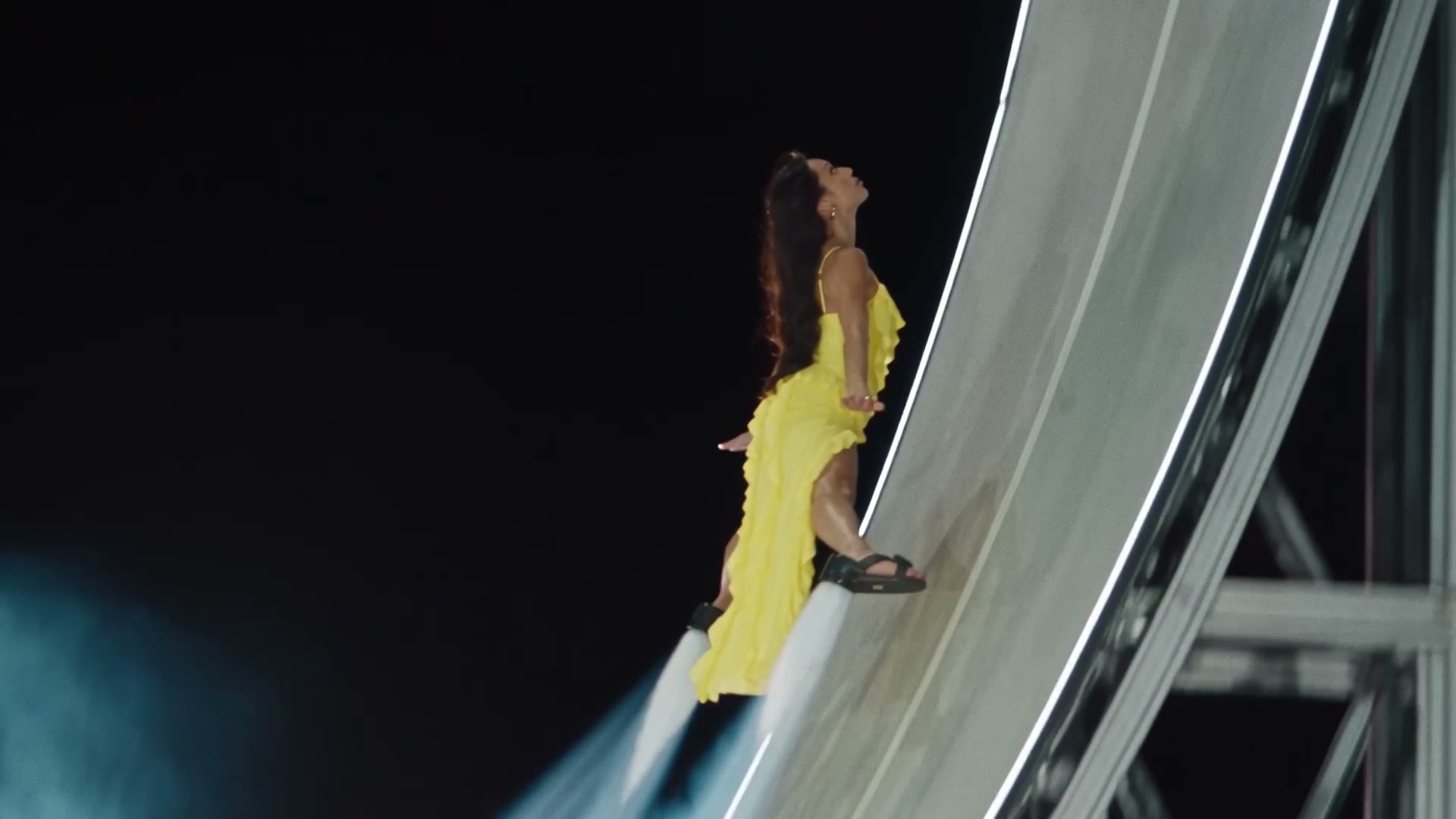 1.0 Lite · 剪辑混剪
Replace the main person in @Video1 with the subject and outfit shown in @Image1 while preserving the handheld framing, facial timing, gestures, and indoor room lighting. Keep the background consistent throughout the shot. This reconstruction describes one person-swap clip from the edited launch showcase.
 1.0 · 剪辑混剪
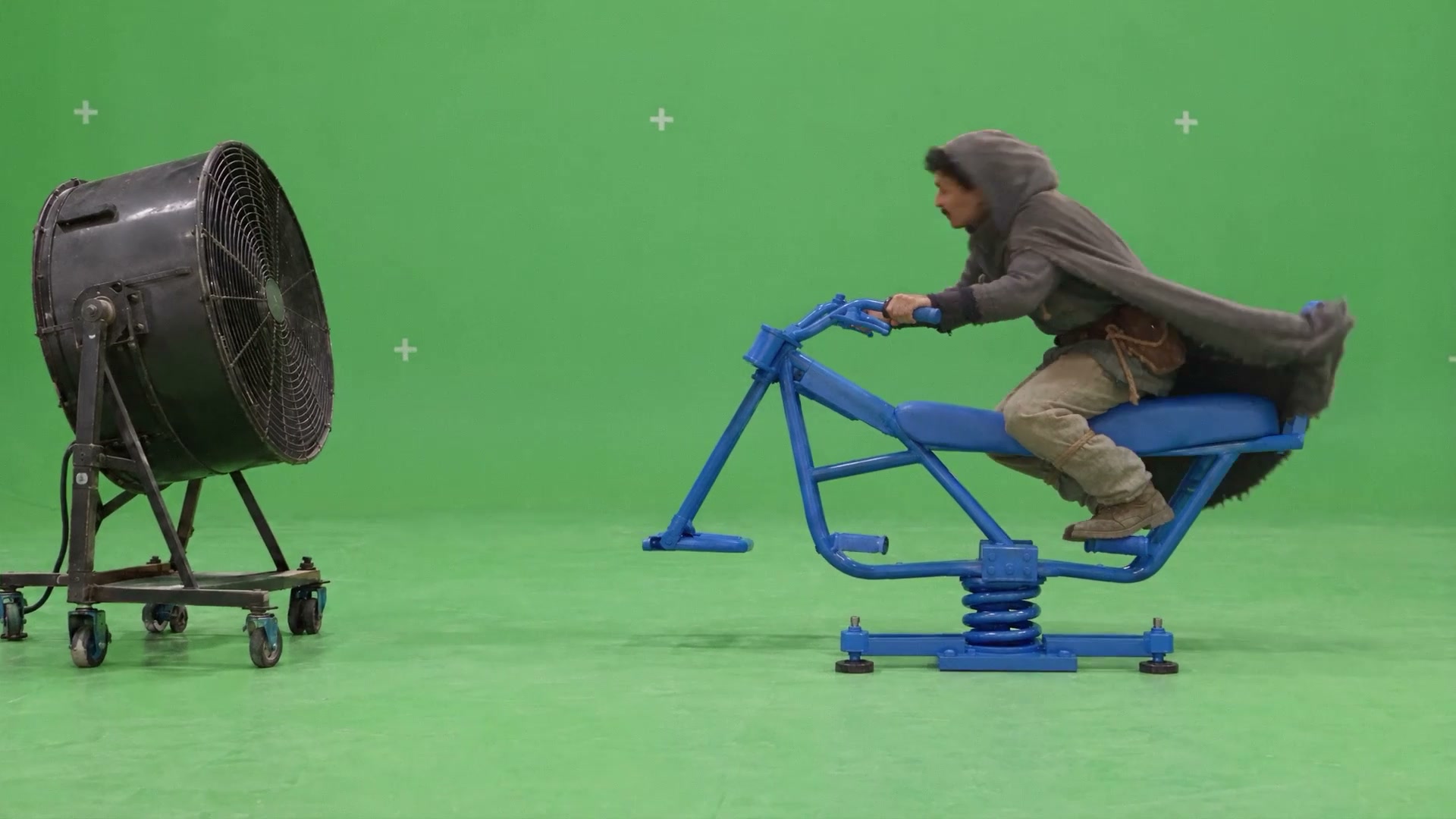
Reimagine the live-action studio performance in @Video1 inside a cinematic dusty sci-fi landscape using the character and set references in @Image1. Preserve the actor choreography, props timing, and camera movement from the source clip. This reconstruction describes a selected shot from the multi-shot hybrid production montage.
 1.0 · 动作迁移
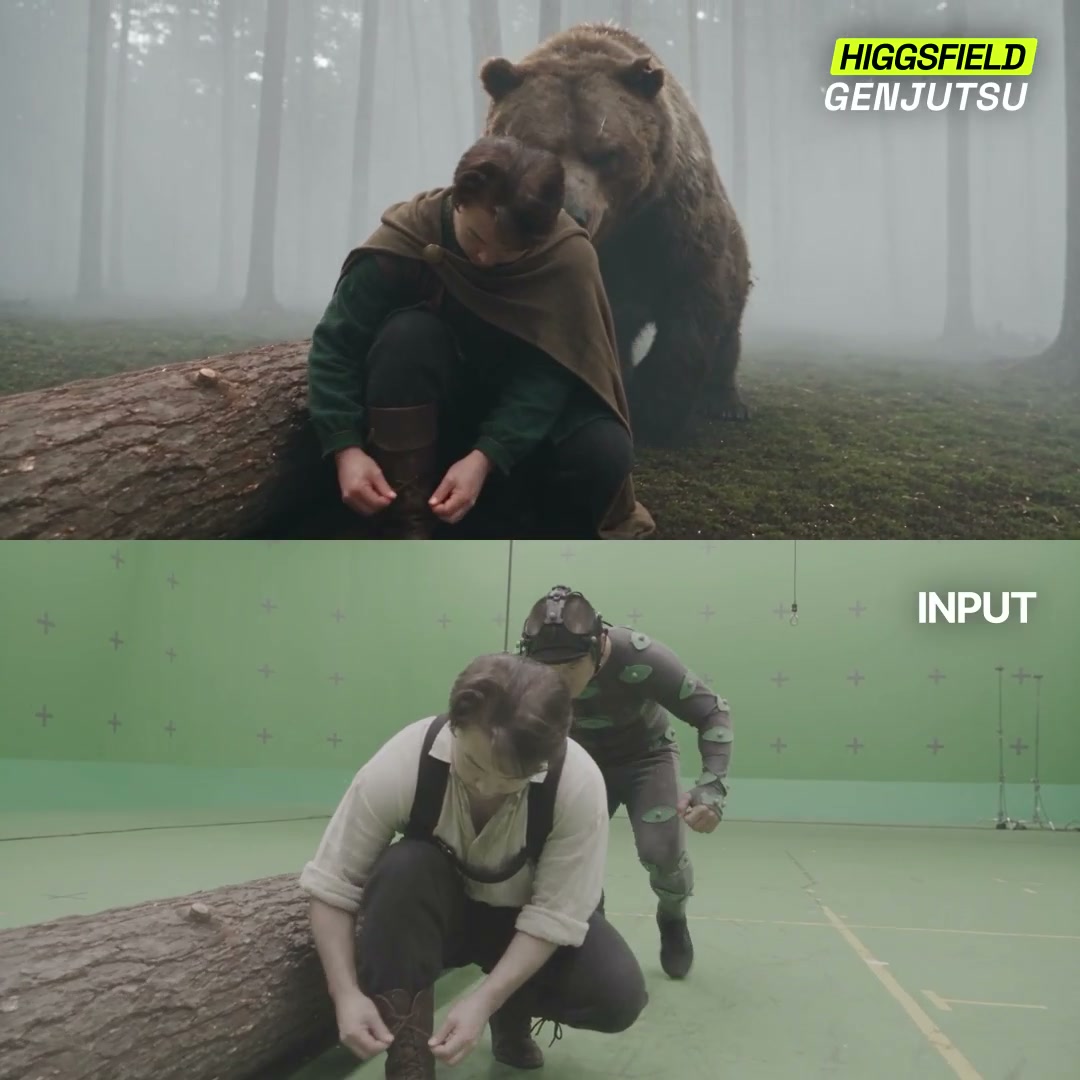
Transfer the source performance into a misty forest encounter with a large brown bear and a person in dark outdoor clothing. Preserve the camera movement and stunt timing from the source clip. This reconstruction describes the transformed shot, not the comparison layout or text overlay.
 1.0 · 物体替换
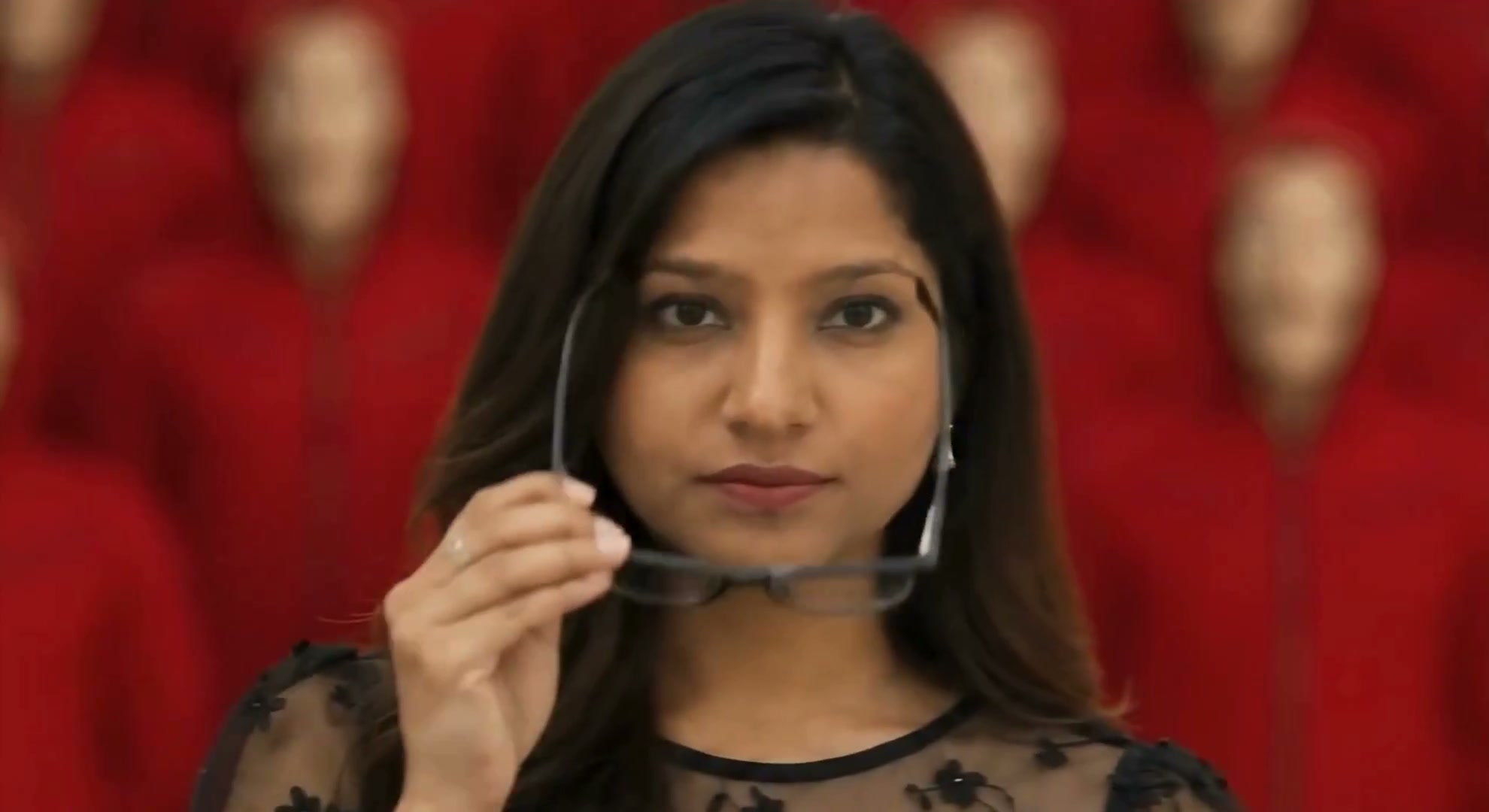
Change the main person in the reference video with the person from my uploaded character images. Preserve the original choreography, body movement, timing, camera movement, framing, background, lighting, and overall scene as closely as possible. Maintain 100% face accuracy throughout the entire video. Do not change the other people or the environment. Change only the identity and face of the main subject.
 1.0 · 动作迁移
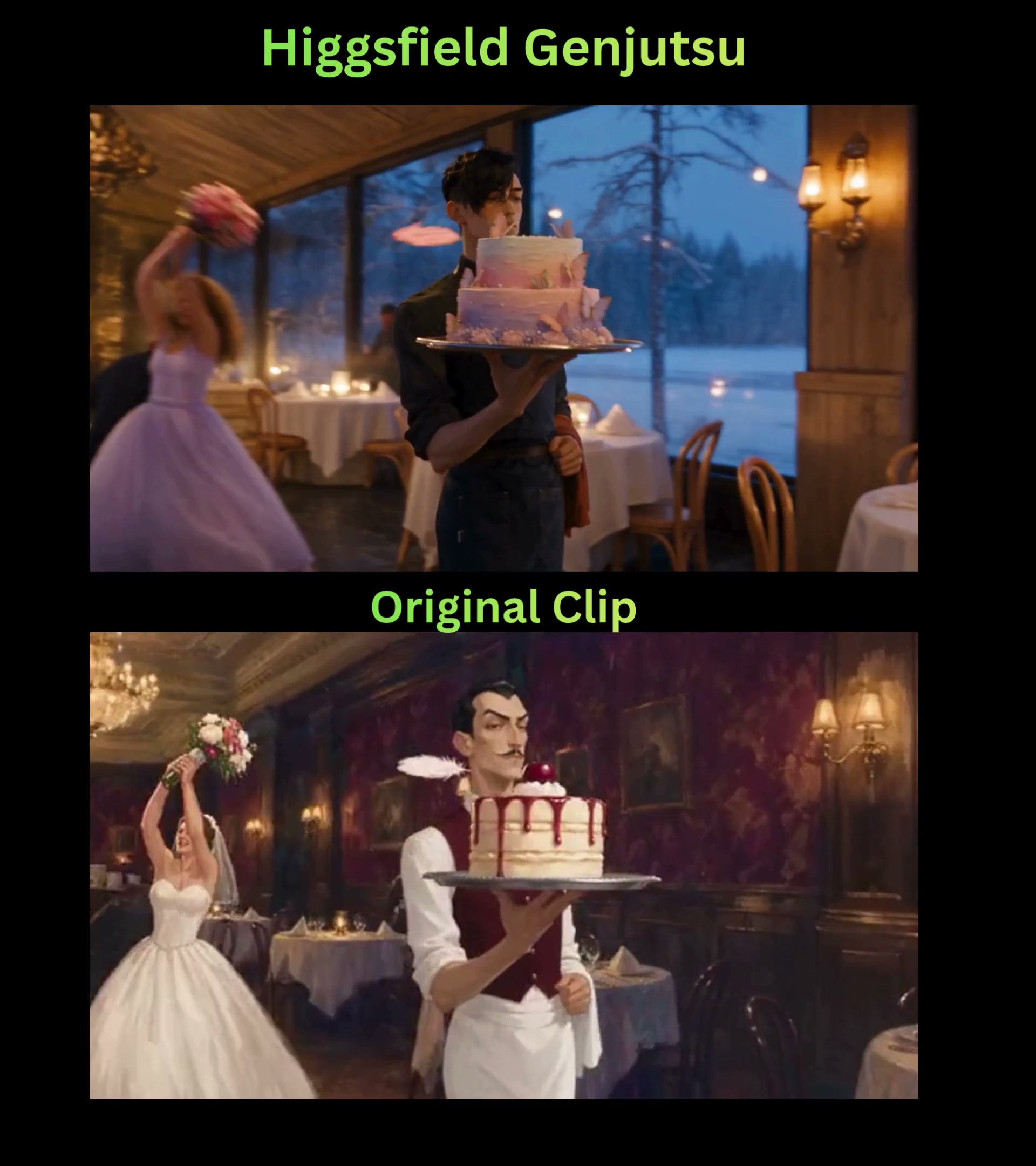
Transform the animated waiter carrying a tiered cake in @Video1 into the live-action person and realistic dining room setting referenced in @Image1. Preserve the walking cadence, tray balance, head turn, and camera pan while rendering natural restaurant lighting and soft background bokeh. This reconstruction describes the transformed shot, not the split-screen comparison layout.
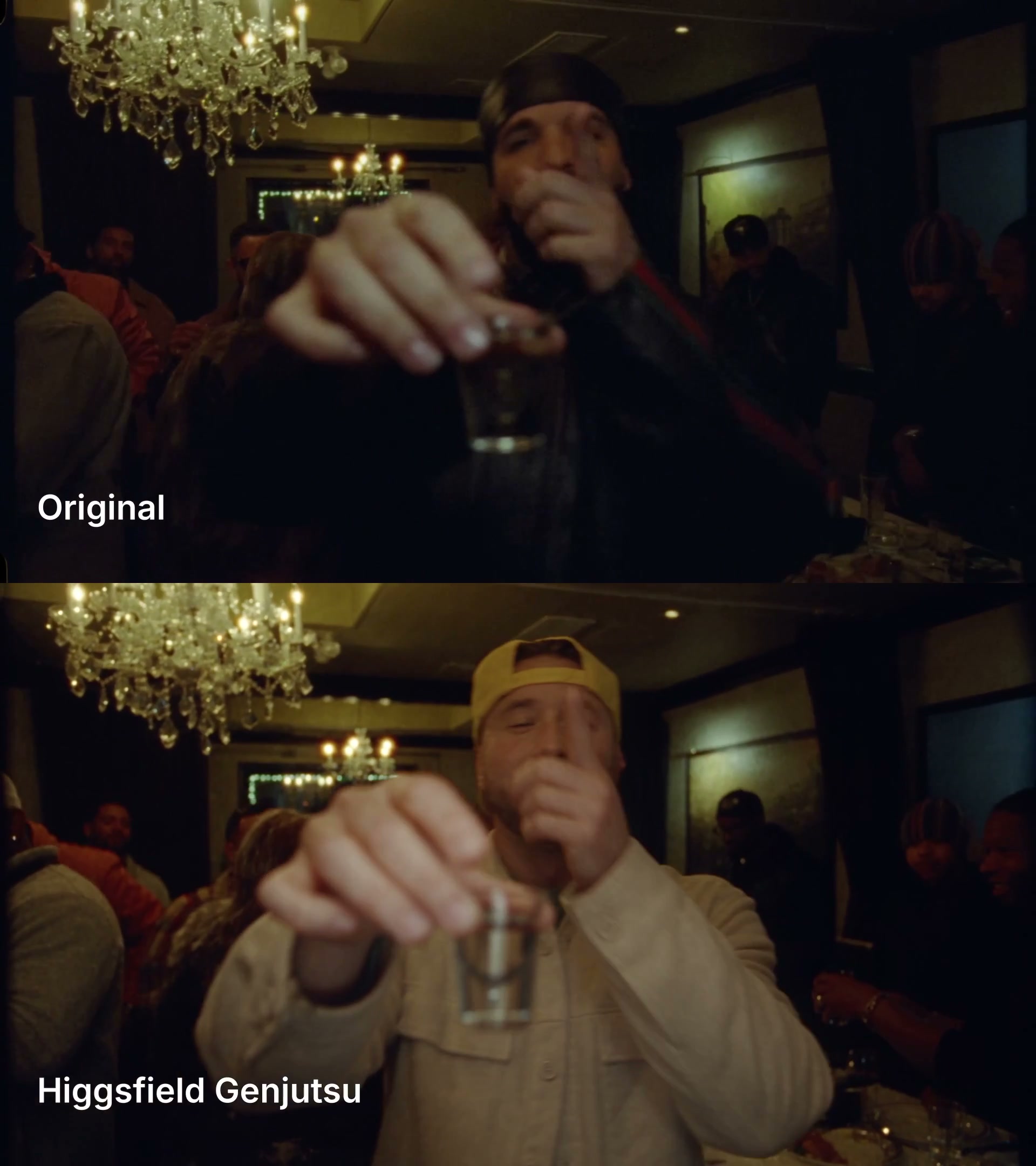 1.0 · 动作迁移
Use this image as reference for the first frame as you transfer the motion onto the character.
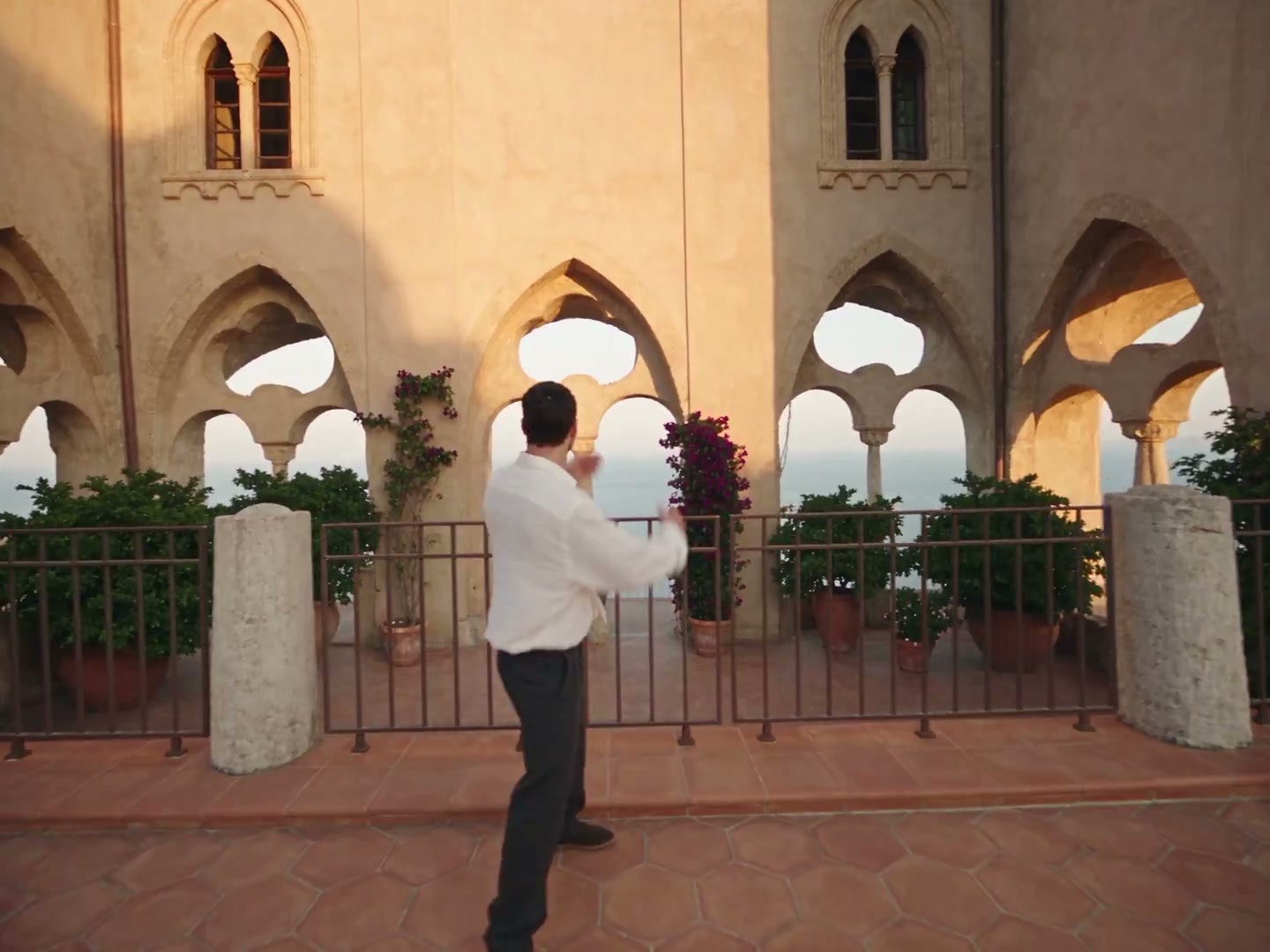 1.0 · 物体替换
Replace the guy from the video with the guy from @[Image 2] keep everything else the same. Replace the girl from the video with the girl in @[Image 1} keep everything else the same.
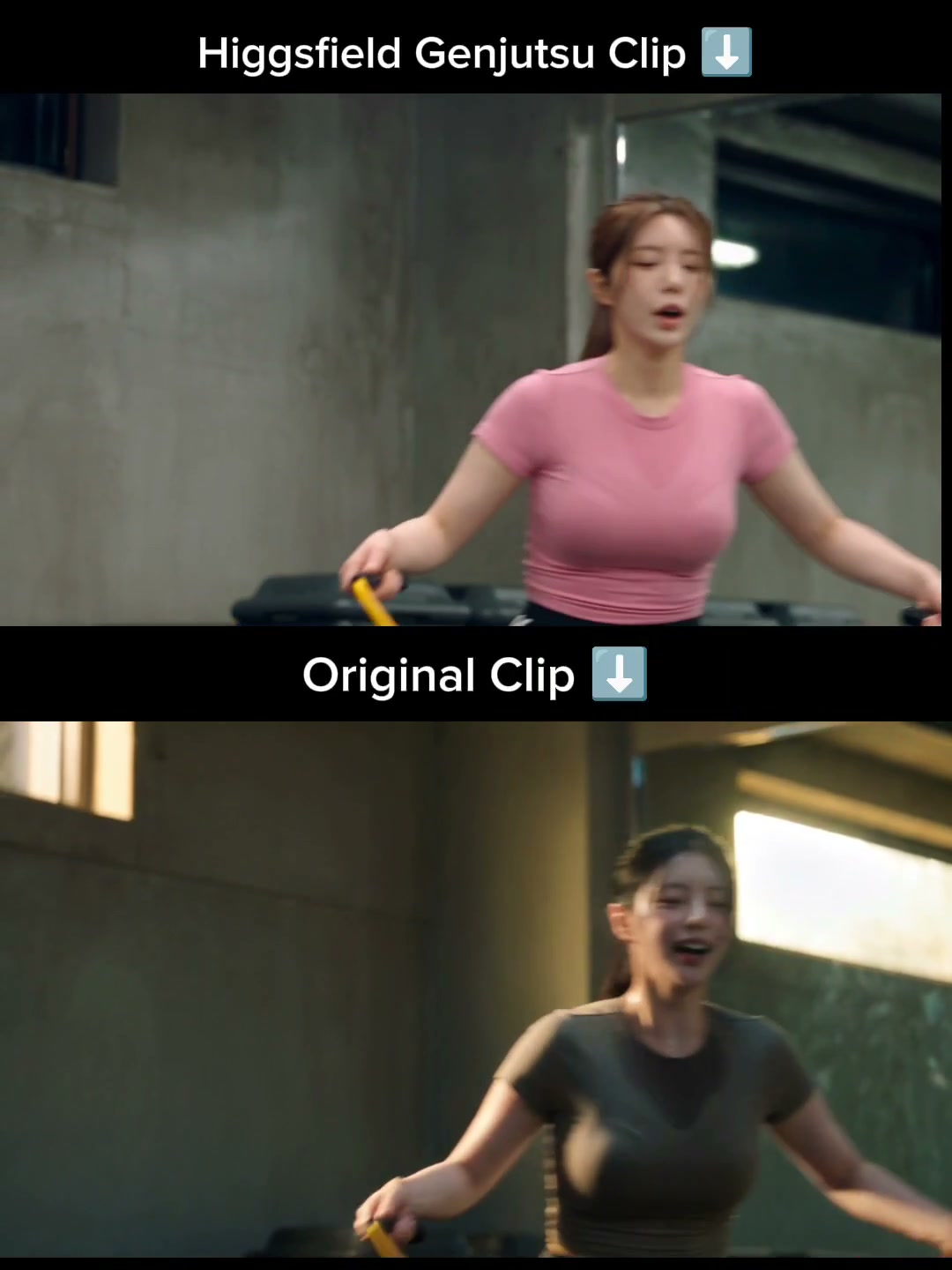 1.0 · 物体替换
Replace the athlete jumping rope in @Video1 with the person and athletic outfit shown in @Image1 while keeping the jump-rope cadence, footwork, camera angle changes, gym equipment, and studio lighting unchanged. This reconstruction describes the transformed clip, not the split-screen comparison layout.
Genjutsu 1.0 与 1.0 Lite 均按源视频计费秒数结算,参考图片数量与提示词不额外加价。
| 版本 / 档位 | 输出分辨率 | 标准价 | WaveSpeed | fal |
|---|---|---|---|---|
| Genjutsu 1.0 | 480p | 折合 ≈ $0.133 / 源视频秒常规 $0.147 / 源视频秒29.3 积分 / 秒 | - | - |
| Genjutsu 1.0 | 720p | 折合 ≈ $0.310 / 源视频秒常规 $0.342 / 源视频秒68.3 积分 / 秒 | - | - |
| Genjutsu 1.0 | 1080p | 折合 ≈ $0.886 / 源视频秒常规 $0.975 / 源视频秒195.0 积分 / 秒 | - | - |
| Genjutsu 1.0 Lite | 720p | 折合 ≈ $0.106 / 源视频秒常规 $0.117 / 源视频秒23.4 积分 / 秒 | - | - |
| Genjutsu 1.0 Lite | 1080p | 折合 ≈ $0.213 / 源视频秒常规 $0.234 / 源视频秒46.8 积分 / 秒 | - | - |
请求随表单同步。网站使用登录会话;API调用使用你的API Key。完整参数、任务创建与查询流程见文档。
提供源视频链接、1–20 张参考图片(1.0 Lite 最多 10 张)及可选提示词。
提交前确认版本、模式、分辨率及可选的 callback_url。
通过任务 ID 轮询状态或接收签名回调,获取生成视频链接。
| 参数 | 说明 |
|---|---|
model | genjutsu |
input | Genjutsu 1.0 或 1.0 Lite 的视频到视频输入对象。 |
callback_url | 可选。接收任务完成签名回调的地址。 |
input.nsfw_check | 是否开启安全审核(默认 false)。 |
input.output_count | 生成视频数量,1–4(默认 1)。 |
input.version | 模型版本,支持 1.0(默认)或 1.0-lite。 |
input.mode | 工作流模式:motion_control(仅 1.0)或 replace_object。 |
input.video_url | 源视频(MP4/MOV/WebM/MKV,≤30 秒)。 |
input.reference_image_urls | 参考图片(1.0 为 1–20 张;1.0-lite 为 1–10 张)。 |
input.resolution | 输出分辨率:480p(仅 1.0)、720p(默认)或 1080p。 |
input.prompt | 可选提示词(最多 5,000 字符),支持 @Image1 与 @Video1 指代。 |
{
  "model": "genjutsu",
  "input": {
    "nsfw_check": true,
    "output_count": 1,
    "version": "1.0",
    "mode": "motion_control",
    "video_url": "https://files.apistable.ai/examples/nanoapi/genjutsu-default-g3-v1/source.mp4",
    "reference_image_urls": [
      "https://files.apistable.ai/examples/nanoapi/genjutsu-default-g3-v1/reference.jpg"
    ],
    "resolution": "720p",
    "prompt": "Transfer the motion and camera movement from the studio performance into a cinematic encounter in a misty forest. Use @Image1 as the visual reference for the large brown bear and the person in dark green outdoor clothing and a brown cloak. Transform the standing motion-capture performer into the bear, preserving the original timing, body movements, interaction with the crouching person, and camera framing. Maintain realistic fur, natural forest lighting and consistent character appearance. No text or logos."
  }
}使用同一个 API Key 调用视频到视频编辑(Genjutsu 1.0 / 1.0 Lite)与 1080p 带声音视频生成(MAGI-2)。
| 模型 | 核心能力与适用场景 | 分辨率 | 时长 / 计费口径 | 起价 |
|---|---|---|---|---|
| Genjutsu 1.0 / Lite API当前页面 | 基于源视频和参考图片完成动作迁移(1.0)与物体替换(1.0 与 1.0 Lite),支持 480p–1080p。 | 1.0: 480p / 720p / 1080p · Lite: 720p / 1080p | 源视频 ≤30 秒(物体替换 4–30 秒) | 23.4 积分 ($0.117) / 秒 |
| MAGI-2 API | 文生、首尾帧图生与多模态参考生视频,固定 1080p 带原生声音,支持 4–30 秒。 | 1080p | 4–30 秒整数 · 默认带声音 | 16.0 积分 ($0.080) / 秒 |
两者共用 model: "genjutsu",通过 input.version 区分。1.0 支持 motion_control 和 replace_object、480p/720p/1080p 以及 1–20 张参考图;1.0 Lite 仅支持 replace_object、720p/1080p 以及 1–10 张参考图,每秒单价更低。
接口会在参数校验阶段直接返回 HTTP 400,不会创建任务也不会预留积分。在工作台切换至 1.0 Lite 时,界面会自动切换为物体替换、禁用 480p 并将参考图上限调整为 10 张;点击动作迁移时会自动切回 1.0。
支持 MP4、MOV、WebM、MKV 格式,时长不超过 30 秒;其中 replace_object 模式(含 1.0 与 1.0 Lite)要求源视频时长在 4–30 秒之间。
至少提供 1 张参考图片。1.0 支持 1–20 张;1.0 Lite 支持 1–10 张,且图片横向或纵向宽高比须 < 3.3:1。
prompt 为可选字段,最长 5,000 字符。填写时可用 @Video1 指代源视频,用 @Image1、@Image2… 按数组顺序指代对应参考图片。
Genjutsu 按源视频的视频轨与音频轨较长者计量计费秒数:motion_control 四舍五入到整秒(最少 4 秒),replace_object 向上取整。服务端需先测量源视频实际时长,因此上传前界面显示每秒费率,测得时长后显示准确报价。
1.0:480p 为 29.3 积分/秒($0.147/秒),720p 为 68.3 积分/秒($0.342/秒),1080p 为 195.0 积分/秒($0.975/秒)。1.0 Lite:720p 为 23.4 积分/秒($0.117/秒),1080p 为 46.8 积分/秒($0.234/秒)。参考图和提示词不额外收费。
Genjutsu 属于视频到视频编辑模型,输出画幅与时长由源视频决定,接口不公开 aspect_ratio、duration 与 seed;传入未定义字段会返回 HTTP 400。
不会。无法获取或测量源视频时长时会在报价阶段直接拒绝,不预留积分;已提交任务若失败或超过 24 小时未完成,扣费为 0 并全额释放预留积分。
APIstable 转存完成的生成视频保留 14 天,请及时下载并保存至自有存储。
向 POST /api/v1/tasks/create_task 提交请求拿到 task_id 后,可轮询 GET /api/v1/tasks/{task_id},或在提交时传入 callback_url 接收签名回调。
不支持官方回退。`output_count` 可设 1–4,单次最多生成 4 条独立视频;每条成功的视频单独计费,失败的不扣费。
Genjutsu 由 Higgsfield 推出。本站 API 仅公开 motion_control(1.0)与 replace_object(1.0 及 1.0 Lite),不包含独立的 Restyle 或预设库参数。
计费取源视频的视频轨与音频轨较长者:replace_object 向上取整(4.01 秒计 5 秒),motion_control 四舍五入到整秒且最少 4 秒。如需控制计费秒数,可先裁切多余音轨。