Define both opening and ending
Provide a starting frame and an optional ending frame to guide how a shot transitions between two planned compositions.
Create with references. Refine with words.
Hosted access to Alibaba’s Wan 2.7 video model on APIstable. Create from text, opening and ending frames, or up to five image and video references (10s max output with video references; voice samples attach to character images), or edit a 2–10s clip.
Provide a starting frame and an optional ending frame to guide how a shot transitions between two planned compositions.
Combine up to five reference images and clips to guide recurring characters, products, locations, and visual style across new shots.
Pair a voice sample with a character image so dialogue scenes reflect the tone and vocal identity you want.
Edit a 2–10 second source clip using written directions and up to four reference images to adjust outfits, objects, backgrounds, or style.
When editing footage, choose whether to preserve the source clip’s dialogue and music or generate fresh sound to fit the edited scene.
Text, image, and image-only reference clips support 2–15 seconds; video references cap output at 10 seconds. Edits follow the source length or shorten it to 2–10 seconds, never beyond the source.
In image-to-video mode, pair an opening image with one 2–30 second voiceover or music track to guide the scene. Video output still stays within 2–15 seconds.
All four workflows default to 1080p in the API. Choose 720p when you want a lower-cost concept test, and review each generated clip before delivery.
Connect a before-and-after still or two storyboard frames to stage a guided camera move or packaging reveal.
Place the same character or brand mascot into fresh locations and angles using reference images for stronger visual continuity.
Match a character portrait with a short voice sample to prototype talking-head beats and character-led spots.
Storyboard artists can combine character, prop, and location references with written scene directions to create a draft for reviewing composition and art direction.
Creative teams can use video editing with a 2–10 second source clip and reference images to try changes to the subject or look while directing motion in the edit prompt. Review how closely the result follows the source.
Update clothing, swap props, or change a backdrop on an existing 2–10 second clip without filming again.
Transform an existing short clip into a new lighting mood, color palette, or illustrative look using text and reference stills.
Editors can change a short talking-head scene while keeping its source audio. If the output is shortened, the retained sound corresponds to the shortened segment.
Watch Wan 2.7 examples, then load a prompt and workflow into the workbench to try them.
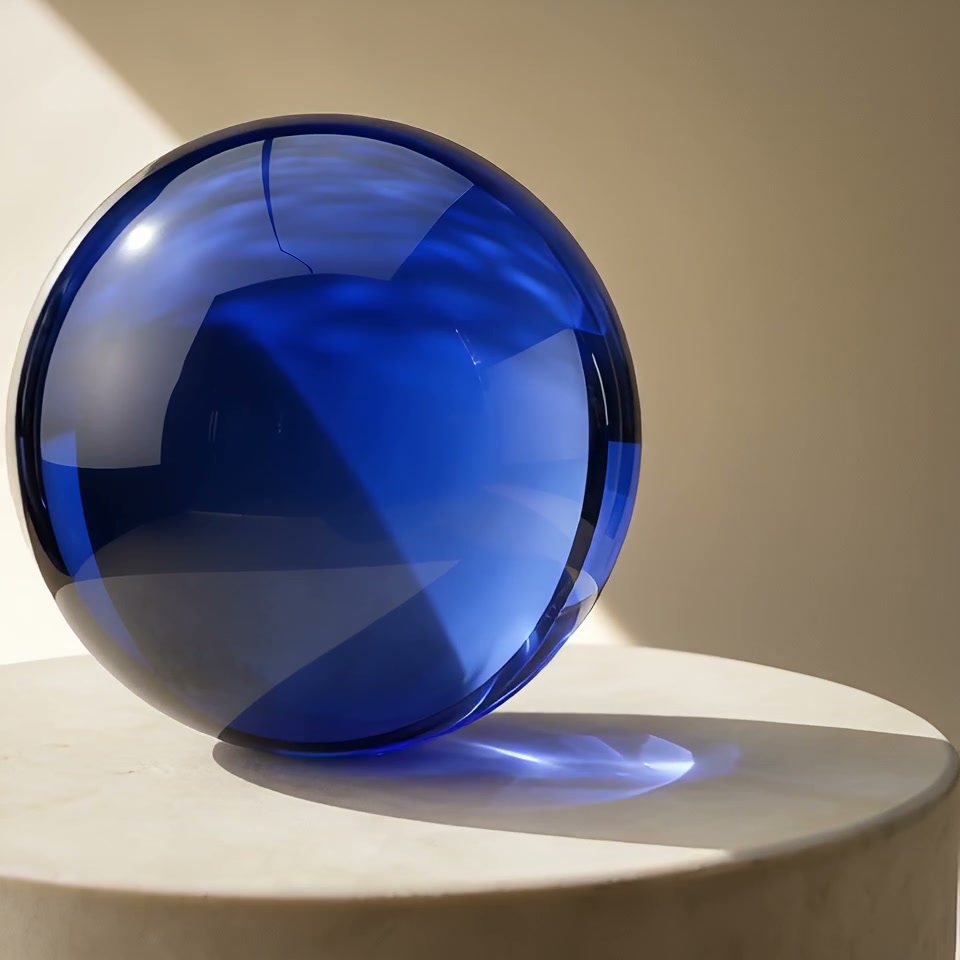 Text to video2s · 1:1
A single transparent cobalt-blue glass sphere on a matte cream stone pedestal, slow smooth camera orbit, crisp moving caustic reflections and soft studio shadows, premium macro product cinematography. No people, logos, text, music, or speech. Gentle airy room tone.
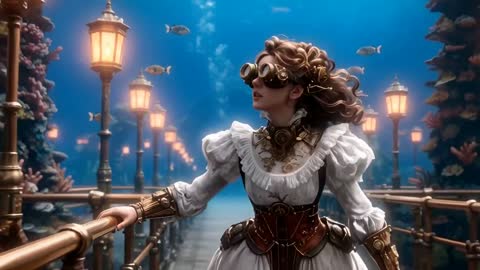 References5s · 16:9
Steadicam tracking shot from the side. A wide underwater boulevard lined with glowing lanterns and coral archways, fish drifting between the buildings. The steampunk woman (image1) walks slowly along the street, one hand trailing along a brass railing, head turning to take it all in. The robot (image2) walks beside her, slightly behind. Camera tracks them from the right. Woman: "How long has it been here?" Robot: "Four hundred and twelve years." Woman (stopping): "And no one found it?" Robot: "No one looked."
Add at least 1 reference image or video to generate (this prompt references 2 character images: image1 for the steampunk woman and image2 for the robot).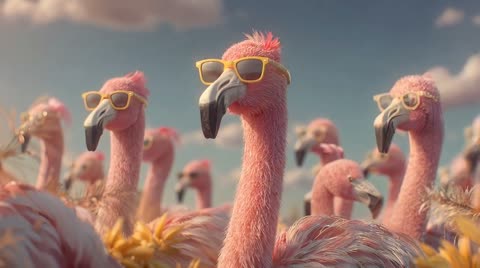 Frames10s · ≈16:9
The flock of flamingos in yellow sunglasses stands in the bright daylight as in the image. The camera frame slowly tilts to a Dutch angle. Funky bass groove begins. One flamingo — slightly taller than the others — notices the tilt, looks directly at the lens, then deliberately tilts its own head to match. Flamingo: "Better. Now we're both weird."
Add a first frame to generate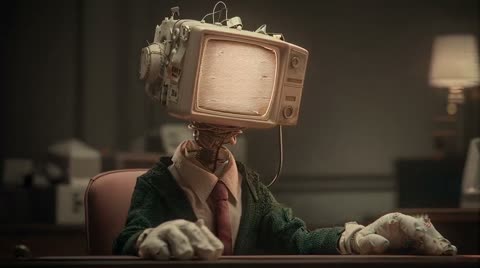 Frames10s · ≈16:9
Starting from the front view, the camera slowly orbits behind the TV-headed figure, settling over its shoulder and looking out across the dim, blurred office into the darkness beyond. A deep ambient bass tone hums. The figure doesn’t move, but the screen’s glow casts a faint rectangle of light forward into the dark room. TV Head (quietly): “Something’s out there.” The screen flickers once. “It’s been watching us back.”
Add a first frame to generate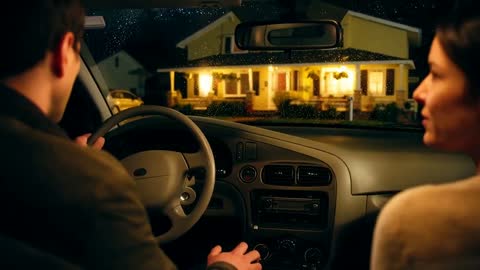 Text to video10s · 16:9
Rain-streaked glass, night, interior car — dashboard light only. Two people sit in a parked car outside a lit house, neither moving. Woman (staring ahead): "I don't know how to go in there and pretend everything's fine."
 Text to video10s · 16:9
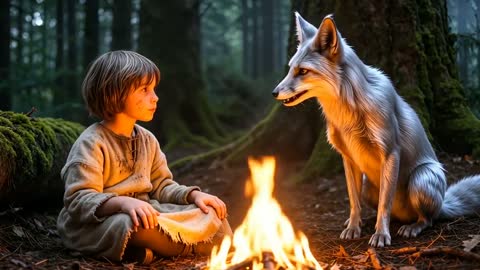
At a small campfire in a dense green forest at dusk, a young child in a cream shirt sits beside a large gray-orange fox. Cut from a wide two-shot to the child speaking and then the fox replying, with warm firelight on their faces and a soft leafy background. Storybook cinematic realism. The audible script was not transcribed.
 Video edit5s · 16:9
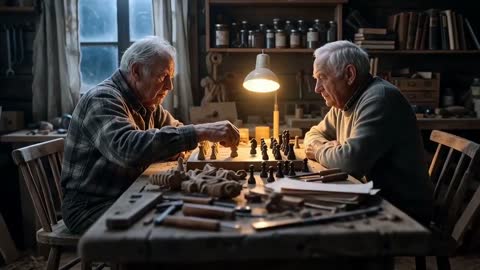
Replace the two elderly men with the bear from image1 and the dog from image2. The bear sits on the left side of the chess table, the dog sits on the right. Both retain the original chess-playing posture and movements. Keep the wooden table, chess pieces, warm lamp lighting, and cozy room atmosphere unchanged. Add ambient sounds of a crackling fireplace and the soft click of chess pieces being placed.
Add a 2–10s source video to generate (to recreate this edit, also add 2 optional reference images: image1 for the bear and image2 for the dog). Video edit2s · 16:9
Keep the white paper boat, its motion, camera movement and water ripples unchanged. Replace the distant background with a softly blurred snowy mountain shoreline and cool blue winter light. Preserve realistic paper texture and gentle water sounds. No people, writing, logos, music, or speech.
One per-second rate across all four Wan 2.7 workflows (default 1080p). Text and image generation bill output seconds; reference-to-video and video editing bill input video seconds plus measured output seconds.
| Workflow | Output resolution | Standard | WaveSpeed | fal |
|---|---|---|---|---|
| Text to video | 720p | With bonus ≈ $0.077 / sRegular $0.085 / s17.0 credits / s | $0.100 / s29.4% more | $0.100 / s29.4% more |
| Text to video | 1080p | With bonus ≈ $0.127 / sRegular $0.140 / s28.0 credits / s | $0.150 / s17.9% more | $0.150 / s17.9% more |
| Image to video (first/last frame) | 720p | With bonus ≈ $0.077 / sRegular $0.085 / s17.0 credits / s | $0.100 / s29.4% more | $0.100 / s29.4% more |
| Image to video (first/last frame) | 1080p | With bonus ≈ $0.127 / sRegular $0.140 / s28.0 credits / s | $0.150 / s17.9% more | $0.150 / s17.9% more |
| Reference to video | 720p | With bonus ≈ $0.077 / billable sRegular $0.085 / billable s17.0 credits / billable s | - | $0.100 / billable s29.4% more |
| Reference to video | 1080p | With bonus ≈ $0.127 / billable sRegular $0.140 / billable s28.0 credits / billable s | - | $0.100 / billable s21.4% less |
| Video edit (5s source → 5s output) | 720p | With bonus ≈ $0.155 / output sRegular $0.170 / output s34.0 credits / output s (17.0 credits / billable s × 2) | $0.200 / output s29.4% more | $0.100 / output s35.3% less |
| Video edit (5s source → 5s output) | 1080p | With bonus ≈ $0.255 / output sRegular $0.280 / output s56.0 credits / output s (28.0 credits / billable s × 2) | $0.300 / output s17.9% more | $0.150 / output s41.1% less |
The request follows the form. The website uses your session; API clients use your API key. See the docs for parameters, task creation and task queries.
Write a prompt, add any reference files, and choose the video settings.
Confirm the mode, resolution, and clip length. Each request returns one video; reference and edit workflows also bill input-video seconds.
Use the task ID to check the status and retrieve the video URLs.
| Parameter | Description |
|---|---|
model | wan-2.7 |
input | wan-2.7 text_to_video: public HTTPS media without credentials, custom ports, or # fragments; 1 video per request; fallback unavailable. Billable seconds = requested output seconds. Video continuation and effects templates are not supported. When nsfw_check is true, APIstable screens text and images before submission; omitted or false skips APIstable screening. Video and audio are passed to the model provider, which applies its own moderation. |
callback_url | Optional public HTTPS URL for signed completion callbacks. The URL must be directly accessible without redirects. |
input.mode | Explicit workflow mode: text_to_video (default), image_to_video, reference_to_video, or video_edit; never inferred from media. |
input.prompt | Required scene instruction, 1–5,000 characters. |
input.resolution | Output resolution: 720p (17.0 credits/billable s) or 1080p (default, 28.0 credits/billable s). |
input.duration | Output seconds, integer 2–15 (default 5). |
input.aspect_ratio | Optional output aspect ratio (16:9, 9:16, 1:1, 4:3, 3:4); defaults to 16:9. |
input.nsfw_check | Run APIstable input screening when true; omitted or false skips it. Never forwarded to the generation provider. |
input.negative_prompt | Optional undesired content, up to 500 characters. |
input.prompt_extend | Enable automatic prompt expansion (default true). |
input.watermark | Add an AI-generated watermark (default false). |
input.seed | Optional non-negative integer seed (0–2147483647); omit for random generation. |
input.output_count | Fixed at 1 video per request. |
input.official_fallback | Fallback is unavailable; fixed at false. |
{
  "model": "wan-2.7",
  "input": {
    "prompt": "A single transparent cobalt-blue glass sphere on a matte cream stone pedestal, slow smooth camera orbit, crisp moving caustic reflections and soft studio shadows, premium macro product cinematography. No people, logos, text, music, or speech. Gentle airy room tone.",
    "resolution": "720p",
    "aspect_ratio": "1:1",
    "seed": 20261125,
    "watermark": false,
    "prompt_extend": true,
    "nsfw_check": true,
    "output_count": 1,
    "official_fallback": false,
    "duration": 2,
    "mode": "text_to_video"
  }
}Use one APIstable key across Wan 2.6, Wan 2.7, and Wan 3.0. Pick the version that matches your inputs, clip length, and budget.
| Model | Best for | Resolution | Duration | Starting rate |
|---|---|---|---|---|
| Wan 2.7 APICurrent page | Opening and ending keyframes, up to 5 image or video references (2–10s with video references), voice samples attached to character images, and text-guided editing of existing clips. | 720p / 1080p | 2–15s; with video references: 2–10s. Edits keep source length or shorten it. | 720p · 17.0 credits ($0.085) / billable s |
| Wan 2.6 API | Prompt or opening-image clips with synchronized sound, multi-shot storytelling, and the lower 2.6/2.7 rate. | 720p / 1080p | 5s / 10s / 15s | 720p · 13.0 credits ($0.065) / s |
| Wan 3.0 Standard API | Longer clips up to 30 seconds or automatic length, broader multimodal references, documents or public static webpages, and optional fallback. | 480p / 720p / 1080p | 2–30 seconds or automatic | 480p · 7 credits ($0.035) / s |
| Wan 3.0 Prime API | Same Wan 3.0 capabilities and input options on a separate published rate tier, with optional fallback. | 480p / 720p / 1080p | 2–30 seconds or automatic | 480p · 11 credits ($0.055) / s |
Find answers about pricing, generation results, and API access.
Wan 2.7 supports four workflows under one public model: text-to-video, opening/ending keyframe animation, multi-reference video generation with optional character-image voices, and text-guided editing of an existing short clip. API requests default to text-to-video when mode is omitted and require an explicit mode for the other three workflows.
Choose Wan 2.7 for ending frames, multiple references, image-bound character voices, finer duration choices, or editing an existing short clip. Choose Wan 2.6 for lower-cost prompt or single-image generation. Consider Wan 3.0 for longer or automatic-length clips, documents, or public static webpages; reference-video input plus output must remain within 30 seconds.
Video editing revises a 2–10 second source clip using written directions and up to four optional reference images—such as changing outfits, props, backgrounds, visual style, or directed motion. It can keep the source length or shorten it from the start, but cannot extend past the source duration.
Text-to-video takes only a prompt and lets you pick from five standard aspect ratios (16:9, 9:16, 1:1, 4:3, 3:4). Image-to-video requires an opening frame—which sets the output proportions—and optionally accepts an ending frame and one custom soundtrack.
Use public HTTPS links for images (JPEG, PNG, BMP, or WebP—all without alpha channels), MP4/MOV video clips, and WAV/MP3 audio. Reference mode accepts up to 5 images and videos combined (including an optional first frame), while video editing takes one 2–10s source clip and up to 4 images. Check the workbench tooltips or API docs for exact file-size, pixel, and duration limits.
Create an API key and submit tasks to APIstable’s task-creation endpoint using model "wan-2.7", then poll the task ID for the finished video. Omitting the mode defaults to text-to-video; specify the mode explicitly for image, reference, or video-edit workflows.
Community testing suggests focusing each clip on a single main subject, one clear camera or subject move, and concrete sound cues—and keeping fast multi-subject action simple. These practices can help, though visual consistency is never guaranteed and results still require review.
Reference images and videos guide appearance, clothing, and setting, but they do not guarantee identical faces, hands, or small text across every frame. Always inspect generated clips before publishing.
Text and image modes bill requested output seconds, while reference and edit modes bill every supplied input video’s seconds plus measured output seconds (images and voice clips add no video seconds). For example, editing a 5s clip at 1080p at full length bills 10 seconds (280.0 credits / $1.400). See the Wan 2.7 API · Pricing section above for 720p/1080p rates and top-up bonus pricing.
Text, image-to-video, and image-only reference clips accept integer durations from 2 to 15 seconds (default 5s). Adding any reference video lowers the cap to 10 seconds, and video editing either matches the 2–10s source or trims it from the start.
Wan 2.7 always generates native audio (no global mute toggle). Custom audio is mode-specific: image-to-video takes one 2–30s soundtrack, reference mode binds a 1–30s voice clip to a character image only, and video editing chooses between keeping source audio or regenerating it.
No. APIstable does not expose video continuation/extension or 480p/4K output on Wan 2.7, and editing cannot lengthen a source clip. All four workflows run under model "wan-2.7" rather than separate R2V or video-edit model IDs.
Failed generations charge 0 credits and release reserved credits automatically, and final settlement never exceeds the reserved cap. Wan 2.7 runs on a single direct channel (one video per request, no fallback) and retains archived outputs for 14 days. APIstable screens text and images before submission. Video and audio are passed to the model provider, which applies its own moderation.
Enter a prompt and generate a video in the workbench.