Two versions under one model ID
Call model "genjutsu" with version "1.0" (default) or "1.0-lite" without changing endpoints, task polling, or webhook verification.
Video-to-video motion transfer and object replacement in one API (1.0 & 1.0 Lite)
Transfer character motion or swap objects in an existing video using a source clip and reference images. Switch between Genjutsu 1.0 (480p–1080p, motion control & object swap) and Genjutsu 1.0 Lite (720p/1080p, lower-cost object replacement) under one model ID.
Call model "genjutsu" with version "1.0" (default) or "1.0-lite" without changing endpoints, task polling, or webhook verification.
Use mode "motion_control" to drive subjects from your reference images with the movement, timing, and framing of a source video up to 30 seconds.
Use mode "replace_object" on a 4–30 second source video to swap products, props, or subjects while keeping the surrounding action context.
Switch to version "1.0-lite" for lower per-second replace_object pricing at 720p (23.4 credits/s) or 1080p (46.8 credits/s) with up to 10 reference images.
Pass 1–20 reference images on 1.0 (or 1–10 on 1.0 Lite) to supply multiple angles of a character, garment, or product in a single request.
Add an optional prompt up to 5,000 characters and reference assets directly with @Image1, @Image2… and @Video1 to clarify what to replace or preserve.
Select 480p, 720p (default), or 1080p on Genjutsu 1.0, or 720p / 1080p on 1.0 Lite, matching draft review or final delivery budgets.
Pricing is strictly per measured source-video second—reference images and prompts add zero extra cost, and failed tasks charge 0 credits.
Replace a placeholder bottle, gadget, or packaging in an existing product demo clip using multi-angle product photos without reshooting.
Apply choreography, gestures, or camera movement from a real-world clip to an illustrated or stylized character using 1.0 motion_control.
Run Genjutsu 1.0 Lite replace_object across multiple SKUs or colorways at 720p ($0.117/s) to iterate on creative variants at lower per-second cost.
Keep the pacing and blocking of a proven short-form clip while swapping in a new brand prop or spokesperson appearance.
Transfer head turns and hand gestures from a studio reference video onto a brand persona supplied via reference images; review identity fidelity before publishing.
Swap bags, eyewear, or accessories in runway or lifestyle footage using reference photos from several angles.
Swap out an outdated label or unintended prop in a 4–30 second shot using @Image1 and @Video1 instructions.
Test motion_control ideas at 480p (29.3 credits/s) before rendering approved shots at 720p or 1080p.
Explore 8 authorized showcase examples, including the misty forest motion-control creator example preloaded in the workbench above. Split-screen comparisons, edited montages, and reverse-engineered prompts are labeled explicitly.
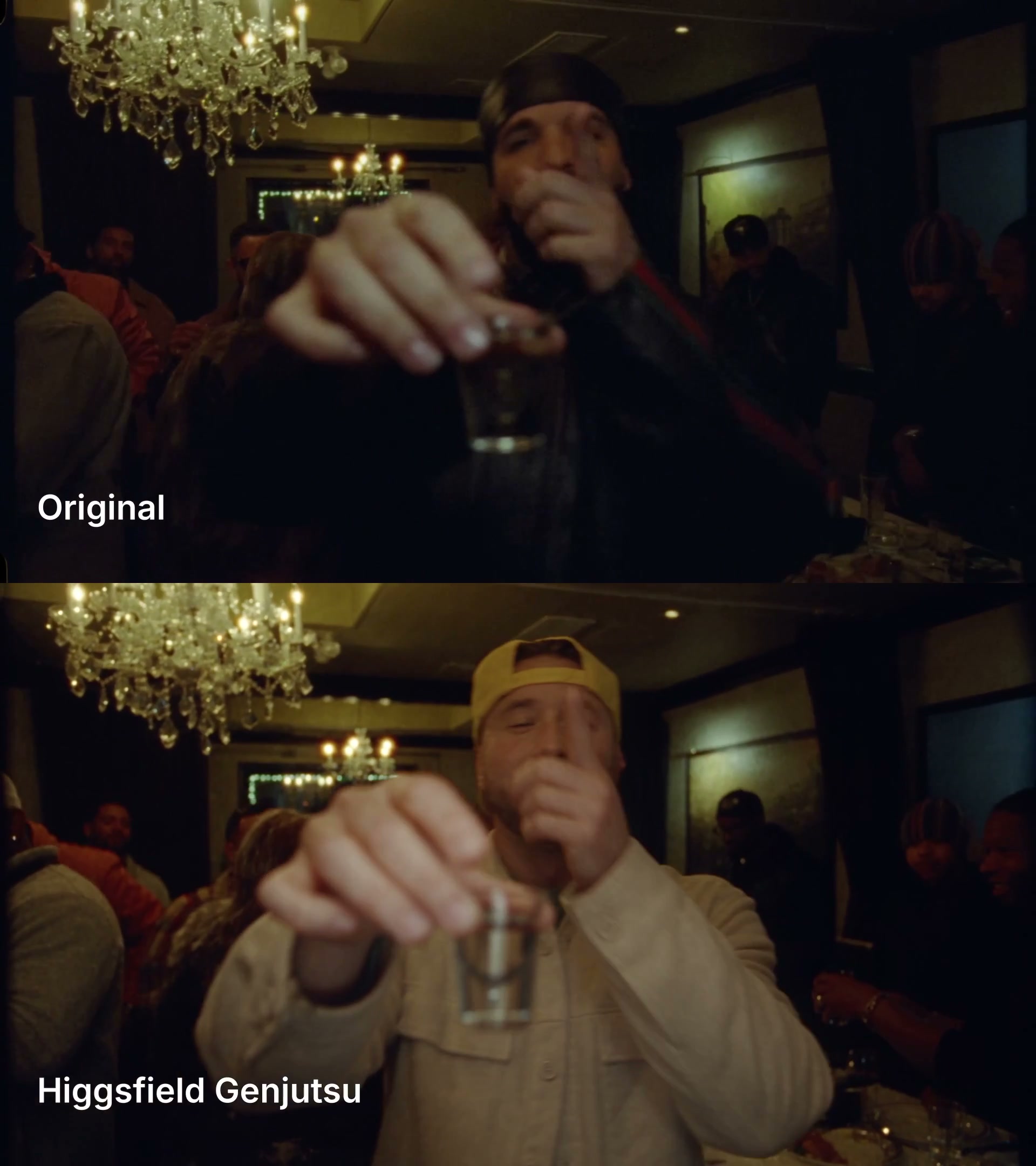
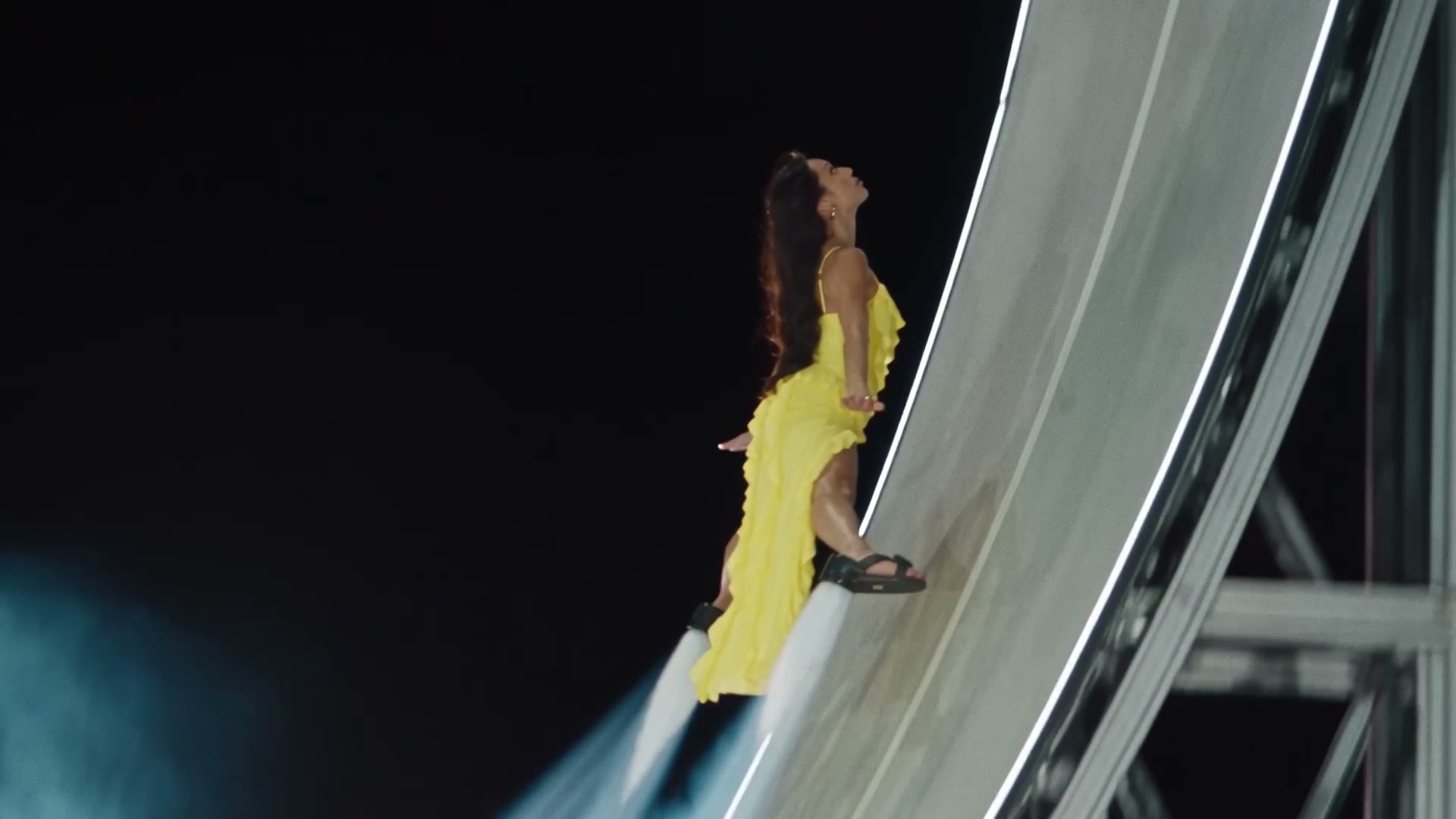 1.0 Lite · Edited montage
Replace the main person in @Video1 with the subject and outfit shown in @Image1 while preserving the handheld framing, facial timing, gestures, and indoor room lighting. Keep the background consistent throughout the shot. This reconstruction describes one person-swap clip from the edited launch showcase.
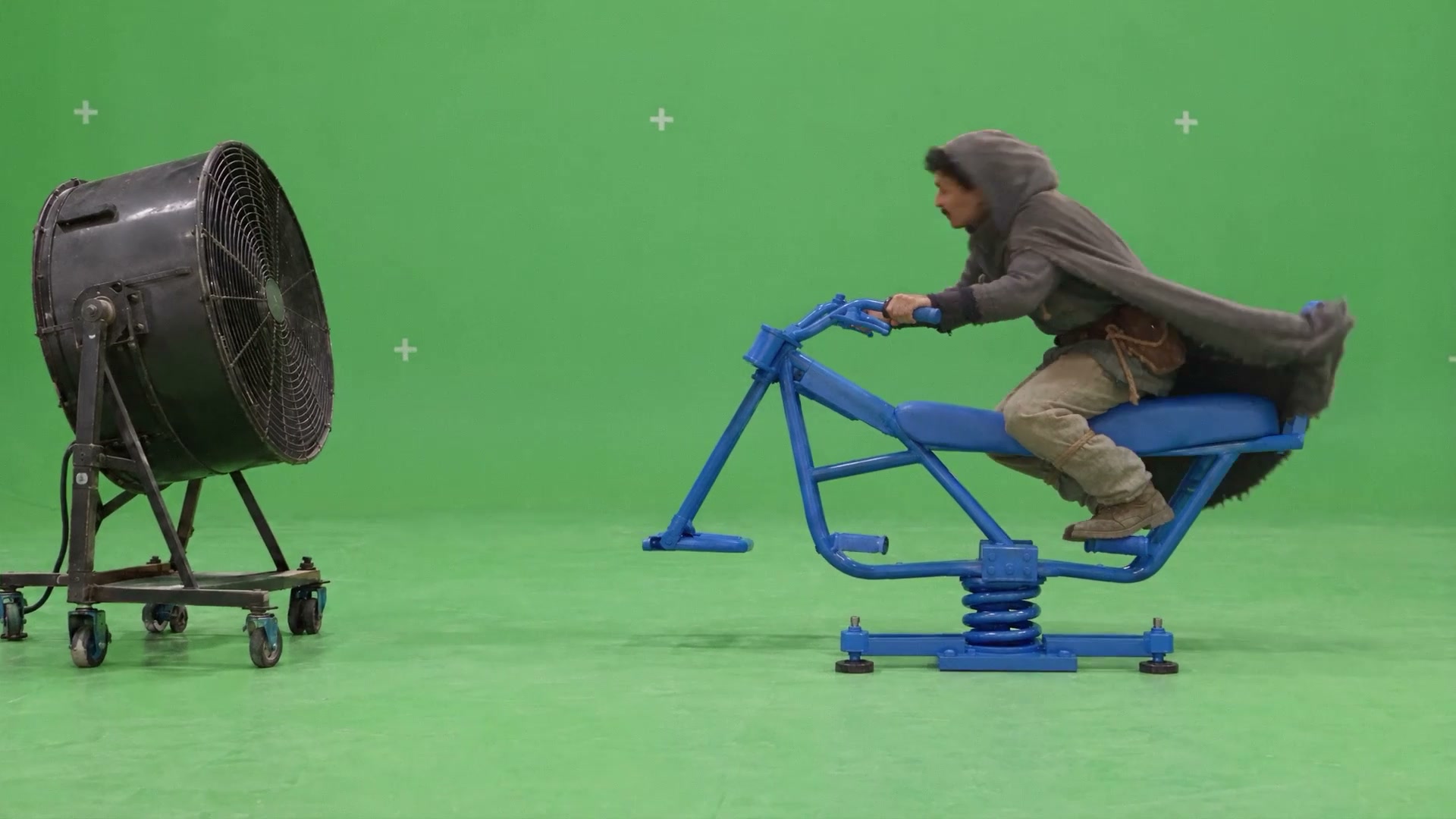 1.0 · Edited montage
Reimagine the live-action studio performance in @Video1 inside a cinematic dusty sci-fi landscape using the character and set references in @Image1. Preserve the actor choreography, props timing, and camera movement from the source clip. This reconstruction describes a selected shot from the multi-shot hybrid production montage.
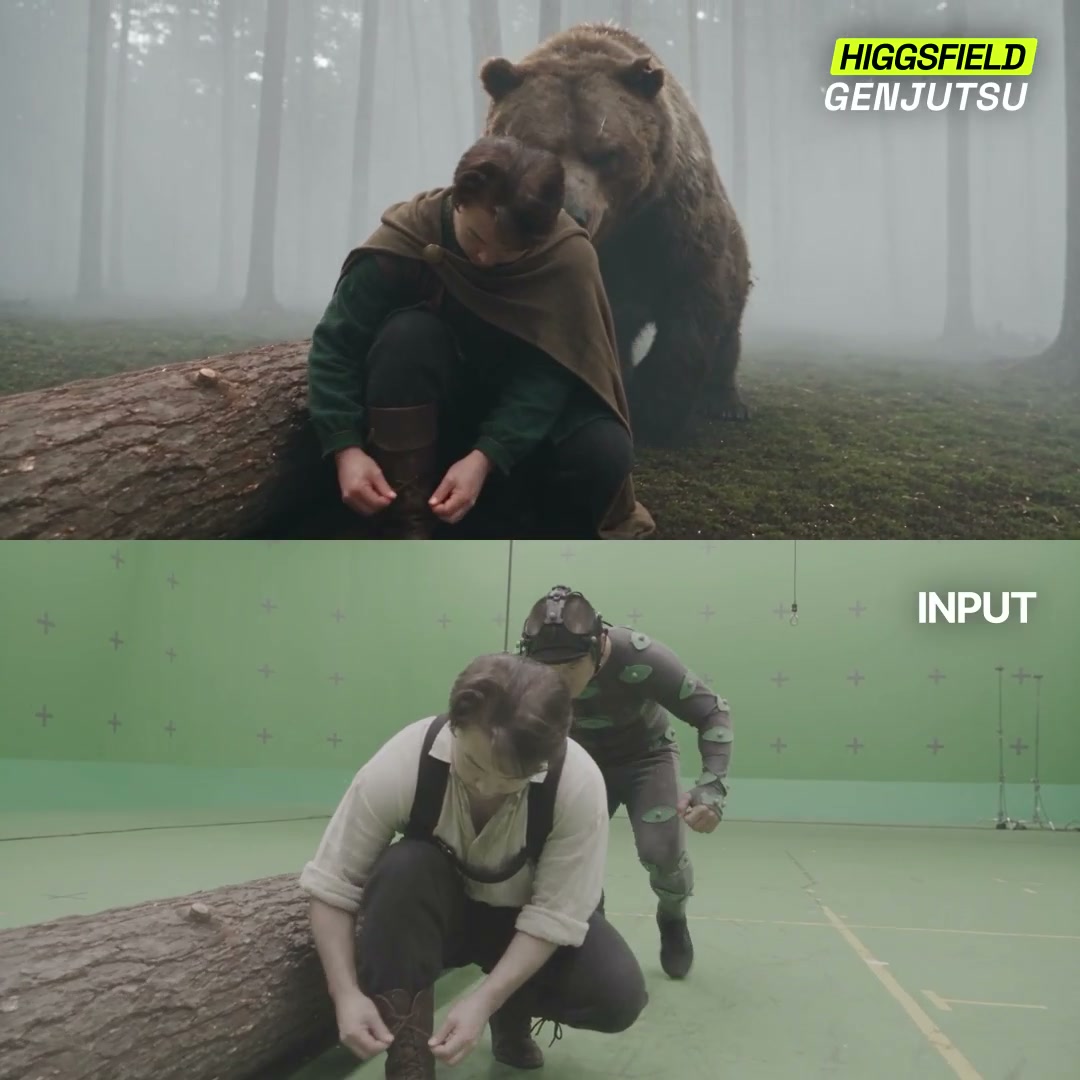 1.0 · Motion control
Transfer the source performance into a misty forest encounter with a large brown bear and a person in dark outdoor clothing. Preserve the camera movement and stunt timing from the source clip. This reconstruction describes the transformed shot, not the comparison layout or text overlay.
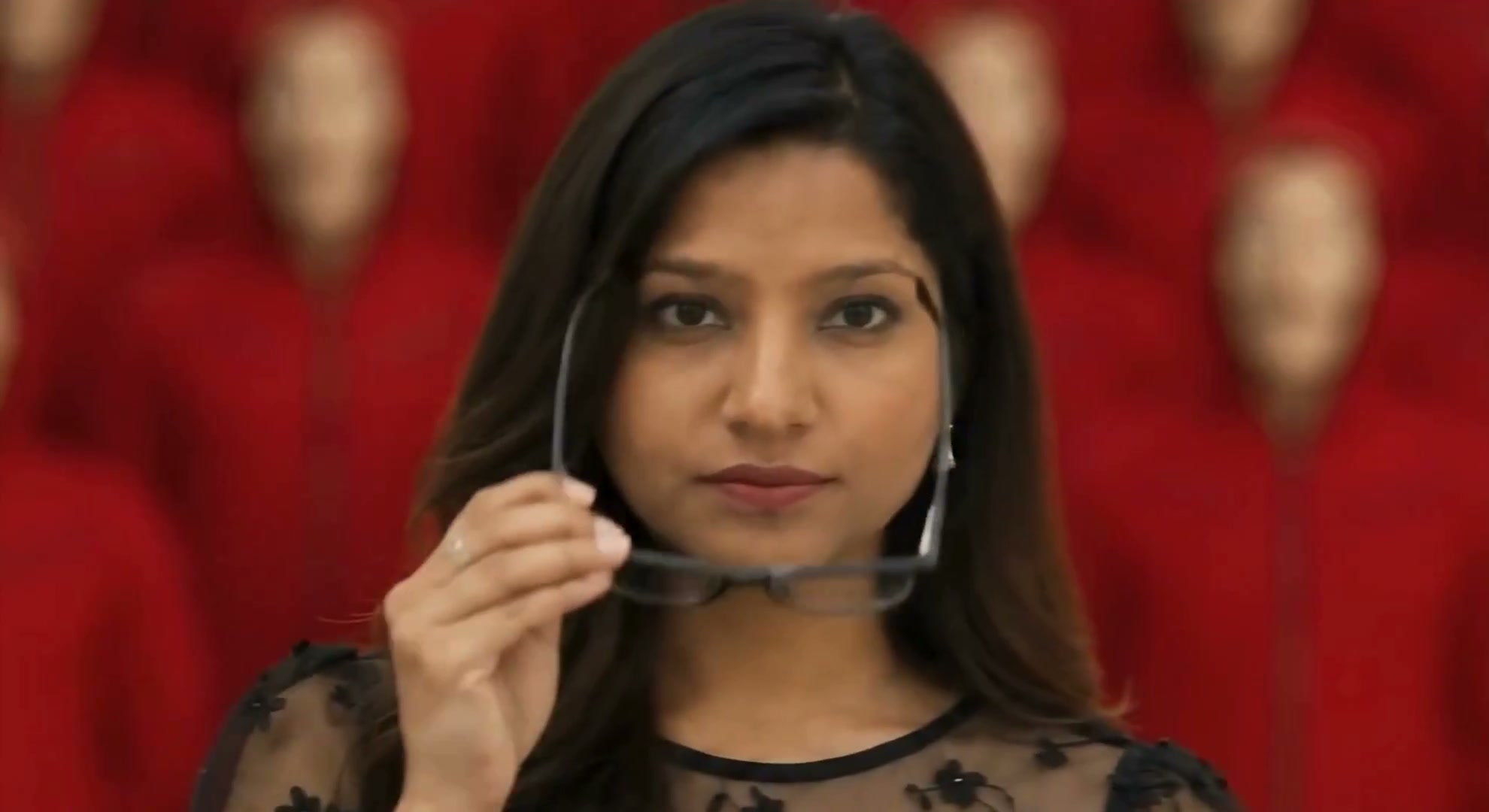 1.0 · Replace object
Change the main person in the reference video with the person from my uploaded character images. Preserve the original choreography, body movement, timing, camera movement, framing, background, lighting, and overall scene as closely as possible. Maintain 100% face accuracy throughout the entire video. Do not change the other people or the environment. Change only the identity and face of the main subject.
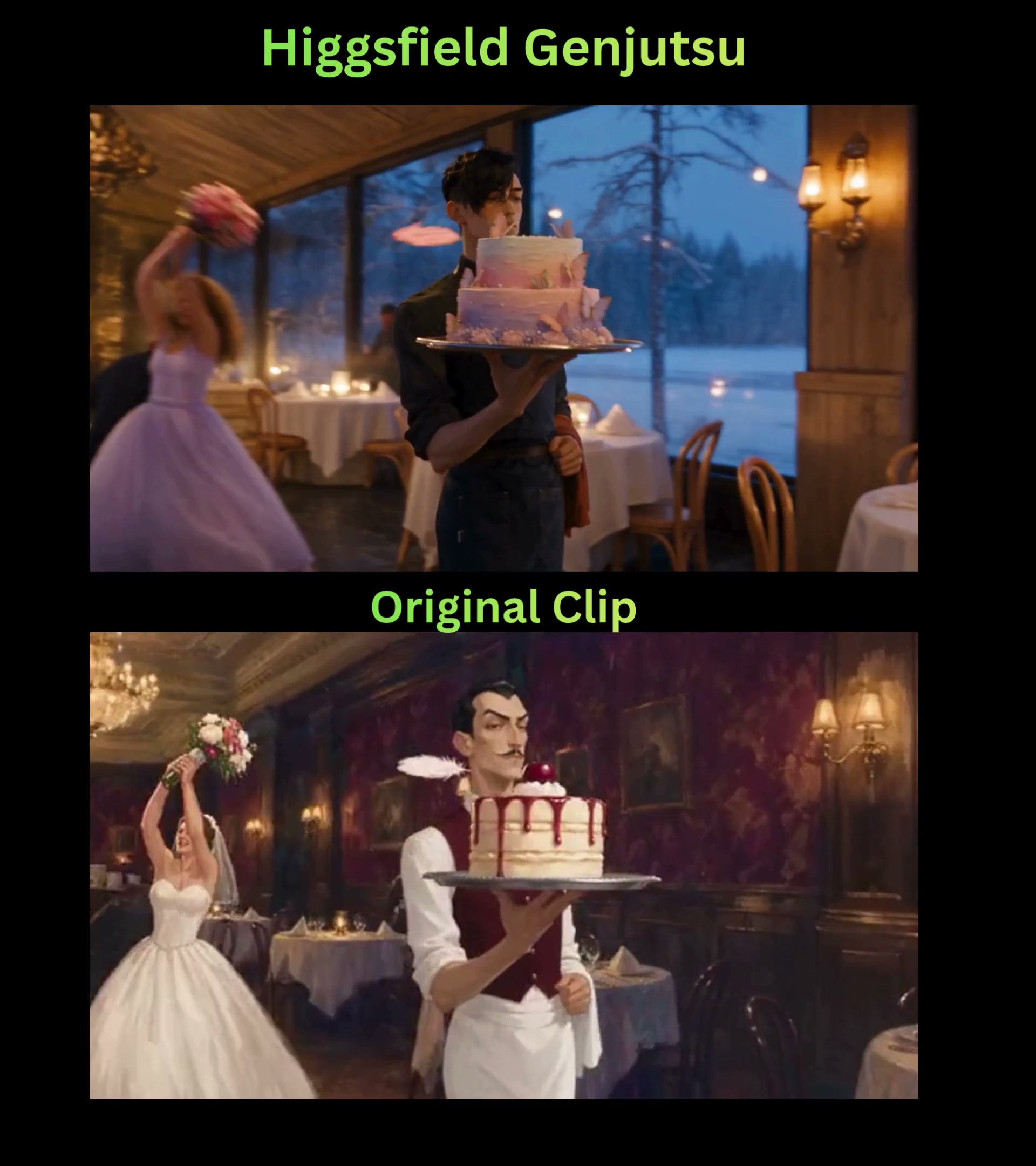 1.0 · Motion control
Transform the animated waiter carrying a tiered cake in @Video1 into the live-action person and realistic dining room setting referenced in @Image1. Preserve the walking cadence, tray balance, head turn, and camera pan while rendering natural restaurant lighting and soft background bokeh. This reconstruction describes the transformed shot, not the split-screen comparison layout.
 1.0 · Motion control
Use this image as reference for the first frame as you transfer the motion onto the character.
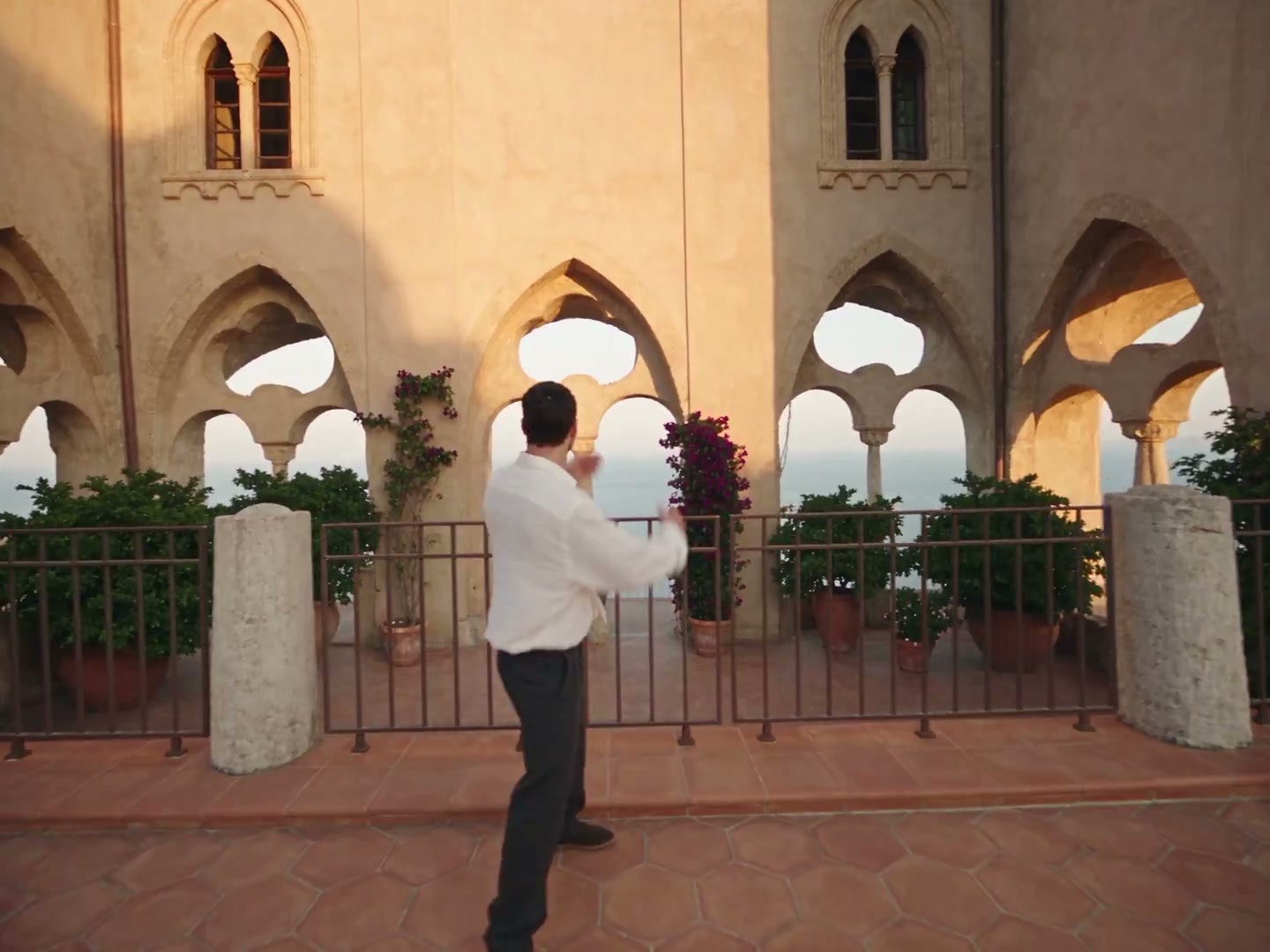 1.0 · Replace object
Replace the guy from the video with the guy from @[Image 2] keep everything else the same. Replace the girl from the video with the girl in @[Image 1} keep everything else the same.
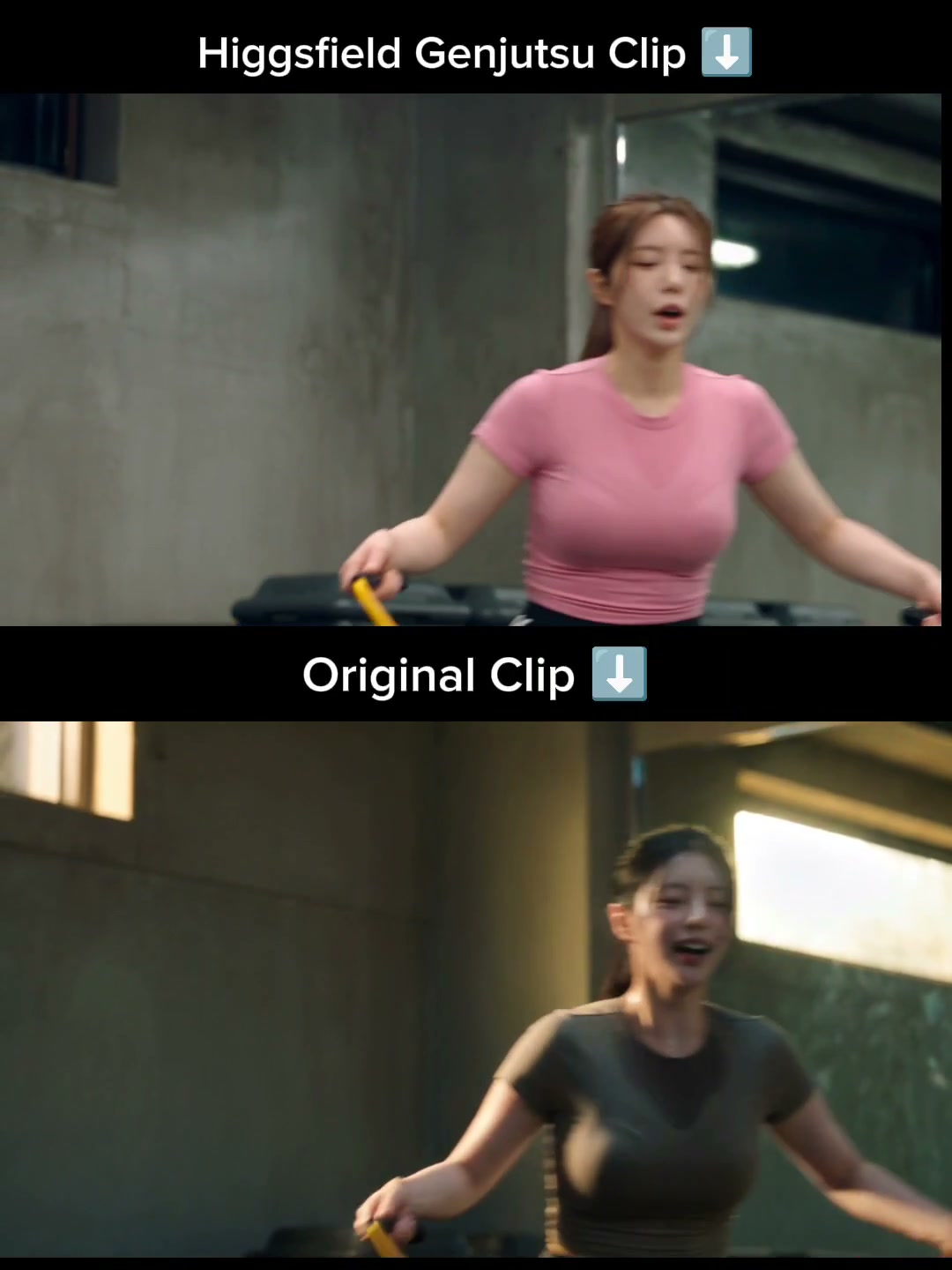 1.0 · Replace object
Replace the athlete jumping rope in @Video1 with the person and athletic outfit shown in @Image1 while keeping the jump-rope cadence, footwork, camera angle changes, gym equipment, and studio lighting unchanged. This reconstruction describes the transformed clip, not the split-screen comparison layout.
Pay per billable source-video second across Genjutsu 1.0 and 1.0 Lite. Reference images and prompt text do not add extra charges.
| Version / tier | Resolution | Standard | WaveSpeed | fal |
|---|---|---|---|---|
| Genjutsu 1.0 | 480p | With bonus ≈ $0.133 / source sRegular $0.147 / source s29.3 credits / s | - | - |
| Genjutsu 1.0 | 720p | With bonus ≈ $0.310 / source sRegular $0.342 / source s68.3 credits / s | - | - |
| Genjutsu 1.0 | 1080p | With bonus ≈ $0.886 / source sRegular $0.975 / source s195.0 credits / s | - | - |
| Genjutsu 1.0 Lite | 720p | With bonus ≈ $0.106 / source sRegular $0.117 / source s23.4 credits / s | - | - |
| Genjutsu 1.0 Lite | 1080p | With bonus ≈ $0.213 / source sRegular $0.234 / source s46.8 credits / s | - | - |
The request follows the form. The website uses your session; API clients use your API key. See the docs for parameters, task creation and task queries.
Provide a source video URL, 1–20 reference images (1–10 on 1.0 Lite), and an optional prompt.
Confirm the version, mode, resolution, and optional callback_url before submitting.
Poll the task ID or receive the signed callback to retrieve the generated video URL.
| Parameter | Description |
|---|---|
model | genjutsu |
input | Video-to-video input object for Genjutsu 1.0 or 1.0 Lite. |
callback_url | Optional URL for signed completion callbacks. |
input.nsfw_check | Enable safety screening (default false). |
input.output_count | Number of videos, 1–4 (default 1). |
input.version | Model version: 1.0 (default) or 1.0-lite. |
input.mode | Workflow mode: motion_control (1.0 only) or replace_object. |
input.video_url | Source video (MP4/MOV/WebM/MKV, up to 30s). |
input.reference_image_urls | Reference images (1–20 on 1.0; 1–10 on 1.0-lite). |
input.resolution | Output resolution: 480p (1.0 only), 720p (default), or 1080p. |
input.prompt | Optional text prompt (up to 5,000 chars) supporting @Image1 and @Video1. |
{
  "model": "genjutsu",
  "input": {
    "nsfw_check": true,
    "output_count": 1,
    "version": "1.0",
    "mode": "motion_control",
    "video_url": "https://files.apistable.ai/examples/nanoapi/genjutsu-default-g3-v1/source.mp4",
    "reference_image_urls": [
      "https://files.apistable.ai/examples/nanoapi/genjutsu-default-g3-v1/reference.jpg"
    ],
    "resolution": "720p",
    "prompt": "Transfer the motion and camera movement from the studio performance into a cinematic encounter in a misty forest. Use @Image1 as the visual reference for the large brown bear and the person in dark green outdoor clothing and a brown cloak. Transform the standing motion-capture performer into the bear, preserving the original timing, body movements, interaction with the crouching person, and camera framing. Maintain realistic fur, natural forest lighting and consistent character appearance. No text or logos."
  }
}Use one API key across video-to-video editing (Genjutsu 1.0 / 1.0 Lite) and 1080p audio-video generation (MAGI-2).
| Model | Workflows & strengths | Resolution | Duration / billing | Starting rate |
|---|---|---|---|---|
| Genjutsu 1.0 / Lite APICurrent page | Video-to-video motion transfer (1.0) and object replacement (1.0 & 1.0 Lite) using a source video plus reference images. | 1.0: 480p / 720p / 1080p · Lite: 720p / 1080p | Source video ≤30s (replace_object 4–30s) | 23.4 credits ($0.117) / s |
| MAGI-2 API | Text, first/last frame, and multimodal reference-to-video at 1080p with synchronized sound for 4–30 second clips. | 1080p | 4–30s integer · audio on by default | 16.0 credits ($0.080) / s |
Find answers about pricing, generation results, and API access.
Both use model "genjutsu" and are selected with input.version. Genjutsu 1.0 supports both motion_control and replace_object at 480p, 720p, and 1080p with 1–20 reference images. Genjutsu 1.0 Lite supports replace_object only at 720p and 1080p with 1–10 reference images at significantly lower per-second rates.
Those combinations are rejected at request validation (HTTP 400) before any task is created or credits are reserved. In the Playground, switching to 1.0 Lite automatically switches to replace_object, disables 480p, and caps reference images at 10; selecting Motion control switches version back to 1.0.
Supply an MP4, MOV, WebM, or MKV video up to 30 seconds long. For replace_object (both 1.0 and 1.0 Lite), the source video must be between 4 and 30 seconds.
At least 1 reference image is required. Genjutsu 1.0 accepts 1–20 images, while 1.0 Lite accepts 1–10 images and requires image aspect ratios < 3.3:1 in either orientation.
prompt is optional (up to 5,000 characters). When provided, you can refer to the source clip as @Video1 and reference photos in array order as @Image1, @Image2, and so on to guide the edit or motion transfer.
Genjutsu bills per billable second of the source video (using the longer of its video or audio track). The server measures the uploaded or linked source video before quoting: motion_control rounds to the nearest whole second (minimum 4s), while replace_object rounds up to the next whole second. Before upload, the UI shows the per-second rate; after measurement, it shows the exact quote.
Genjutsu 1.0: 480p is 29.3 credits/s ($0.147/s), 720p is 68.3 credits/s ($0.342/s), and 1080p is 195.0 credits/s ($0.975/s). Genjutsu 1.0 Lite: 720p is 23.4 credits/s ($0.117/s) and 1080p is 46.8 credits/s ($0.234/s). Reference images and prompts do not change the rate.
Genjutsu is a video-to-video model whose output framing and length follow the source video, and the contract does not expose aspect_ratio, duration, or seed parameters. Passing unknown fields returns HTTP 400.
No. If the source video cannot be fetched or measured, quoting fails before any credits are reserved. If a submitted task fails or times out after 24 hours, charged credits are 0 and reserved credits are released.
Generated videos archived by APIstable remain downloadable for 14 days. Download and store outputs you want to keep permanently.
Submit to POST /api/v1/tasks/create_task, then either poll GET /api/v1/tasks/{task_id} or pass a callback_url to receive a signed completion webhook.
Official fallback is not supported. Set `output_count` from 1 to 4 to get up to 4 independent videos per request; each successful video is billed on its own and failed ones cost 0.
Genjutsu is developed by Higgsfield. This API exposes motion_control (1.0) and replace_object (1.0 and 1.0 Lite) only; dedicated Restyle or preset-library parameters are not part of this contract.
Billing measures the longer of the source video or audio track: replace_object rounds upward to the next whole second (so 4.01s bills 5s), while motion_control rounds to the nearest whole second with a 4-second minimum. Trim trailing audio if you do not want it counted.
Enter a prompt and generate a video in the workbench.