1080p output across all modes
Every MAGI-2 request renders at 1080p with a single predictable per-second rate of 16 credits/s ($0.080/s).
1080p video generation with synchronized sound from text, frames, or references (4–30s)
Generate 1080p videos from 4 to 30 seconds with native synchronized audio enabled by default. Choose text_to_video, image_to_video (first and optional last frame), or reference_to_video with up to 10 images, 5 videos, and 5 audio clips.
Every MAGI-2 request renders at 1080p with a single predictable per-second rate of 16 credits/s ($0.080/s).
generate_audio defaults to true and produces ambient sound, effects, or speech alongside video at no extra charge; set false for silent output.
Request any integer duration from 4 to 30 seconds (default 5s) and pay strictly duration × 16 credits.
Select text_to_video, image_to_video, or reference_to_video explicitly via input.mode so invalid cross-mode fields are caught upfront.
In image_to_video mode, anchor the opening shot with first_frame_url and optionally guide the ending composition with last_frame_url.
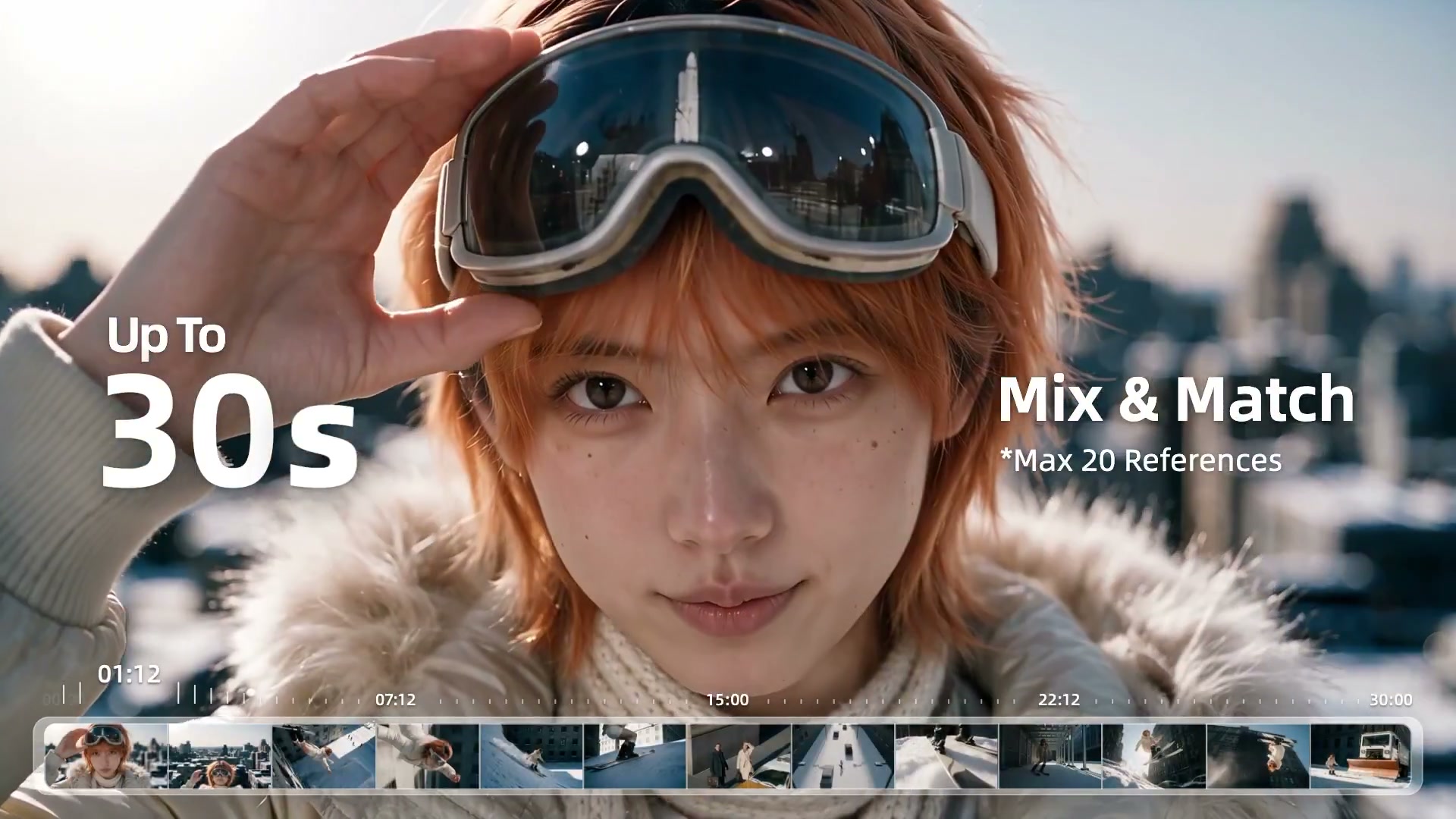
In reference_to_video mode, combine up to 10 images, 5 videos (2–30s each, ≤30s total), and 5 audio clips (≤30s total) and target them with @Image1, @Video1, and @Audio1.
Choose 21:9, 16:9 (default), 4:3, 1:1, 3:4, or 9:16 to target cinema screens, desktop players, square feeds, or vertical mobile placements.
Submit once and receive a signed webhook when the video is ready—closing the browser never cancels a running task.
Generate 21:9 or 16:9 1080p narrative shots up to 30 seconds long with synchronized ambient sound and camera movement.
Produce 9:16 1080p vertical ad concepts with synchronized sound effects from a single English prompt.
Supply first_frame_url and last_frame_url in image_to_video mode to animate smooth visual transitions between two storyboard frames.
Turn a studio hero shot into a 1080p product showcase video with lighting shifts and subtle foley audio.
Attach multiple character and setting images in reference_to_video mode and direct scenes using @Image1, @Image2… inside the prompt; review visual consistency across shots.
Combine reference video clips and audio tracks in reference_to_video mode to guide pacing, rhythm, and soundscape.
Draft 15–30 second proof-of-concept pitches at 1080p without stitching together short 5-second clips.
Trigger MAGI-2 jobs from backend workflows via callback_url so renders complete asynchronously without holding connections open.
Explore 8 authorized showcase examples, including the 30-second vertical creator example preloaded in the workbench above. Edited montages, truncated prompt excerpts, and reverse-engineered prompts are labeled explicitly.
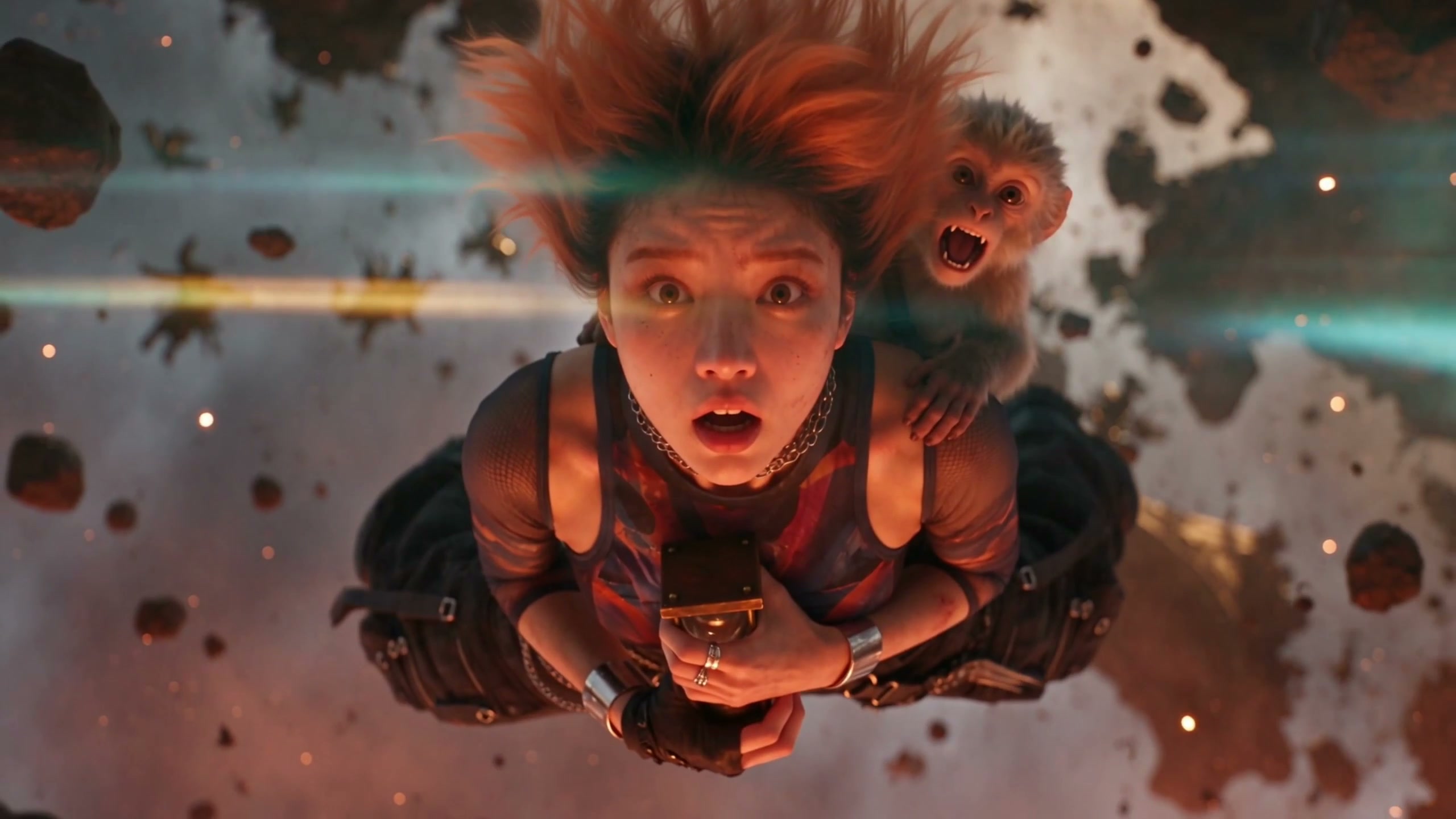 Edited montage
In a lively sunlit street, a young adult with short orange hair and a small monkey on their shoulder turns toward the camera, then hurries past market stalls. Use cinematic close-ups and a following camera, with natural street ambience. This reconstructs an opening segment of the longer narrative montage.
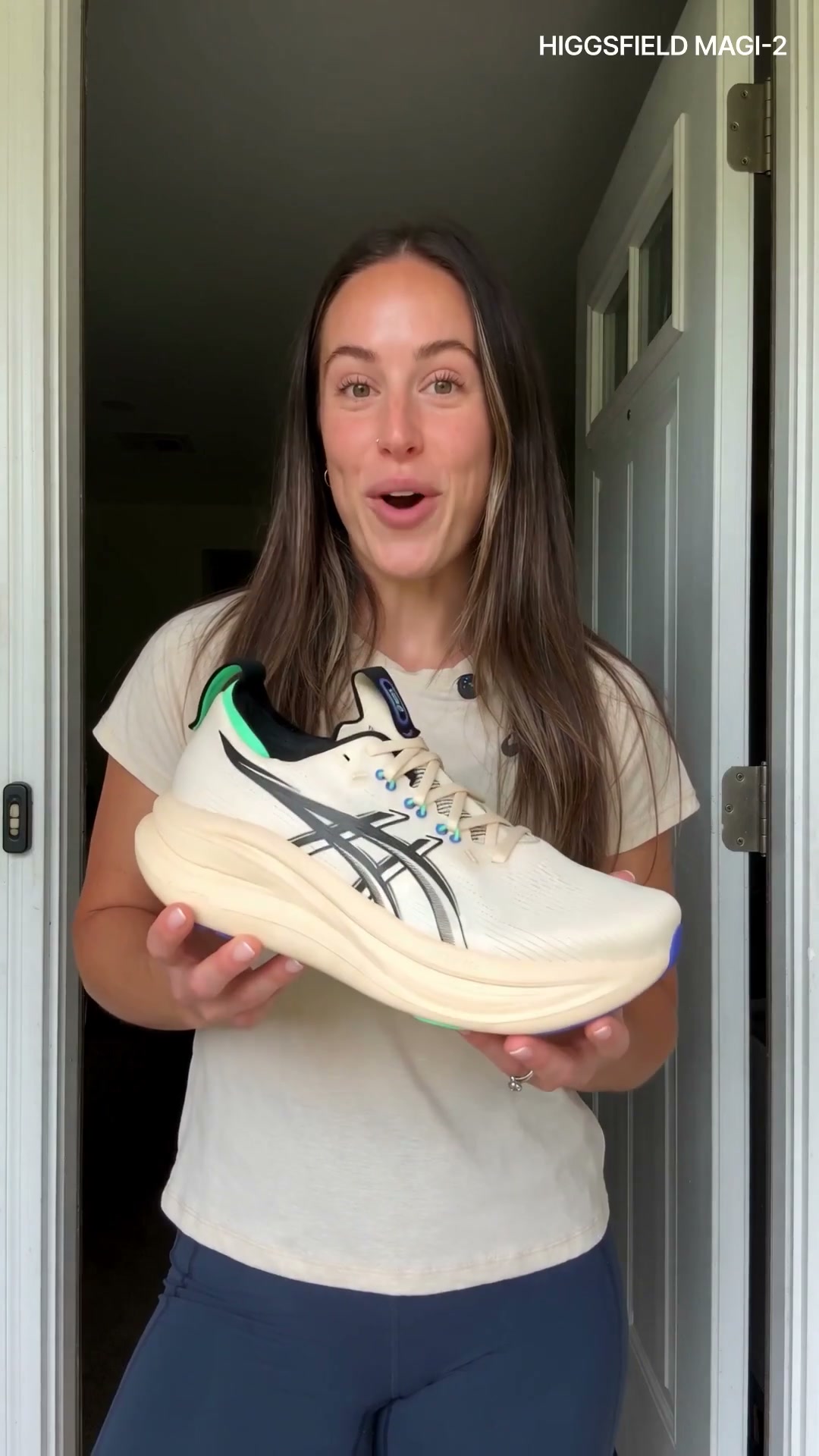 Text to video30s · 9:16
Create a polished, highly realistic 30-second UGC-style advertisement for ASICS Gel Nimbus running shoes. A young, attractive woman named Maya is the presenter. She should look and sound like a real lifestyle content creator recording a genuine product recommendation, not a professional actress reading a script. Scene 1: Doorway hook (0–6 sec) Maya stands at her apartment doorway, holding her ASICS Gel Nimbus shoes. She looks directly into the camera with an excited but natural expression. Dialogue: “Okay, I think I just found my new favourite running shoes. Look at these!” She brings the teal ASICS Gel Nimbus close to the camera, showing the design. Scene 2: First impressions (6–14 sec) Cut to Maya sitting down and putting on the shoes. Show close-up shots of the teal upper, cushioning, ASICS logo, and sole. Dialogue: “These are the ASICS Gel Nimbus, and first of all, they’re so comfortable. I love how they feel on my feet.” Scene 3: Lifestyle montage (14–23 sec) Maya walks out onto the sidewalk, followed by shots of her jogging through a beautiful green park. Capture natural movement, shoe close-ups, and a few candid moments. Voiceover: “They feel soft, supportive, and honestly, I love how they look too. Perfect for my everyday walks and running sessions.” Scene 4: Final recommendation (23–30 sec) Maya stops on a park pathway, looks into the camera, and smiles. Dialogue: “If you’re looking for a pair that feels as good as it looks, definitely check these out.” End with a premium close-up hero shot of the teal ASICS Gel Nimbus and the ASICS logo. Production requirements: Natural female voice with conversational delivery. Accurate lip synchronization. Authentic UGC filming style mixed with premium commercial shots. Consistent Maya appearance and identical shoes throughout. Teal ASICS Gel Nimbus prominently visible. Realistic outdoor lighting and natural skin textures. Soft upbeat background music mixed below the dialogue. Natural ambient sounds during the outdoor montage. No robotic voice, exaggerated expressions, or artificial-looking movements. Vertical 9:16 format, 30 seconds. Finished ad direction: A genuine creator-style product recommendation with a strong opening hook, natural praise, lifestyle footage, and a clear product reveal.
 Edited montage
A young adult skateboarder wearing a light jacket and dark trousers glides through a spacious modern concrete concourse. Track alongside the skateboard at low height, with soft daylight through the glass roof and natural wheel sounds. A smooth continuous shot. This reconstructs the skateboard segment of the promotional montage.
 Edited short
Stylized 3D animated short scene in warm daylight. On a city sidewalk, a caring rescuer kneels beside an injured pedestrian while passersby pause nearby, then cut to an expressive close-up of a woman with round glasses speaking gently in a bright classroom. Smooth cinematic camera pans, rich Pixar-inspired lighting, and soft ambient city and room audio. This reconstructs a segment of the multi-shot animated short.
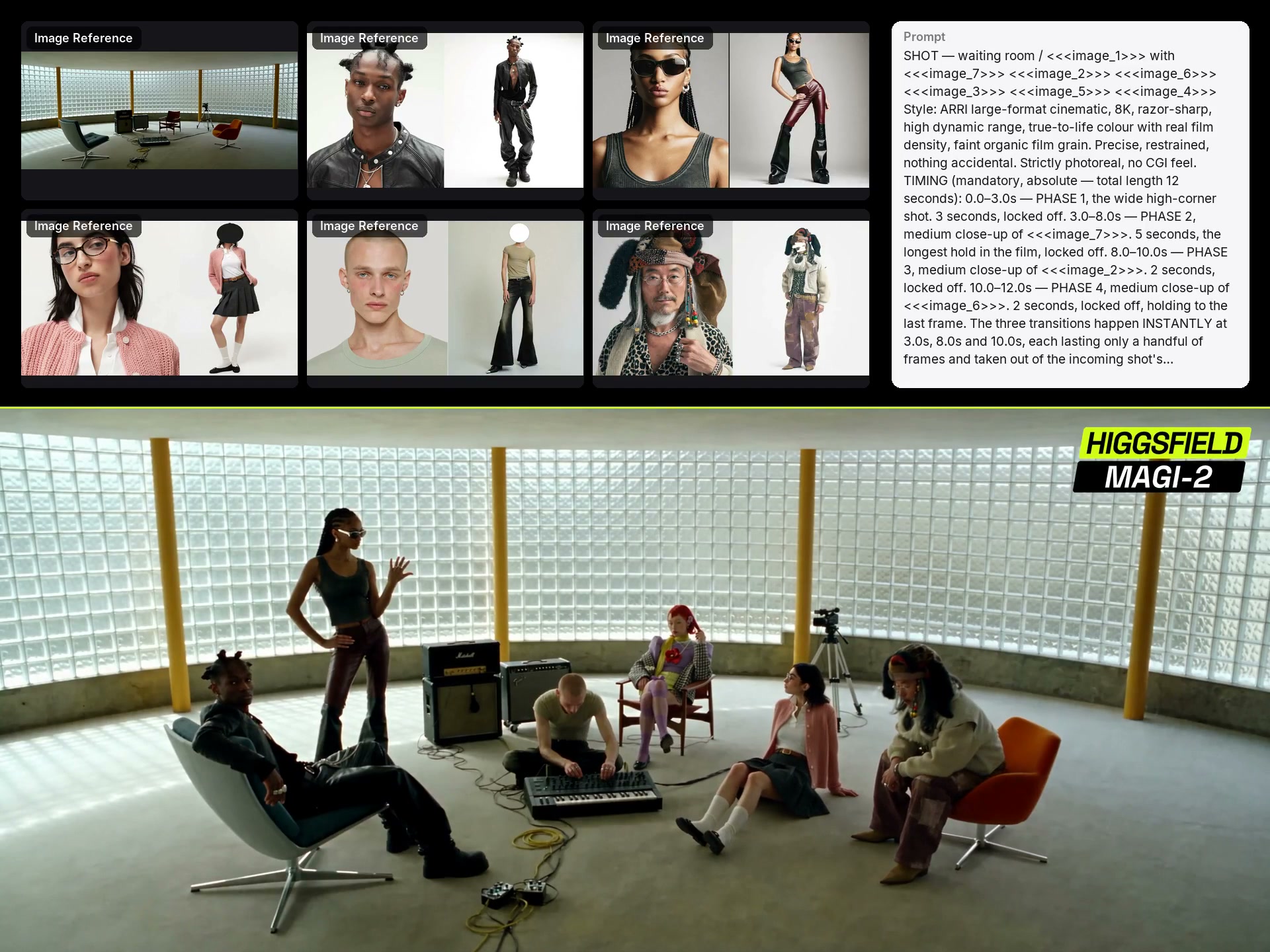 Reference to video12s · 4:3
SHOT — waiting room / <<<image_1>>> with <<<image_7>>> <<<image_2>>> <<<image_6>>> <<<image_3>>> <<<image_5>>> <<<image_4>>> Style: ARRI large-format cinematic, 8K, razor-sharp, high dynamic range, true-to-life colour with real film density, faint organic film grain. Precise, restrained, nothing accidental. Strictly photoreal, no CGI feel. TIMING (mandatory, absolute — total length 12 seconds): 0.0–3.0s — PHASE 1, the wide high-corner shot. 3 seconds, locked off. 3.0–8.0s — PHASE 2, medium close-up of <<<image_7>>>. 5 seconds, the longest hold in the film, locked off. 8.0–10.0s — PHASE 3, medium close-up of <<<image_2>>>. 2 seconds, locked off. 10.0–12.0s — PHASE 4, medium close-up of <<<image_6>>>. 2 seconds, locked off, holding to the last frame. The three transitions happen INSTANTLY at 3.0s, 8.0s and 10.0s, each lasting only a handful of frames and taken out of the incoming shot's...
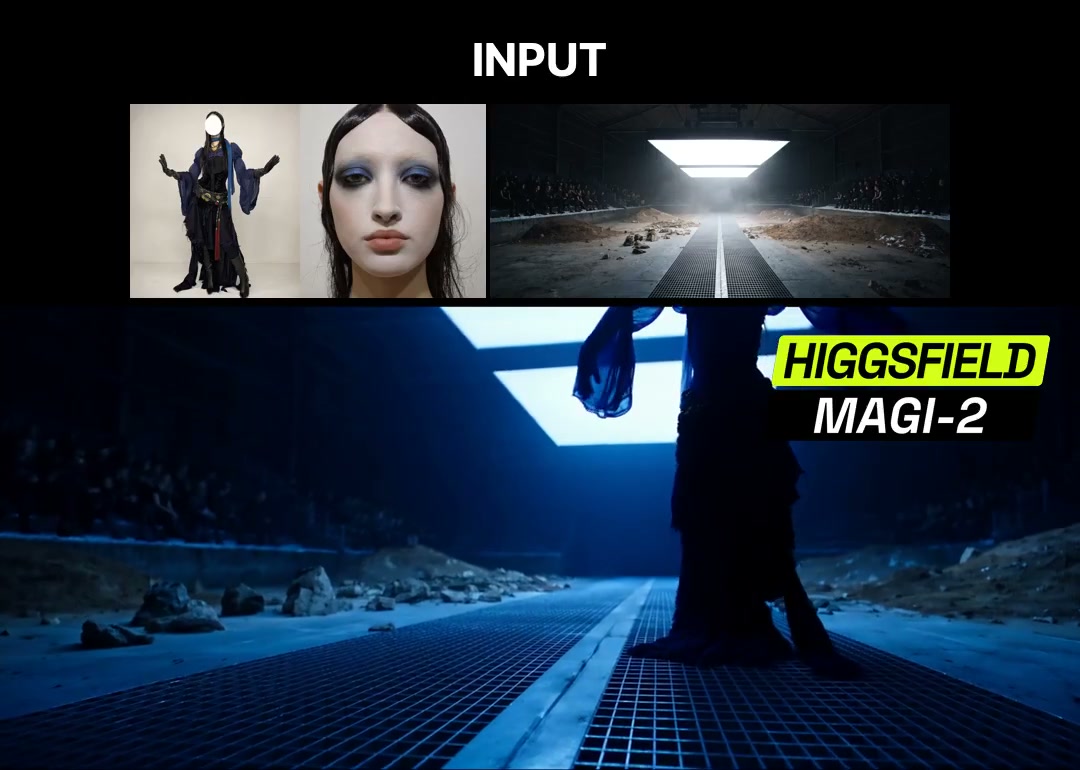 Reference to video
Combine the full-length black gown costume from @Image1, the performer's face from @Image2, and the stark backlit corridor stage from @Image3 into a moody theatrical performance bathed in deep cobalt-blue light. Alternate between a dramatic silhouetted wide shot down the illuminated runway, an intimate close-up with atmospheric haze, and a low tracking shot following the sweeping hem across tiled floors, accompanied by brooding cinematic sound. This reconstructs the generated performance, not the input-reference header layout.
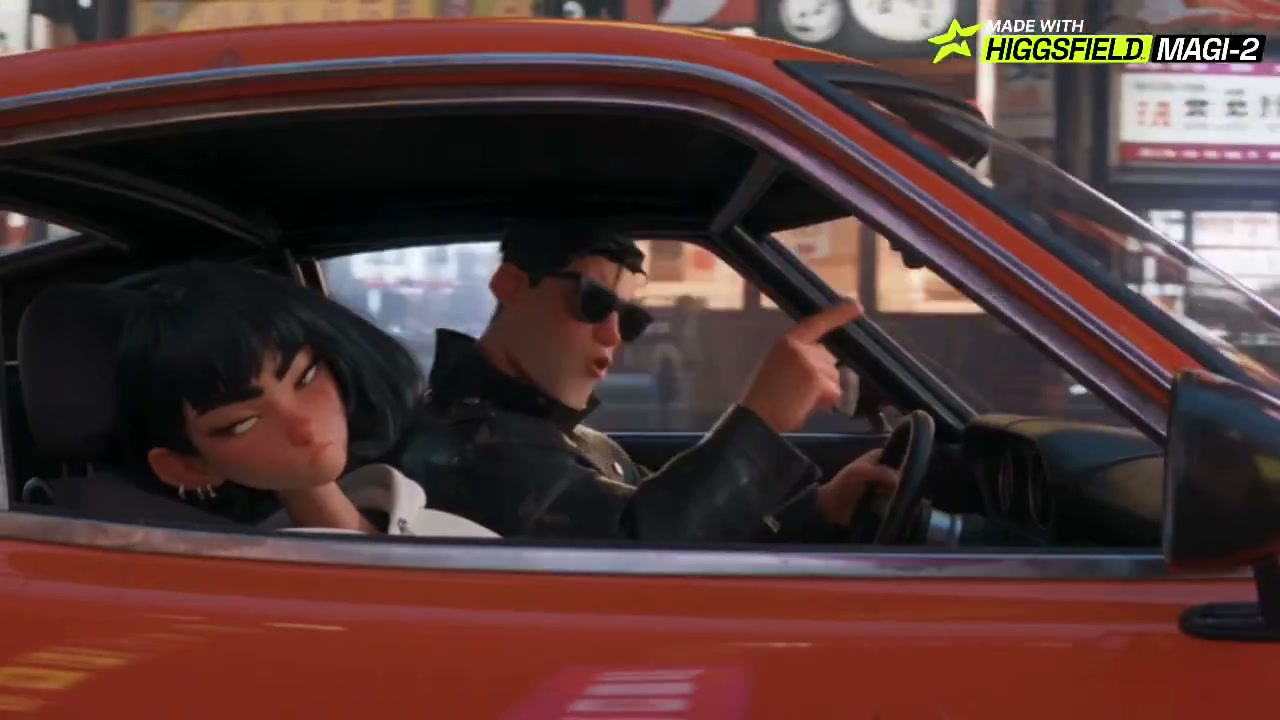 Text to video
Stylized 3D animated Tokyo night street race. Start inside the cabin of a retro orange sports car where a cool driver in dark sunglasses exchanges banter with a young passenger in a white hoodie as neon highway lights streak past the windows. Cut to an aerial tracking shot of the orange car weaving through highway traffic alongside a black rival with purple underglow, then swing low around a wide asphalt overlook as both cars execute a smoky 360-degree drift against the glowing Tokyo skyline. Energetic engine revs, tire screech, and dialogue audio.
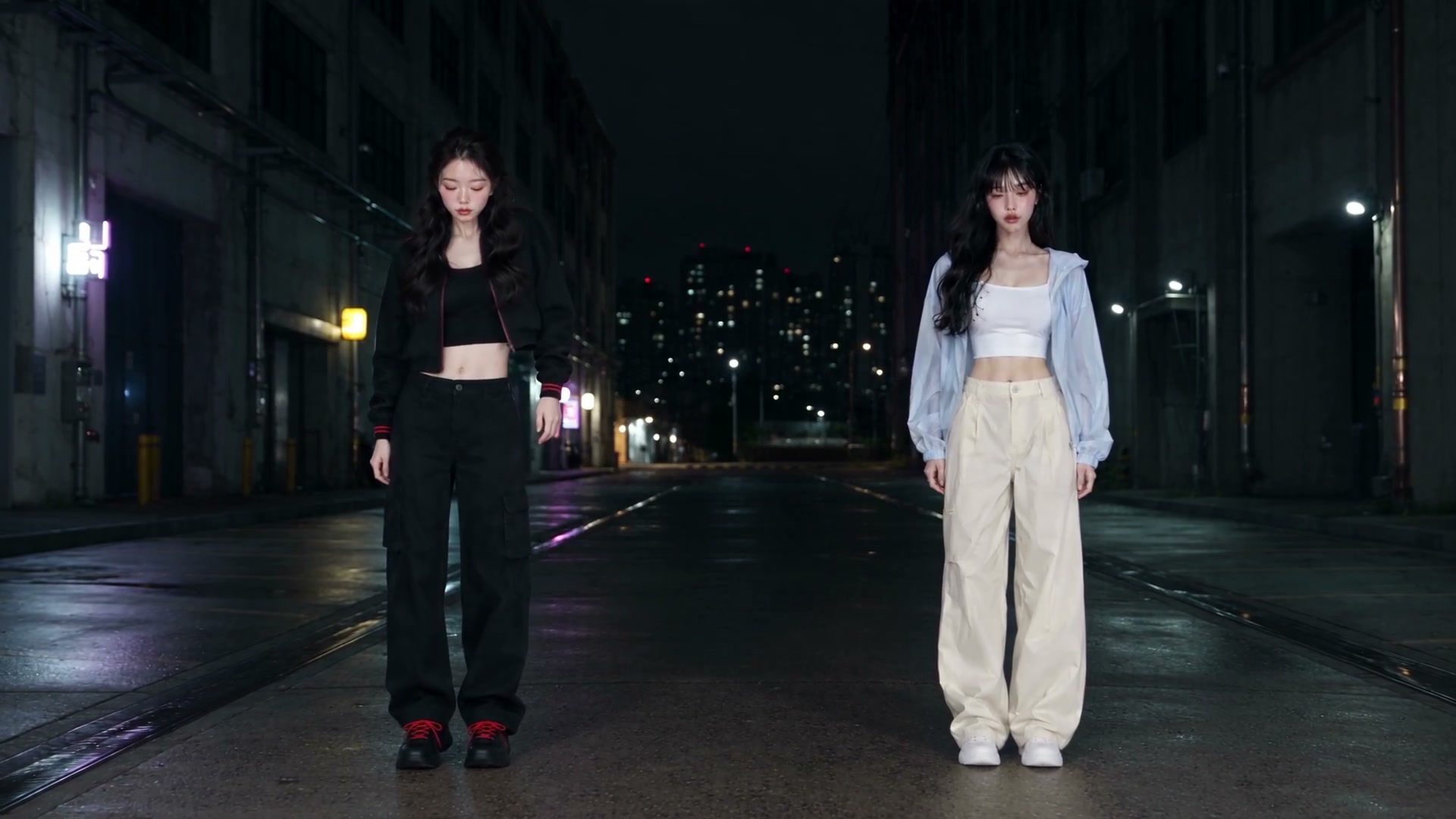 Text to video30s · 16:9
Wide locked-off and subtle push-in shot down the center of an empty nighttime industrial city street lit by cool overhead streetlights. Two young women perform a hip-hop street dance duet in contrasting outfits—one in an all-black jacket and cargo trousers, the other in a light blue cropped zip hoodie and cream wide-leg pants—building from alternating call-and-response grooves into tightly synchronized choreography, with crisp rhythmic dance music and subtle outdoor acoustics.
One flat 1080p per-second rate across text-to-video, image-to-video, and reference-to-video. Synchronized audio, aspect ratio, and reference media do not change the price.
The request follows the form. The website uses your session; API clients use your API key. See the docs for parameters, task creation and task queries.
Select a mode, write a prompt, and attach keyframes or references when needed.
Confirm the duration (4–30s), aspect ratio, audio toggle, and optional callback_url.
Receive the signed webhook via callback_url, or query the task ID for the video URL.
| Parameter | Description |
|---|---|
model | magi-2 |
input | 1080p video input object validated strictly by mode. |
callback_url | Optional URL for signed completion callbacks. |
input.mode | Generation mode: text_to_video, image_to_video, or reference_to_video. |
input.nsfw_check | Enable safety screening (default false). |
input.output_count | Number of videos, 1–4 (default 1). |
input.prompt | Required scene description (1–8,000 chars; English recommended). |
input.resolution | Fixed 1080p output resolution. |
input.aspect_ratio | Output aspect ratio: 21:9, 16:9 (default), 4:3, 1:1, 3:4, or 9:16. |
input.duration | Integer output duration from 4 to 30 seconds (default 5). |
input.generate_audio | Generate synchronized audio alongside video (default true). |
input.first_frame_url | First frame image; required for image_to_video. |
input.last_frame_url | Optional last frame image for image_to_video. |
input.reference_image_urls | Up to 10 reference images for reference_to_video. |
input.reference_video_urls | Up to 5 reference videos (2–30s each, ≤30s total). |
input.reference_audio_urls | Up to 5 reference audio clips (each 2–30s, ≤30s total). |
{
  "model": "magi-2",
  "input": {
    "nsfw_check": true,
    "output_count": 1,
    "prompt": "Create a polished, highly realistic 30-second UGC-style advertisement for ASICS Gel Nimbus running shoes.\n\nA young, attractive woman named Maya is the presenter. She should look and sound like a real lifestyle content creator recording a genuine product recommendation, not a professional actress reading a script.\n\nScene 1: Doorway hook (0–6 sec)\n\nMaya stands at her apartment doorway, holding her ASICS Gel Nimbus shoes. She looks directly into the camera with an excited but natural expression.\n\nDialogue:\n\n“Okay, I think I just found my new favourite running shoes. Look at these!”\n\nShe brings the teal ASICS Gel Nimbus close to the camera, showing the design.\n\nScene 2: First impressions (6–14 sec)\n\nCut to Maya sitting down and putting on the shoes. Show close-up shots of the teal upper, cushioning, ASICS logo, and sole.\n\nDialogue:\n\n“These are the ASICS Gel Nimbus, and first of all, they’re so comfortable. I love how they feel on my feet.”\n\nScene 3: Lifestyle montage (14–23 sec)\n\nMaya walks out onto the sidewalk, followed by shots of her jogging through a beautiful green park. Capture natural movement, shoe close-ups, and a few candid moments.\n\nVoiceover:\n\n“They feel soft, supportive, and honestly, I love how they look too. Perfect for my everyday walks and running sessions.”\n\nScene 4: Final recommendation (23–30 sec)\n\nMaya stops on a park pathway, looks into the camera, and smiles.\n\nDialogue:\n\n“If you’re looking for a pair that feels as good as it looks, definitely check these out.”\n\nEnd with a premium close-up hero shot of the teal ASICS Gel Nimbus and the ASICS logo.\n\nProduction requirements:\n\nNatural female voice with conversational delivery.\nAccurate lip synchronization.\nAuthentic UGC filming style mixed with premium commercial shots.\nConsistent Maya appearance and identical shoes throughout.\nTeal ASICS Gel Nimbus prominently visible.\nRealistic outdoor lighting and natural skin textures.\nSoft upbeat background music mixed below the dialogue.\nNatural ambient sounds during the outdoor montage.\nNo robotic voice, exaggerated expressions, or artificial-looking movements.\nVertical 9:16 format, 30 seconds.\n\nFinished ad direction: A genuine creator-style product recommendation with a strong opening hook, natural praise, lifestyle footage, and a clear product reveal.",
    "resolution": "1080p",
    "aspect_ratio": "9:16",
    "duration": 30,
    "generate_audio": true,
    "mode": "text_to_video"
  }
}Use one API key across video-to-video editing (Genjutsu 1.0 / 1.0 Lite) and 1080p audio-video generation (MAGI-2).
| Model | Workflows & strengths | Resolution | Duration / billing | Starting rate |
|---|---|---|---|---|
| Genjutsu 1.0 / Lite API | Video-to-video motion transfer (1.0) and object replacement (1.0 & 1.0 Lite) using a source video plus reference images. | 1.0: 480p / 720p / 1080p · Lite: 720p / 1080p | Source video ≤30s (replace_object 4–30s) | 23.4 credits ($0.117) / s |
| MAGI-2 APICurrent page | Text, first/last frame, and multimodal reference-to-video at 1080p with synchronized sound for 4–30 second clips. | 1080p | 4–30s integer · audio on by default | 16.0 credits ($0.080) / s |
Find answers about pricing, generation results, and API access.
MAGI-2 requires an explicit input.mode: text_to_video (prompt only, no media), image_to_video (first_frame_url required, last_frame_url optional), or reference_to_video (at least one reference image, video, or audio clip).
You can attach up to 10 images (reference_image_urls), up to 5 videos (reference_video_urls, each 2–30 seconds and ≤30 seconds combined), and up to 5 audio clips (reference_audio_urls, ≤30 seconds combined). At least one media item is required.
Use @Image1, @Image2…, @Video1, @Video2…, and @Audio1, @Audio2… matching each array’s 1-based order. Prompts can be up to 8,000 characters, and English prompts are recommended.
MAGI-2 uses one flat rate of 16 credits/second ($0.080/second) at 1080p across all modes. Total cost equals 16 × duration (4–30 integer seconds). Audio, aspect ratio, and reference media do not add extra charges.
No. generate_audio defaults to true and is included in the flat 16 credits/s rate whether enabled or disabled.
Resolution is fixed at 1080p. Supported aspect ratios are 21:9, 16:9 (default), 4:3, 1:1, 3:4, and 9:16. Auto/adaptive aspect ratio is not accepted.
duration must be an integer from 4 to 30 seconds (default 5). Non-integer values or durations outside 4–30 return HTTP 400.
No. Each mode enforces a strict schema—supplying media fields in text_to_video, or mixing image_to_video and reference_to_video fields, returns HTTP 400.
Failed tasks or tasks still unfinished after 24 hours are marked failed at 0 credits and all reserved credits are released automatically.
Generated videos archived by APIstable remain available for 14 days. Download and archive outputs you need long-term.
Seed and official fallback are not available. Set `output_count` from 1 to 4 to get up to 4 independent videos per request; each successful video is billed on its own and failed ones cost 0.
MAGI-2 is developed by Sand.ai. This endpoint accesses the full MAGI-2 release (480B total / ~28B active parameters) remotely via API, rather than the earlier 114B Preview.
Generated files can include roughly 0.24 seconds of padding, while billing remains strictly on your requested integer duration. Sand.ai notes occasional artifacts in high-speed motion and complex layered audio, so test target scenes before scaling.
Enter a prompt and generate a video in the workbench.