480p previews
Use a 480p clip to check silhouette, motion, or timing while planning a series of takes.
Short clips for motion tests and creative variations
Use the Seedance 2.0 Mini API to try animation ideas, ad openings, and short cutaways at 480p or 720p. The model generates 4–15 second clips from text, frames, or mixed references.
Use a 480p clip to check silhouette, motion, or timing while planning a series of takes.
Use 720p when you want more detail for reviewing a short clip or a vertical cut.
Use an illustration to guide the visual treatment and a clip to show how the subject ought to move.
Bring a sketch or product still to life by specifying what changes within the shot.
Request up to four results and compare alternatives for a single set of inputs.
Include synchronized sound when evaluating timing or save the final frame for the next clip.
Fit an opener, cutaway or motion test to a set duration before integrating it into a larger sequence.
Choose an aspect ratio at generation time to plan framing around captions and product placement.
Start from a cover illustration and describe a restrained camera move. Review depth, parallax and moving details before turning static artwork into a social asset.
Use a packaging image to explore a simple reveal. Specify the background motion and final framing, then check whether the product remains readable.
Draft a short vertical ad from a product brief and opening line. Review whether the first moments establish the subject before developing a longer version.
Turn a character and environment concept into an animatic. Focus on the movement path and silhouette to discuss staging before polishing the visual treatment.
Create a focused detail shot to bridge wider shots in an advertising edit. Specify one subject, one camera move and a clear beginning and end.
Block one line and a reaction from a short scene description. Use the draft to discuss framing and timing before generating a longer dialogue sequence.
Use composition and audio references to block a sequence of aligned cuts. Check subject position and beat timing before polishing the longer music-led edit.
Bring a garment or styling image into a short walking or turning shot. Focus on silhouette and fabric movement to compare creative directions for a lookbook.
Videos from Seedance 2.0 are visual references for these Mini workflows.
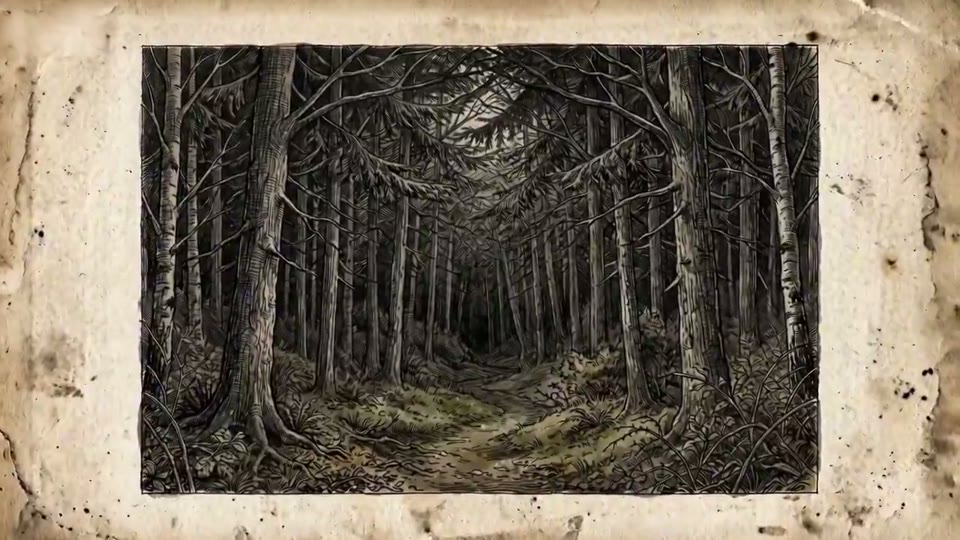 Frames6s · 16:9
Start on the uploaded pine-forest illustration. Push forward slowly, with the foreground branches moving faster than the distant tree line. Keep the painted texture visible as a thin layer of fog moves across the forest.
 Text to video6s · 16:9
Frame a perfume bottle between pink flowers on a tabletop. Push in while a petal crosses the foreground. Keep the bottle centered and hold on the label once the petal clears.
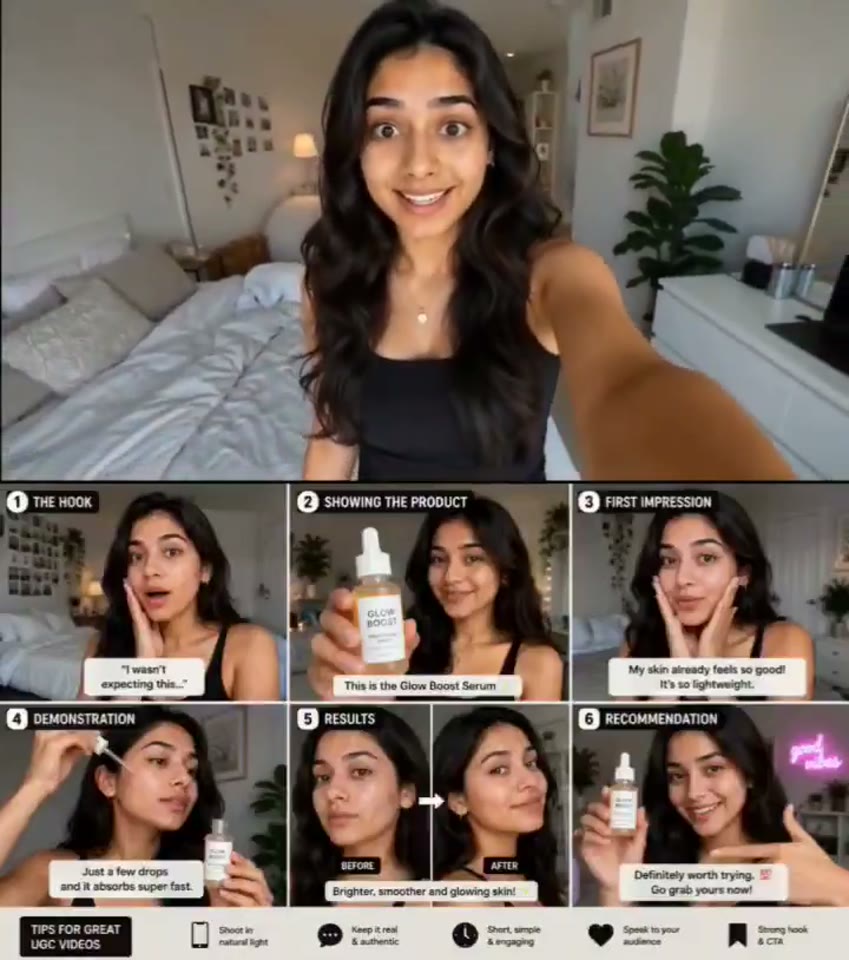 Text to video6s · 9:16
Handheld vertical video in window light. Open with the creator holding a skincare tube close enough to fill the frame. They pull it back and say, “Watch how this goes on.” End on the first swipe of product.
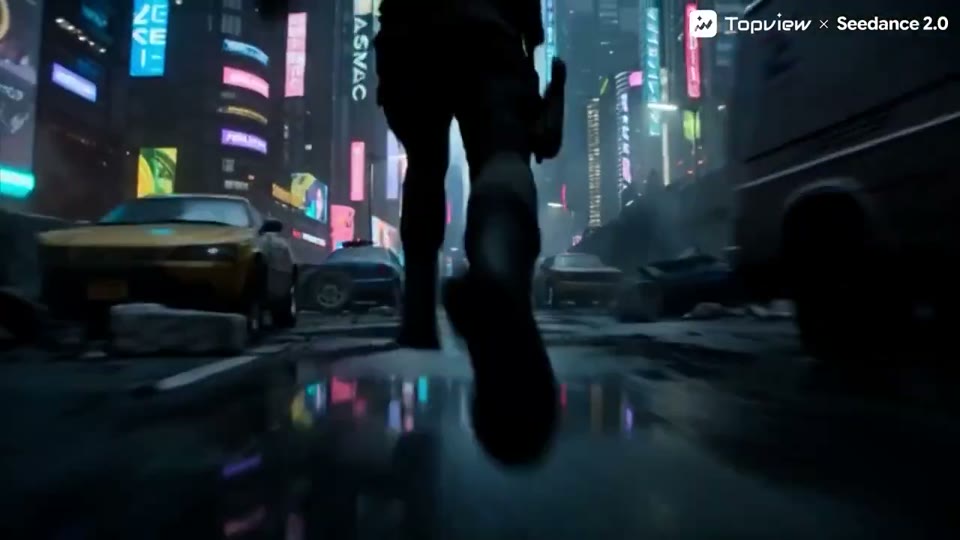 Text to video8s · 16:9
Follow a lone traveler through a neon ruin from behind. Keep their silhouette clear as they duck under a sign. Cut to a wide shot showing the street and a distant mechanical shadow.
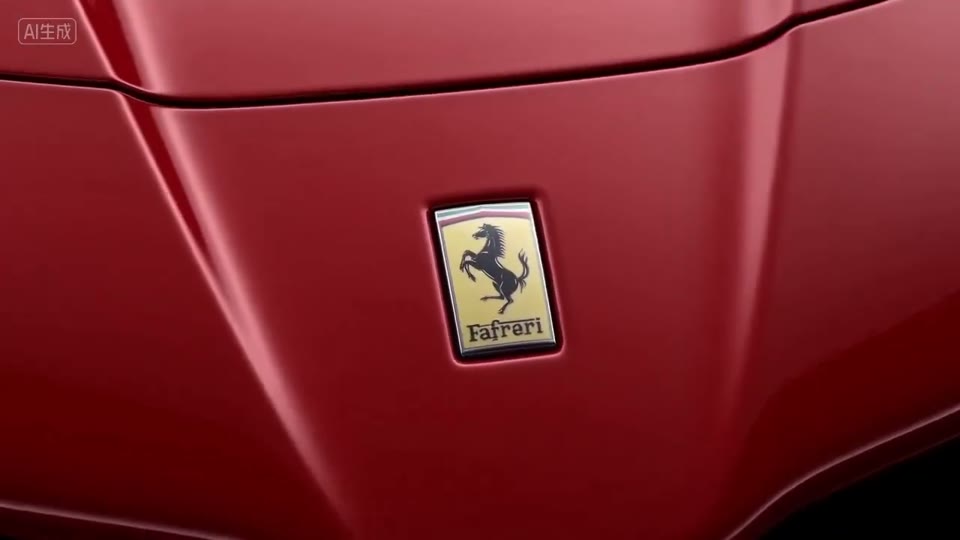 Text to video5s · 16:9
Track the front wheel of a sports car from a low side angle. Let a strip of light roll over the rim and reveal its spokes. End with the camera holding still as the car leaves the frame.
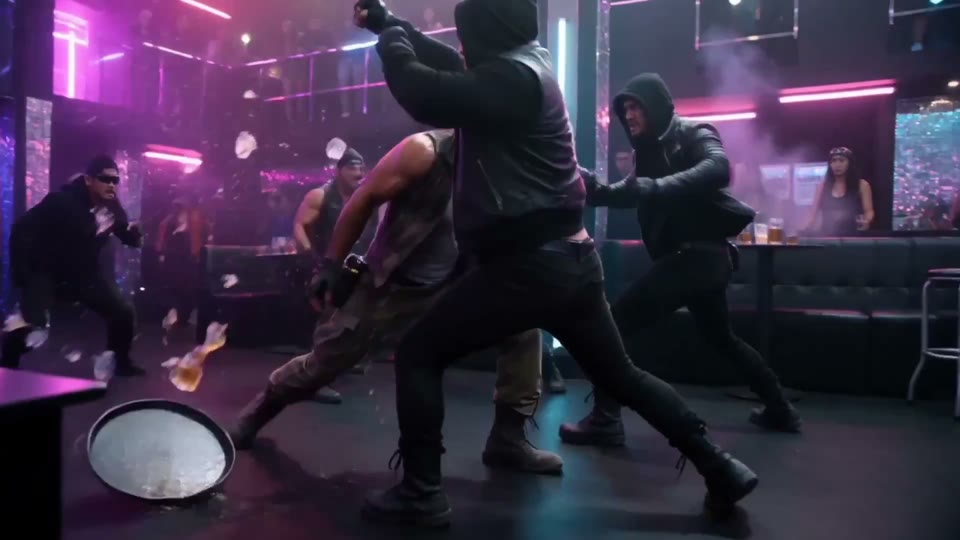 Text to video6s · 16:9
In a dim neon bar, frame one speaker from over their companion’s shoulder. The speaker whispers, “Did you see him leave?” Cut to the companion glancing toward the door. Keep the glass and room sounds low under the line.
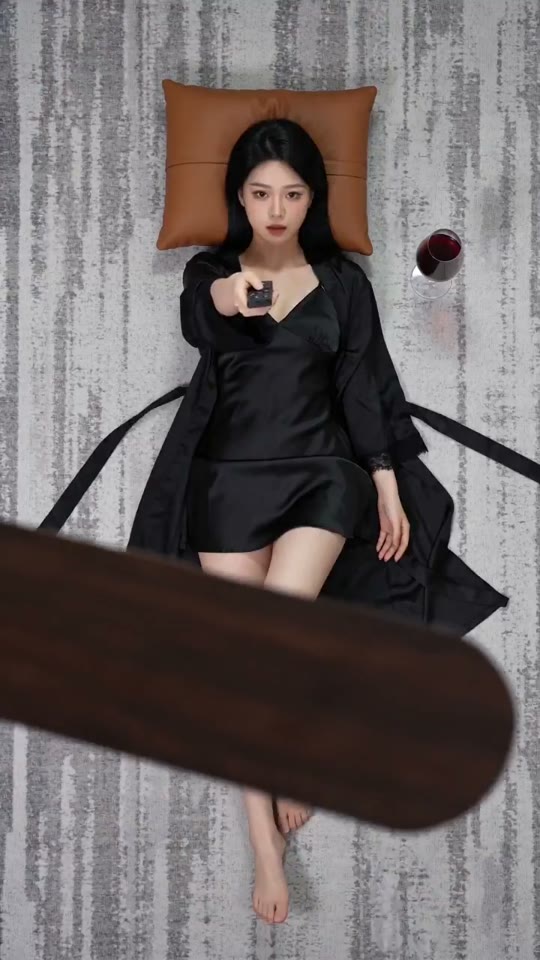 References8s · 9:16
Use @Image1 for the overhead position and @Audio1 for timing. Keep the head and shoulders locked in place across three outfit changes. Make each change a hard cut on a downbeat.
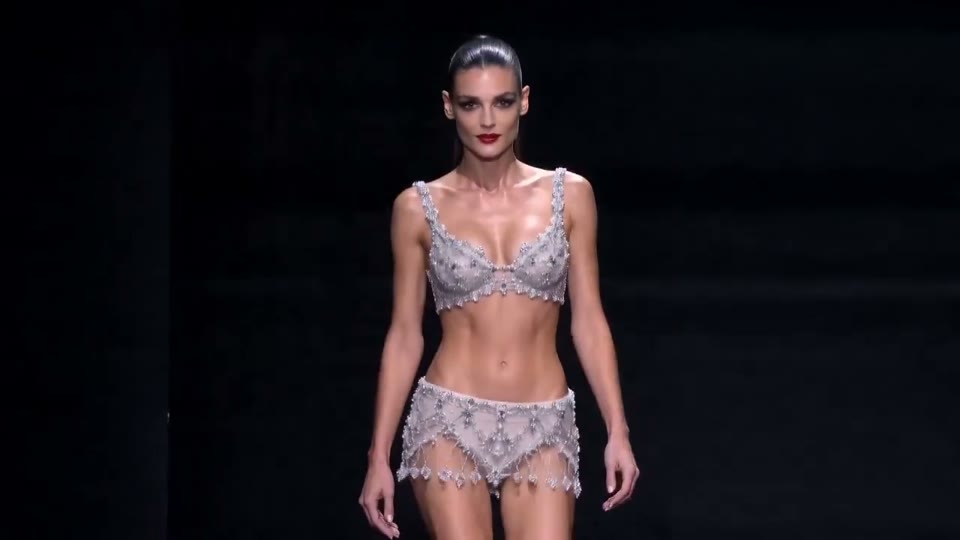 Text to video6s · 16:9
A runway model in a shimmering silver outfit takes three steps toward the camera and turns. Keep the camera fixed at mid-height so the moving fabric catches the edge light.
Our standard rates are lower than most API providers’ rates. Automatic backup routing helps keep generation reliable. Pay as you go.
| Output resolution | Reference video | Standard | Official fallback | WaveSpeed | fal |
|---|---|---|---|---|---|
| 480p | Without reference | With bonus ≈ $0.023 / sRegular $0.025 / s5 credits / s | With bonus ≈ $0.023 / sRegular $0.025 / s5 credits / s | $0.06 / s164% more | - |
| 480p | With reference | With bonus ≈ $0.014 / sRegular $0.015 / s3 credits / s | With bonus ≈ $0.014 / sRegular $0.015 / s3 credits / s | $0.0375 / s175% more | - |
| 720p | Without reference | With bonus ≈ $0.050 / sRegular $0.055 / s11 credits / s | With bonus ≈ $0.045 / sRegular $0.05 / s10 credits / s | $0.12 / s140% more | - |
| 720p | With reference | With bonus ≈ $0.032 / sRegular $0.035 / s7 credits / s | With bonus ≈ $0.027 / sRegular $0.03 / s6 credits / s | $0.075 / s135.7% more | - |
The request follows the form. The website uses your session; API clients use your API key. See the docs for parameters, task creation and task queries.
Write a prompt, add any reference files, and choose the video settings.
Check the output count and decide whether to allow official fallback.
Use the task ID to check the status and retrieve the video URLs.
| Parameter | Description |
|---|---|
model | seedance-2.0-mini |
input | Video generation parameters. The selected model and input mode determine which combinations are available. |
callback_url | Optional public HTTPS URL for signed completion callbacks. The URL must be directly accessible without redirects. |
input.prompt | Describe the subject, motion and camera. Required in text mode. Requests with media and no prompt only use channels that accept this combination. If supplied, 1–4000 characters after trimming. |
input.resolution | Output resolution. Allowed: 480p, 720p. Default 720p. |
input.aspect_ratio | Width-to-height ratio. Default adaptive (chosen from the input). Use 16:9 for landscape, 9:16 for portrait, or 1:1 for square. |
input.generate_audio | Generate a synchronized soundtrack. Default true. Set false for silent output. |
input.seed | Integer from -1 to 4294967295. Use -1 for a random seed. A fixed seed can improve repeatability; output can still vary. |
input.return_last_frame | Set true to also return the final frame image. Default false. |
input.web_search | Set true to look up information while generating. Default false. |
input.nsfw_check | Screen the prompt and input images, including the first and last frames, before creating a task. Default false. True requires a prompt or image. |
input.output_count | Number of independent video results, 1–4. Default 1. Each successful item is charged separately. |
input.official_fallback | Default false. True permits official fallback when it supports the requested parameters. Official pricing applies only on official success. |
input.duration | Output duration in seconds. Integer from 4 to 15. Default 5. |
input.first_frame_url | Required in first-frame and first/last-frame modes. Provide a public HTTPS image URL. Cannot be combined with reference media. Keep URLs accessible and files unchanged until the task finishes. |
input.last_frame_url | Closing image as a public HTTPS URL. Requires first_frame_url. Keep URLs accessible and files unchanged until the task finishes. |
input.reference_image_urls | Up to 9 images. The generation provider validates the files. Keep URLs accessible and files unchanged until the task finishes. |
input.reference_video_urls | Up to 3 reference clips. A readable duration is required for billing. The generation provider validates the files. Keep URLs accessible and files unchanged until the task finishes. |
input.reference_audio_urls | Up to 3 reference audio clips. The generation provider validates the files. Include an image or video reference with audio. Keep URLs accessible and files unchanged until the task finishes. |
{
  "model": "seedance-2.0-mini",
  "input": {
    "prompt": "Frame a perfume bottle between pink flowers on a tabletop. Push in while a petal crosses the foreground. Keep the bottle centered and hold on the label once the petal clears.",
    "resolution": "720p",
    "aspect_ratio": "16:9",
    "generate_audio": true,
    "nsfw_check": true,
    "return_last_frame": false,
    "output_count": 1,
    "official_fallback": false,
    "duration": 6
  }
}
The request follows the form. The website uses your session; API clients use your API key. See the docs for parameters, task creation and task queries.
Use one API key to access the Seedance models. The lowest standard rates apply to 480p output with a reference video.
| Model | Best for | Resolution | Duration | Lowest standard rate |
|---|---|---|---|---|
| Seedance 2.5 Flash API | For storyboard previews, ad A/B tests and frequent video creation, balancing speed, cost and multimodal control at up to 720p. | 480p / 720p | 4–30 seconds or automatic | ≈ $0.045 / s |
| Seedance 2.5 API | Longer clips, video editing and extension, with up to 30 images, 10 videos, and 10 audio references. | 480p / 720p / 1080p | 4–30 seconds or automatic | ≈ $0.07 / s |
| Seedance 2.0 API | Up to 4K output for high-resolution shots, with image, video, and audio references. | 480p / 720p / 1080p / 4K | 4–15 seconds | ≈ $0.05 / s |
| Seedance 2.0 Fast API | Quick iteration on camera moves and transitions, with image, video, and audio references. | 480p / 720p | 4–15 seconds | ≈ $0.035 / s |
| Seedance 2.0 Mini APICurrent page | Lower-cost tests of motion and composition, with image, video, and audio references. | 480p / 720p | 4–15 seconds | ≈ $0.015 / s |
Find answers about pricing, generation results, and API access.
Seedance 2.0 Mini supports 480p and 720p. Seedance 2.0 and 2.5 both support 1080p.
Compare their per-second rates at the same resolution for batches of tests. Fast is the accelerated variant. If output style matters, run the same prompt and reference on both before choosing.
Yes. In References, add the media, then use tags such as @Image1, @Video1, and @Audio1 to assign each a role. Pair audio with at least one image or video.
Yes. Select 9:16 for a vertical clip. Keep the main action away from the top and bottom edges if you plan to add captions.
Each clip uses a fixed duration from 4 to 15 seconds. For a longer sequence, plan separate shots and assemble them in an editor.
See the per-second rates for each resolution. With reference video, add its total duration to the requested output length. Reference images and audio do not add billable seconds. Mini’s official rates are lower than its standard rates and apply only when you enable fallback and the official channel succeeds.
APIstable accepts up to 4,000 characters after trimming surrounding whitespace. If the clip must show a specific detail, such as a hand turning a dial, put it early in the prompt and describe the intended shot size.
The limit is 9 images, 3 videos, and 3 audio clips per request. The video and audio lists each have a 15-second total limit. Use one image to establish the main subject, then add files with distinct roles.
Supply first_frame_url to start from one product photo. Add last_frame_url if the clip should finish on a specified composition. To use the photo as a flexible guide, put it in the reference image list instead.
Leave generate_audio enabled for dialogue and describe the speaker and their line in the prompt. Pass generate_audio=false when you plan to add narration or music in an editor.
On APIstable, Mini takes a fixed duration from 4 to 15 seconds. Choose Seedance 2.5 if you want the model to decide how long the clip should be.
Create an API key in the APIstable console. Send it as a Bearer token to POST /api/v1/tasks/create_task and use the returned task_id to query GET /api/v1/tasks/{task_id}. Successful video links are in data.result.urls.
Pass a public HTTPS callback_url when creating the task. APIstable sends a signed webhook when the task reaches a final status. You can also query by task_id to recover the result if you miss the notification.
Use output_count to request one to four independent videos. Each successful result is charged separately. Failed items do not consume credits, and charged_credits reports the total deducted for the task.
Enter a prompt and generate a video in the workbench.