About twice the generation speed
BytePlus reports generation at roughly twice the speed of Seedance 2.5, making repeated shot and prompt revisions more practical. Actual waiting time varies with settings and queue load.
Make more creative versions, with less time and cost
Built for storyboard previews, ad A/B tests and daily short-form content. BytePlus reports roughly twice the generation speed of Seedance 2.5. Create videos with audio up to 30 seconds at 480p or 720p, using multimodal references, editing and extension.
BytePlus reports generation at roughly twice the speed of Seedance 2.5, making repeated shot and prompt revisions more practical. Actual waiting time varies with settings and queue load.
BytePlus reports approximately 34% lower cost than Seedance 2.5. Compare ideas at 480p and choose 720p when the delivery calls for it. APIstable’s own USD rates are listed below.
Vercel describes its human realism, reference-based editing and prompt adherence as close to Seedance 2.5. Use quick iterations to refine expressions, movement and camera direction.
Generate 4–30 seconds to give a scene an opening, a sequence of actions and an ending. Useful for product demonstrations, dialogue and short narratives, with automatic duration also available.
Use up to 10 images, five videos and five audio clips to specify characters, products, movement and sound. Audio-only reference is also supported, giving existing assets a role in new ideas.
Create video with audio to explore dialogue, atmosphere and the rhythm of an action. Turn audio off when you prefer to add voice, music or sound in your edit.
Start from a product or character image and add a last frame to guide the final composition. Bring still assets into product shots, transitions and storyboard sequences.
Revise an existing video into another creative version, or continue the action beyond its ending. Reuse footage for ad variations and follow-on scenes.
Turn a script into watchable shots. Compare camera moves, action timing and scene transitions before choosing a production direction.
Try different openings, selling points and visual styles for the same product. Prepare several candidates for campaign testing with a shorter creative iteration cycle.
Produce scene variations for product ranges, campaigns or social accounts. Submit tasks in batches through your API workflow and review the returned clips together.
Start with a product frame or reference image to create push-ins, orbit shots and use scenes for product pages, launch teasers and social videos.
Combine character references with dialogue direction to explore expressions, delivery and reaction shots for explainers, branded content and short scenes.
Keep a recurring format fresh with new topics, settings and shots. Create portrait clips for teams that need a regular publishing cadence.
Use audio or rhythm descriptions to guide light, motion and scene changes. Create material for music clips, stage visuals and later editing.
Edit a scene or extend its ending to turn existing footage into more ad variations and narrative moments.
Public Flash showcases include editing, captions or upscaling. Prompts are inferred from the visible scenes and settings are suggestions, not the original workflow or a guarantee of reproduction. The portrait source combines a Seedream image with Flash animation.
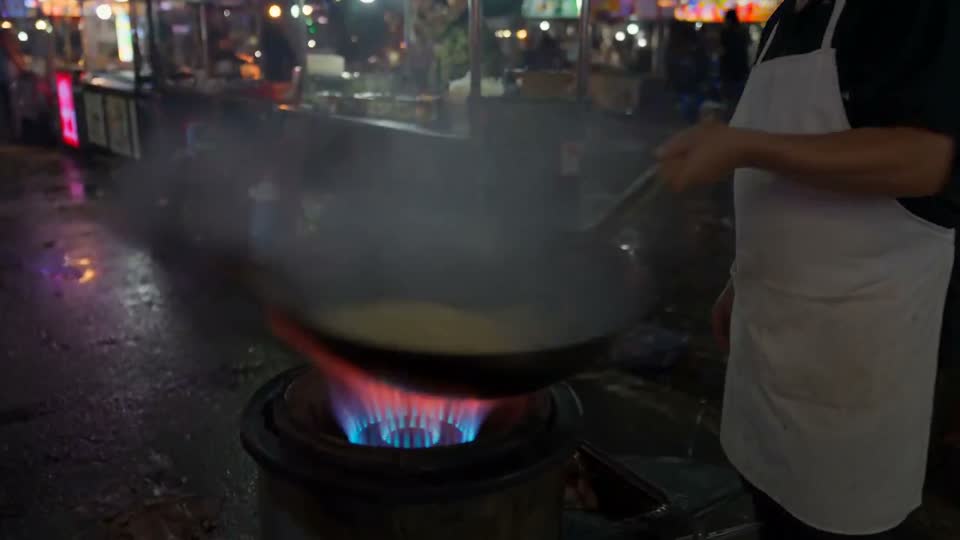 Text to video5s · 16:9
At a night market after rain, a cook in a white apron tosses food in a black wok over a blue gas flame. Follow the pan closely as steam rises and a brief flare lights the cook’s face. Keep the wet street and distant stall lights in the background. One continuous five-second shot.
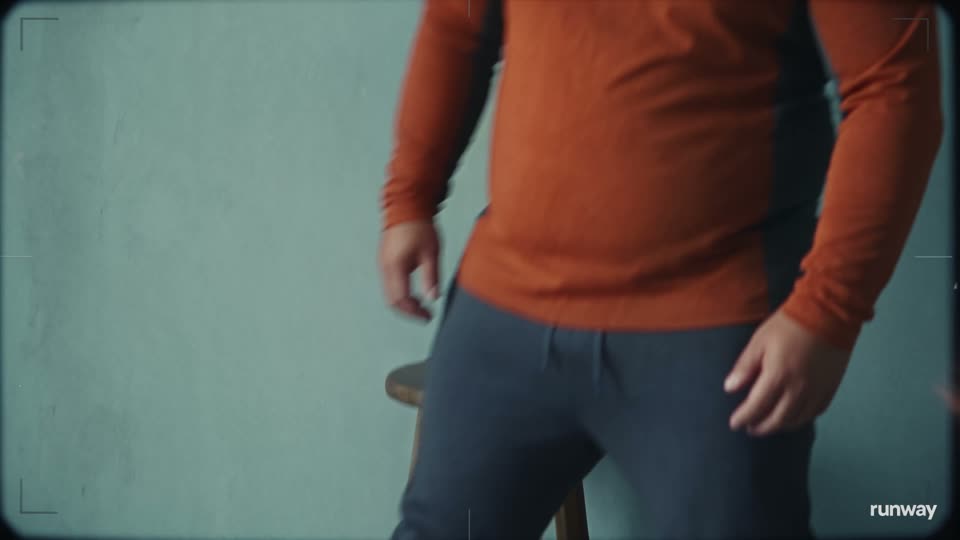 Text to video15s · 16:9
A seated adult faces a locked camera against a muted teal wall. On each clear beat, their outfit changes between a striped cardigan, a black shirt and an orange zip-neck top. Keep the seated framing and lighting consistent; show a surprised reaction after each change. No added text.
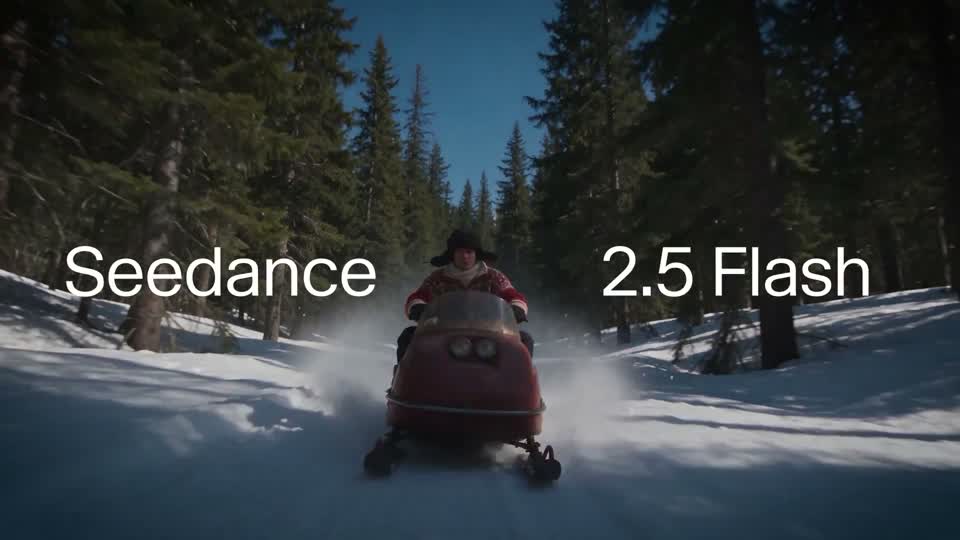 Text to video15s · 16:9
Two bundled-up riders speed through a snowy pine forest on a red snowmobile. Alternate a frontal tracking view, close-ups of snow-covered goggles and an overhead shot along the trail. Snow sprays from the track; maintain the direction of travel and winter light.
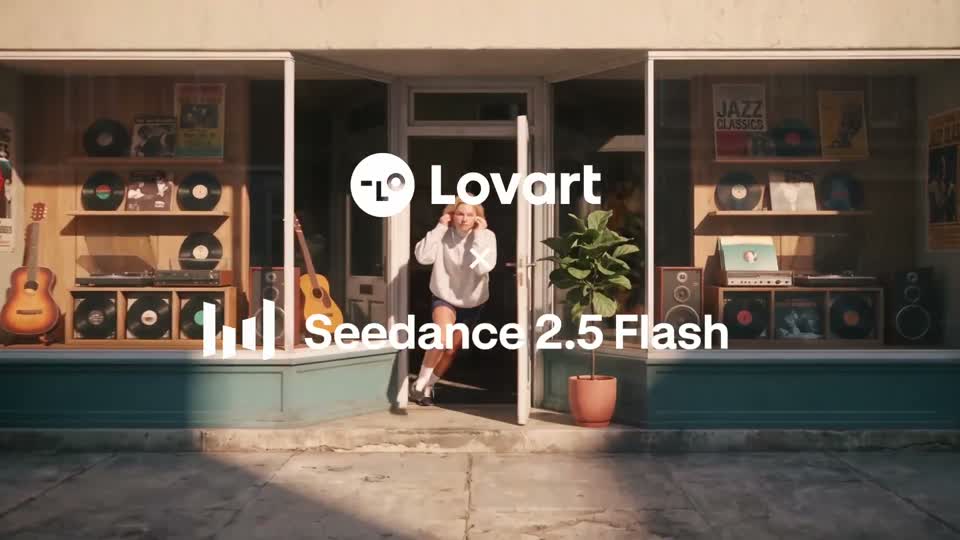 Text to video12s · 16:9
Follow a runner wearing a white top and dark shorts. Match their forward movement across a shopfront, a sunlit cafe, a grocery aisle and a beach, then finish beside a softly lit dinner table under a canopy. Use match cuts and consistent screen direction. No text or logos.
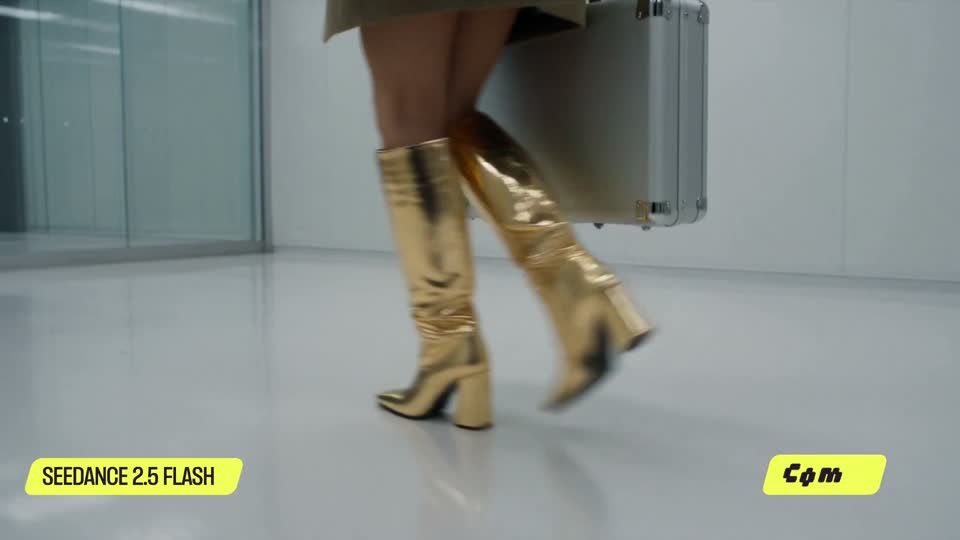 Text to video20s · 16:9
An office worker walks through a stark white corridor carrying a silver case. Cut to hands opening the case on a dark table: a small door and tiny figures form a miniature world inside. Show close-ups of a hand placing one figure, then move toward the illuminated doorway.
 Text to video18s · 16:9
Create a sequence of movement studies against a deep black background: a white owl spreads its wings, two fencers exchange a clean parry, a motocross rider rises into the air, and a green bottle releases a sparkling spray. Use clear silhouettes, controlled side light and distinct cuts.
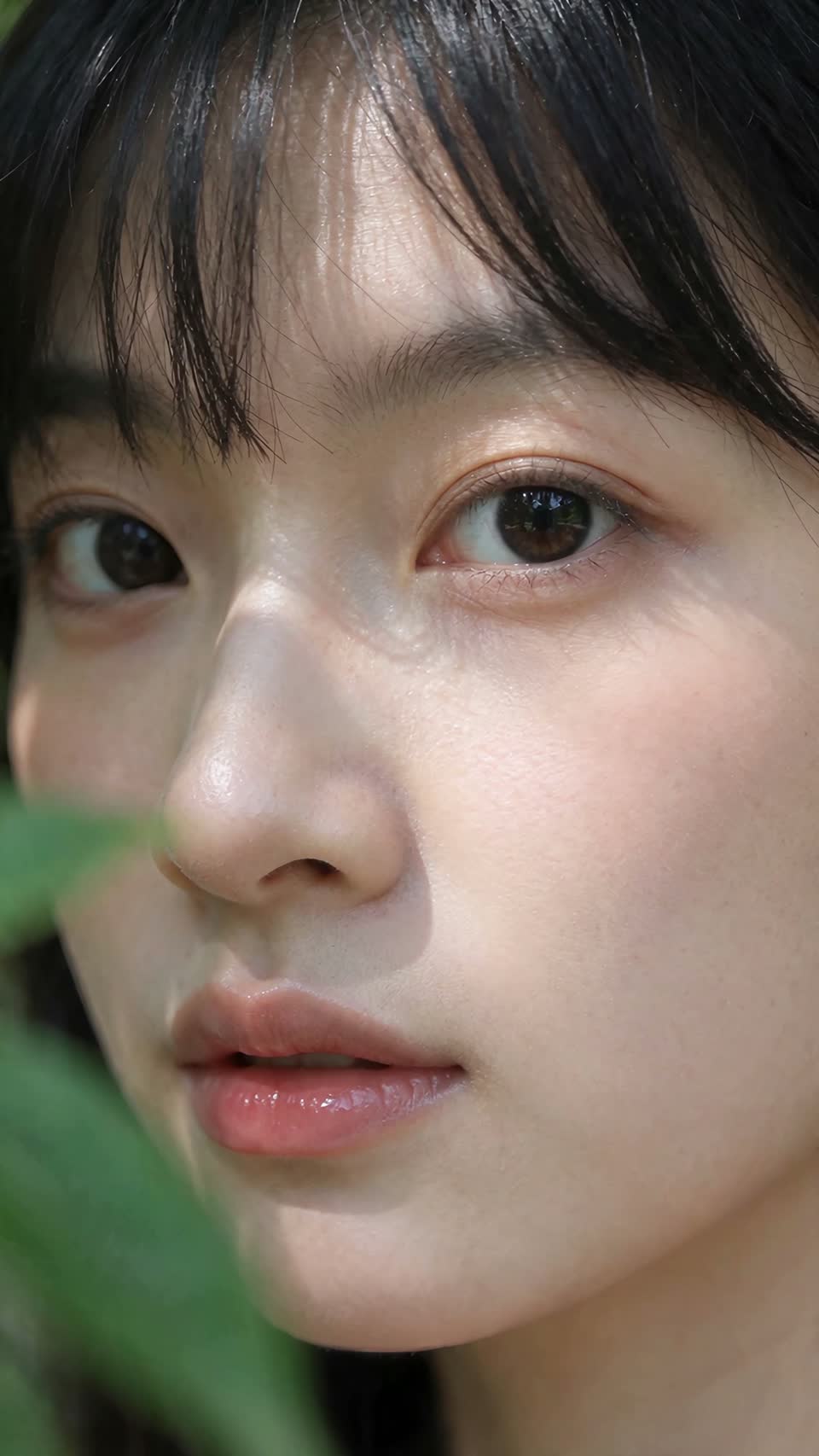 Text to video10s · 9:16
A close-up portrait of an adult with short black hair in soft natural light, blurred greenery behind them. Keep the camera locked for ten seconds. Show gentle breathing, a slow blink and a subtle change from a neutral expression to a restrained smile. No cuts or added text.
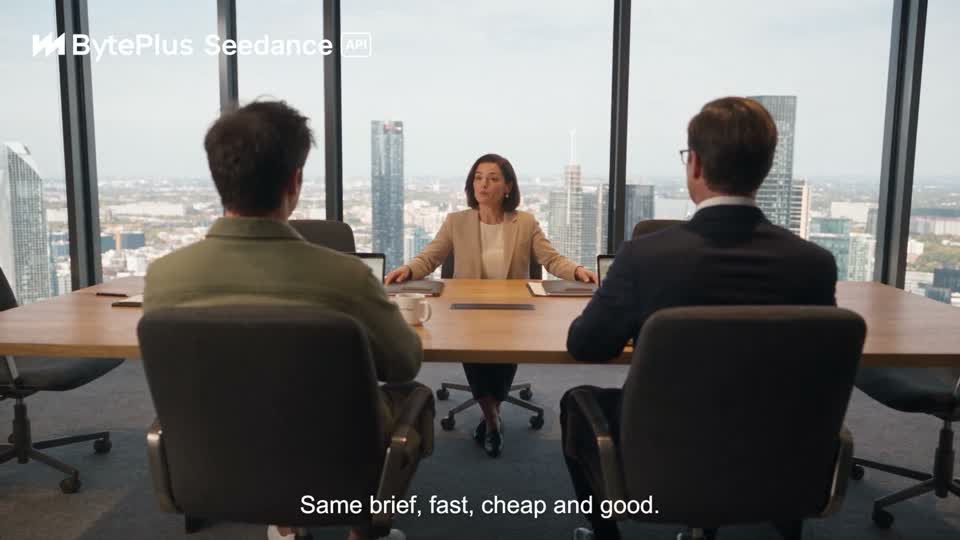 Text to video20s · 16:9
Two adult coworkers sit at a meeting table overlooking a city. One wears a formal suit and adjusts his glasses; the other relaxes in an olive shirt. Their manager speaks from across the table. Alternate restrained reaction close-ups with a wide two-shot, keeping eyelines and the daylight consistent.
Our standard rates are lower than most API providers’ rates. Automatic backup routing helps keep generation reliable. Pay as you go.
| Output resolution | Reference video | Standard | Official fallback | WaveSpeed | fal |
|---|---|---|---|---|---|
| 480p | Without reference | With bonus ≈ $0.064 / sRegular $0.07 / s14 credits / s | With bonus ≈ $0.082 / sRegular $0.09 / s18 credits / s | $0.12 / s88.6% more | - |
| 480p | With reference | With bonus ≈ $0.041 / sRegular $0.045 / s9 credits / s | With bonus ≈ $0.082 / sRegular $0.09 / s18 credits / s | $0.075 / s83.3% more | - |
| 720p | Without reference | With bonus ≈ $0.136 / sRegular $0.15 / s30 credits / s | With bonus ≈ $0.177 / sRegular $0.195 / s39 credits / s | $0.24 / s76% more | - |
| 720p | With reference | With bonus ≈ $0.091 / sRegular $0.10 / s20 credits / s | With bonus ≈ $0.177 / sRegular $0.195 / s39 credits / s | $0.15 / s65% more | - |
The request follows the form. The website uses your session; API clients use your API key. See the docs for parameters, task creation and task queries.
Write a prompt, add any reference files, and choose the video settings.
Check the output count and decide whether to allow official fallback.
Use the task ID to check the status and retrieve the video URLs.
| Parameter | Description |
|---|---|
model | seedance-2.5-flash |
input | Video generation parameters. The selected model and input mode determine which combinations are available. |
callback_url | Optional public HTTPS URL for signed completion callbacks. The URL must be directly accessible without redirects. |
input.prompt | Describe the subject, motion and camera. Required in text mode. Requests with media and no prompt only use channels that accept this combination. If supplied, 1–20480 characters after trimming. |
input.resolution | Output resolution. Allowed: 480p, 720p. Default 720p. |
input.aspect_ratio | Width-to-height ratio. Default adaptive (chosen from the input). Use 16:9 for landscape, 9:16 for portrait, or 1:1 for square. Use adaptive for frame-based generation, editing, and extension. |
input.generate_audio | Generate a synchronized soundtrack. Default true. Set false for silent output. |
input.seed | Integer from -1 to 2147483647. Use -1 for a random seed. A fixed seed can improve repeatability; output can still vary. |
input.return_last_frame | Set true to also return the final frame image. Default false. |
input.web_search | Set true to look up information while generating. Default false. |
input.nsfw_check | Screen the prompt and input images, including the first and last frames, before creating a task. Default false. True requires a prompt or image. |
input.output_format | Output format: mp4 (default) or mov. |
input.output_count | Number of independent video results, 1–4. Default 1. Each successful item is charged separately. |
input.official_fallback | Default false. True permits official fallback when it supports the requested parameters. Official pricing applies only on official success. |
input.duration | Output duration in seconds. Integer from 4 to 30. Default 5. Use -1 for automatic duration. Credits are reserved for up to 30 output seconds and settled using the actual output duration. Video editing requires -1 and follows the source duration. |
input.first_frame_url | Required in first-frame and first/last-frame modes. Provide a public HTTPS image URL. Cannot be combined with reference media. Keep URLs accessible and files unchanged until the task finishes. |
input.last_frame_url | Closing image as a public HTTPS URL. Requires first_frame_url. Keep URLs accessible and files unchanged until the task finishes. |
input.reference_image_urls | Up to 10 images. The generation provider validates the files. Keep URLs accessible and files unchanged until the task finishes. |
input.reference_video_urls | Up to 5 reference clips. A readable duration is required for billing. The generation provider validates the files. Keep URLs accessible and files unchanged until the task finishes. |
input.reference_audio_urls | Up to 5 reference audio clips. The generation provider validates the files. Audio may be the only reference type. Keep URLs accessible and files unchanged until the task finishes. |
input.omni_reference_task_type | Only for reference inputs. auto (default) infers the task type. reference generates a new video, edit changes a reference video, and extend continues it. edit and extend require a reference video and adaptive aspect ratio. edit also requires duration=-1. |
{
  "model": "seedance-2.5-flash",
  "input": {
    "prompt": "At a night market after rain, a cook in a white apron tosses food in a black wok over a blue gas flame. Follow the pan closely as steam rises and a brief flare lights the cook’s face. Keep the wet street and distant stall lights in the background. One continuous five-second shot.",
    "resolution": "720p",
    "aspect_ratio": "16:9",
    "generate_audio": true,
    "nsfw_check": true,
    "return_last_frame": false,
    "output_format": "mp4",
    "output_count": 1,
    "official_fallback": false,
    "duration": 5
  }
}
The request follows the form. The website uses your session; API clients use your API key. See the docs for parameters, task creation and task queries.
Use one API key to access the Seedance models. The lowest standard rates apply to 480p output with a reference video.
| Model | Best for | Resolution | Duration | Lowest standard rate |
|---|---|---|---|---|
| Seedance 2.5 Flash APICurrent page | For storyboard previews, ad A/B tests and frequent video creation, balancing speed, cost and multimodal control at up to 720p. | 480p / 720p | 4–30 seconds or automatic | ≈ $0.045 / s |
| Seedance 2.5 API | Longer clips, video editing and extension, with up to 30 images, 10 videos, and 10 audio references. | 480p / 720p / 1080p | 4–30 seconds or automatic | ≈ $0.07 / s |
| Seedance 2.0 API | Up to 4K output for high-resolution shots, with image, video, and audio references. | 480p / 720p / 1080p / 4K | 4–15 seconds | ≈ $0.05 / s |
| Seedance 2.0 Fast API | Quick iteration on camera moves and transitions, with image, video, and audio references. | 480p / 720p | 4–15 seconds | ≈ $0.035 / s |
| Seedance 2.0 Mini API | Lower-cost tests of motion and composition, with image, video, and audio references. | 480p / 720p | 4–15 seconds | ≈ $0.015 / s |
Find answers about pricing, generation results, and API access.
Faster generation and lower cost, with up to 30-second clips, generated audio, multimodal references, editing and extension. It suits storyboard previews, ad variations and frequent content production. Flash outputs 480p or 720p and does not support Draft mode.
BytePlus reports roughly twice the generation speed of Seedance 2.5. Vercel describes its human realism, reference-based editing and prompt adherence as close to the standard model. These are publisher descriptions; results and waiting time depend on the prompt, assets, settings and provider load.
The approximately 34% figure compares the official cost of Flash with Seedance 2.5. APIstable uses the fixed USD rates on this page. Reference-video requests bill input plus output duration, and the per-second Credit rate is rounded up before multiplication by billable seconds.
Those resolutions are not accepted by this model's API. Upscaling afterward is different from native model output.
Set duration=-1. The task reserves for up to 30 output seconds and settles against valid measured duration after success. If duration cannot be verified, the maximum-duration basis remains. Reference video adds input video time.
Up to 10 images, five videos, and five audio files. Reference videos must each be 2–30 seconds and total no more than 30 seconds; editing requires at least four seconds per input video. Use directly accessible public HTTPS media URLs.
No. Frames and reference-media modes are mutually exclusive. A last frame requires a first frame, and frames mode requires adaptive aspect ratio. Use reference mode for reference audio.
Yes, reference mode accepts audio alone. Describe the subject and visual changes in the prompt so that the intended picture is clear.
Supply reference_video_urls and set omni_reference_task_type to edit or extend, with adaptive aspect ratio. Editing also requires duration=-1. Ordinary reference generation is different from explicitly selecting editing or extension.
Flash accepts neither draft nor draft_task_id, including draft=false. Choose a model that explicitly supports the draft workflow if you need it.
Current pricing does not add a charge for generate_audio. Reference video changes the pricing tier; disabling sound does not remove that distinction.
Reference-video requests bill both total input video duration and output duration. Images and audio do not add video seconds. Rates come from the shared pricing configuration. The per-second Credit rate is rounded up first, then multiplied by billable seconds without rounding the total up to whole Credits again. Multiple outputs settle independently; check the quote before submitting.
It permits a compatible request to use the final fallback channel when needed. Only success on that channel uses the final fallback rate; ordinary-channel success uses the standard rate. It does not make every parameter combination compatible with the official channel.
Each output settles separately; failed outputs are not charged and their unsettled reservation is released. A multi-output task may be succeeded when at least one output succeeds, so inspect its results and final charge. A request still awaiting reconciliation is not immediately treated as a refundable failure.
Save data.task_id after creation and query GET /api/v1/tasks/{task_id}. Successful video URLs are in data.result.urls and the final charge is in data.charged_credits. Results are retained for 14 days; download files you need to keep.
Enter a prompt and generate a video in the workbench.