Affordable creative exploration
Explore ad compositions, product settings and visual directions at a lower standard output price than Pro.
Seedream 5.0 Flash API · Image generation and reference editing
Generate and edit 1K to 2K images with a single output price across resolution tiers.
Explore ad compositions, product settings and visual directions at a lower standard output price than Pro.
Choose 1K, 1.5K or 2K to fit the layout; the standard output price stays the same.
Reference-based edits carry no separate image-input fee, supporting repeated exploration around a product or character.
Give subject, outfit and setting references separate roles, then combine their elements in one composition.
Describe a background, prop or color change and identify what should stay, building on an existing visual.
Reuse a character reference across settings and looks to help maintain a recognizable subject in a series.
Describe ideas and supply in-image copy in different languages for localized campaign concepts. Check rendered text before publishing.
Use landscape, square or portrait compositions at up to 2K for covers, social feeds and mobile visuals.
Combine product references with a scene brief to explore backgrounds, compositions and props. Keep recognizable product details while preparing creative directions for ad testing.
Supply an event theme, headline and essential details for poster or social artwork. Specify the destination aspect ratio and reserve space for copy and branding.
Upload existing creative and describe changes to its background, colors or content. Develop new versions around the same visual direction without rebuilding the brief.
Start with approved artwork and adapt its composition for square, landscape and portrait placements. Identify the subject to preserve and the space needed for each placement’s copy.
Use a product photograph to compare a proposed color, surface finish or display setting. Request one change at a time so the team can review the design direction.
Turn a supplied editorial brief into a cover image. Define a visual metaphor, palette and text-safe area to explore artwork for a newsletter or article header.
Describe an item’s shape, materials and role, then use references to explore visual alternatives. Prepare concept images for an art review before building production assets.
Start with an approved catalog photograph and replace the setting for a new season. Specify the product silhouette, label and viewpoint to preserve across revisions.
Explore example images with suggested prompts based on their composition. These prompts are not verified reproductions; upload your own input image for reference-editing examples.
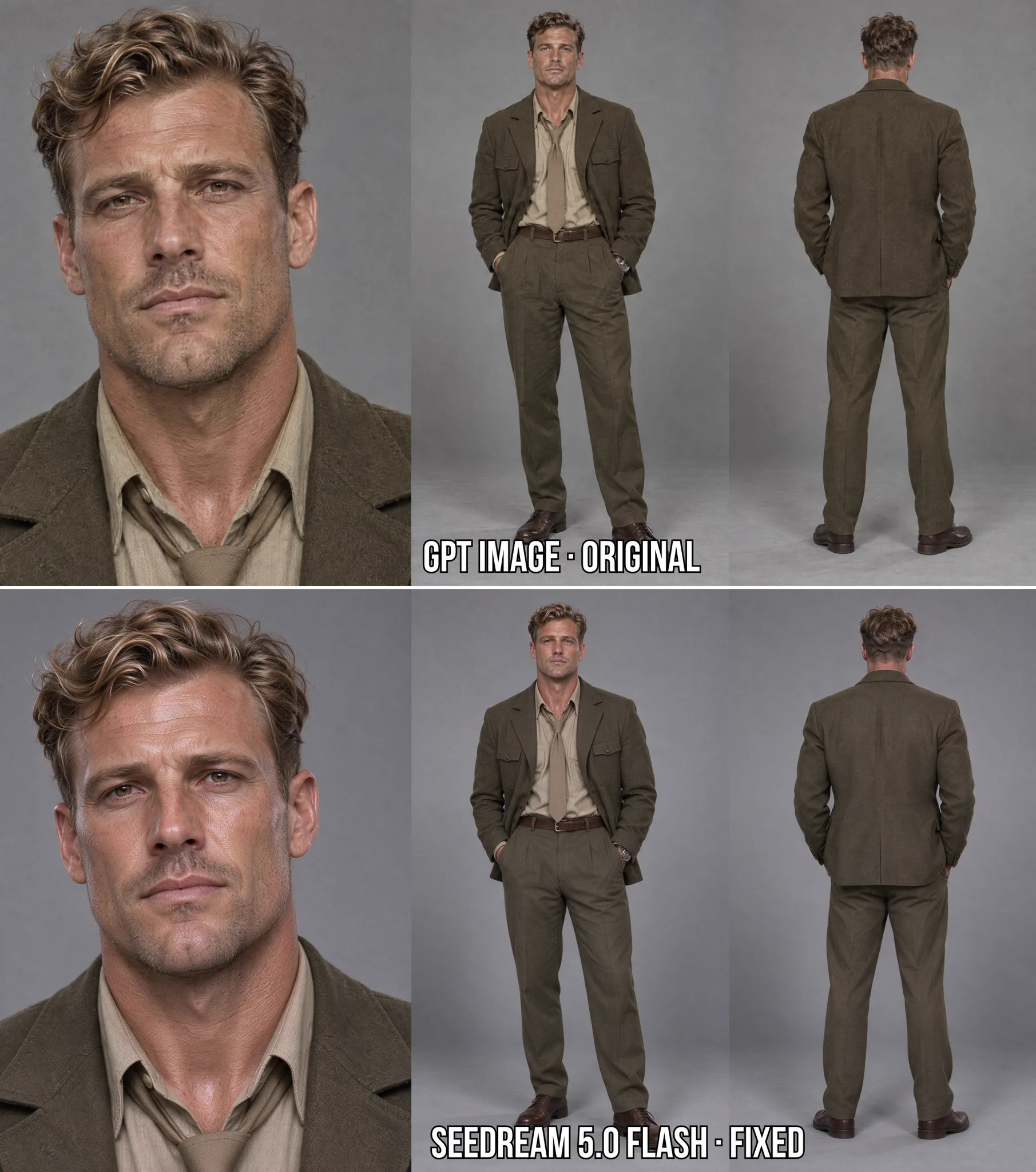 Image1:1
Refine the uploaded character sheet while retaining the identity, haircut, clothing, front and rear views, and panel positions. Reduce blotchy skin, harsh edge contrast and blurry facial detail. Restore subtle skin texture and natural fabric detail without changing the face shape, pose or lighting direction. Keep every existing panel in place and avoid adding new text.
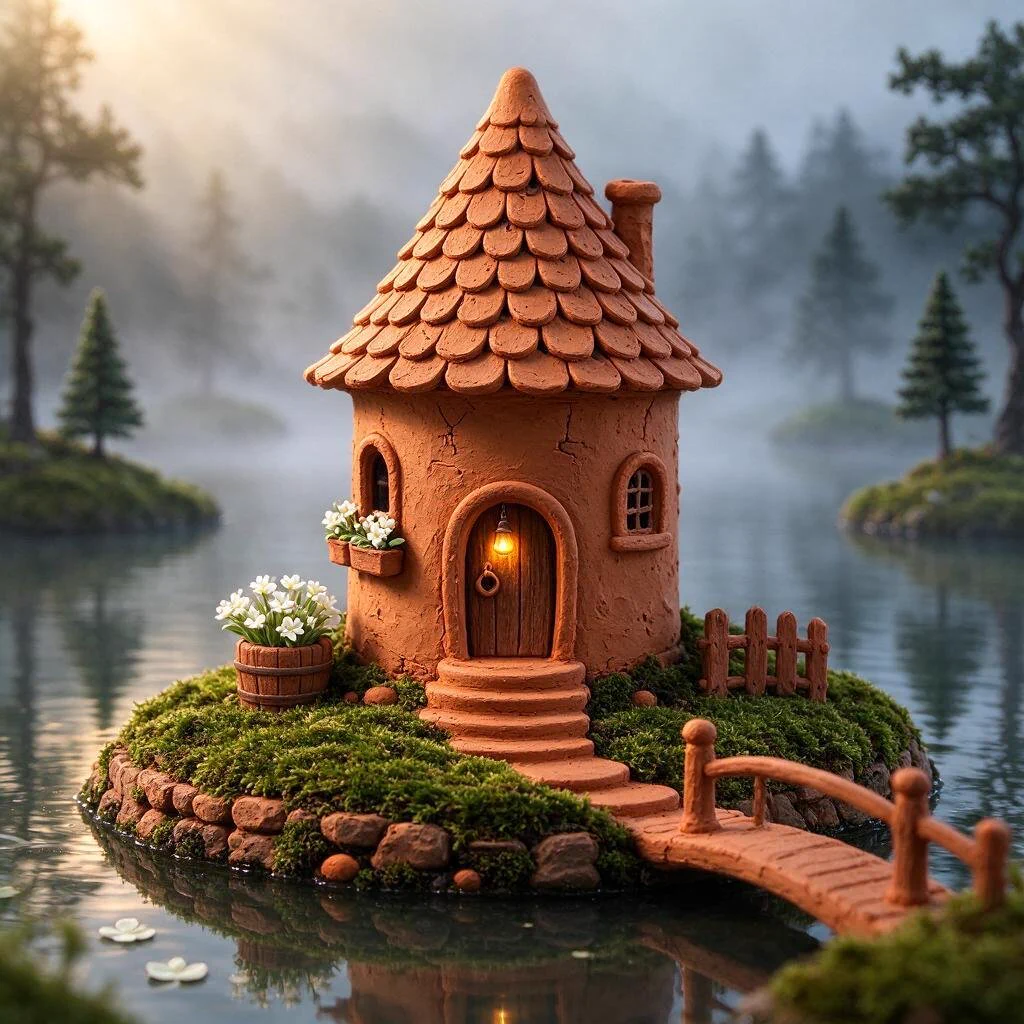 Image1:1
Create a miniature storybook cottage on a small moss-covered island in a still lake. Give the warm terracotta house a tall rounded roof with overlapping clay shingles, a glowing arched doorway and tiny flower boxes. Add a curved wooden footbridge, smooth stones and white flowers. Surround it with distant pine trees and morning mist, using soft sunlight, tactile handcrafted surfaces and gentle reflections.
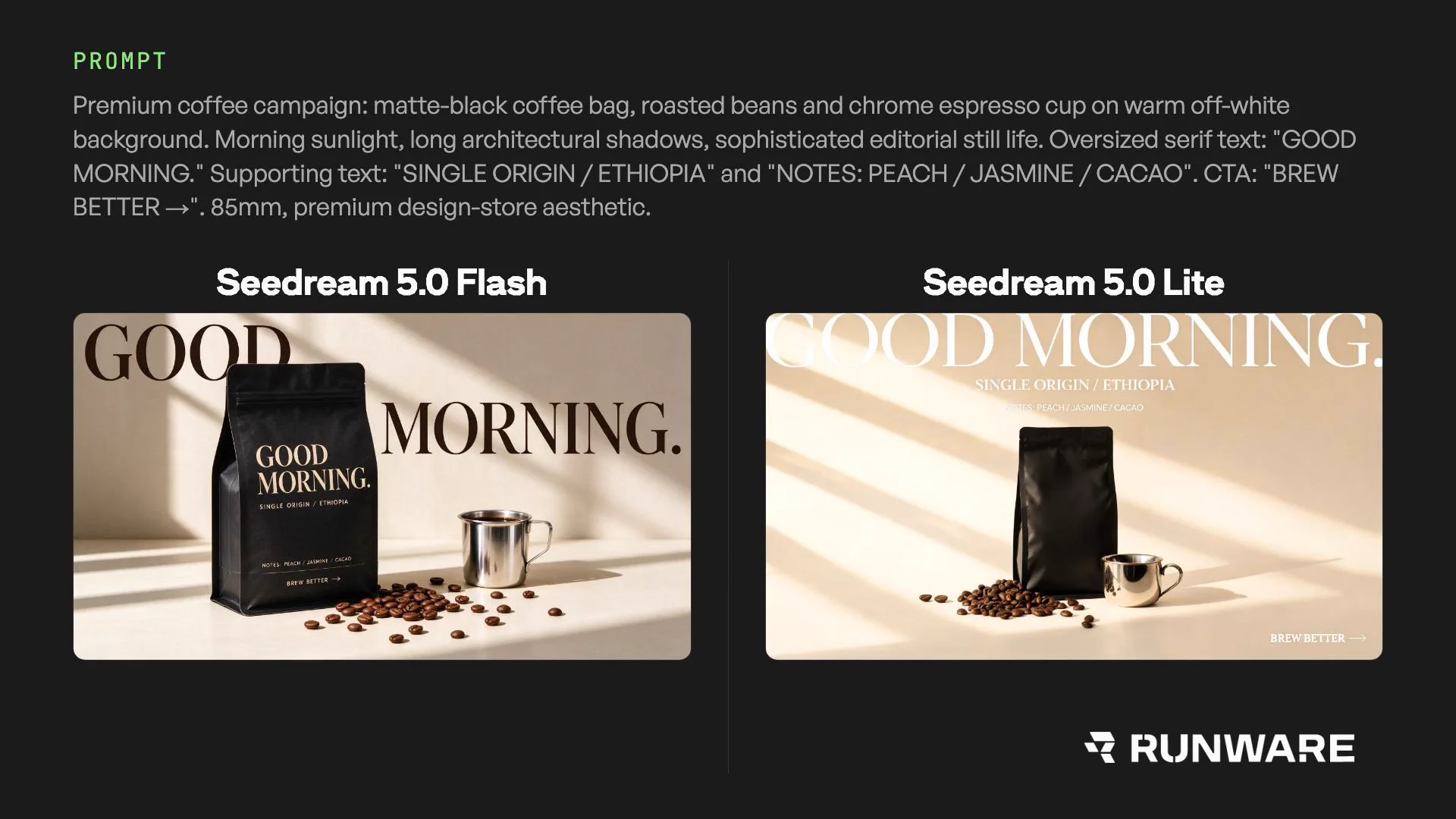 Image3:4
Design a premium coffee campaign in a warm off-white studio. Arrange a matte black coffee bag, a polished metal espresso cup and a few roasted beans across a simple surface. Cast strong diagonal sunlight and long crisp shadows. Place the headline GOOD MORNING in oversized dark serif letters behind the still life, keeping the product readable. Add only a small amount of supporting copy and keep the palette black, cream and warm brown.
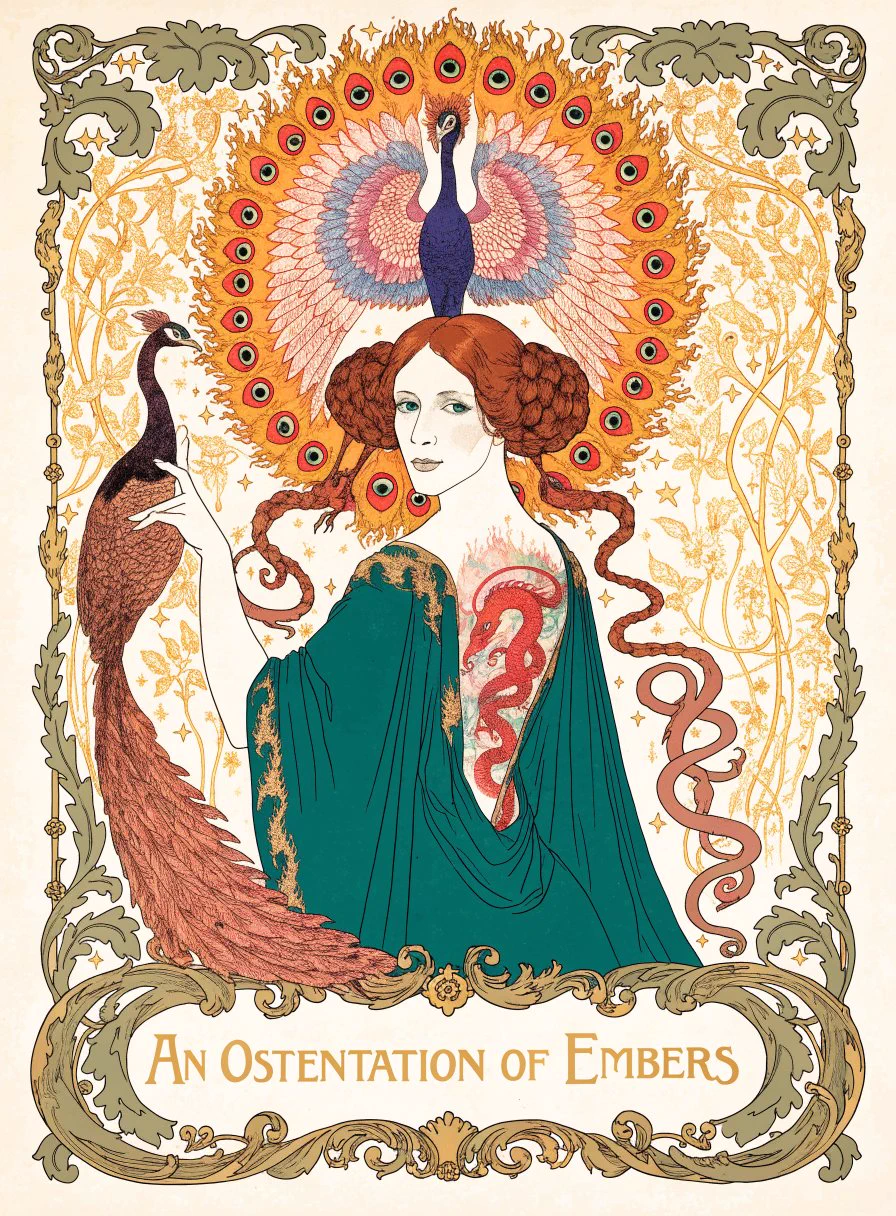 Image3:4
Create an Art Nouveau lithograph-style poster on warm ivory paper. Frame a red-haired adult in a deep teal dress with two stylized peacock-like birds, an orange feather fan and looping olive foliage. Use flat areas of muted color, thin ornamental outlines and a balanced floral border. Reserve a curved panel beneath the figure for a short exhibition title. Keep the print texture subtle and the decorative shapes continuous.
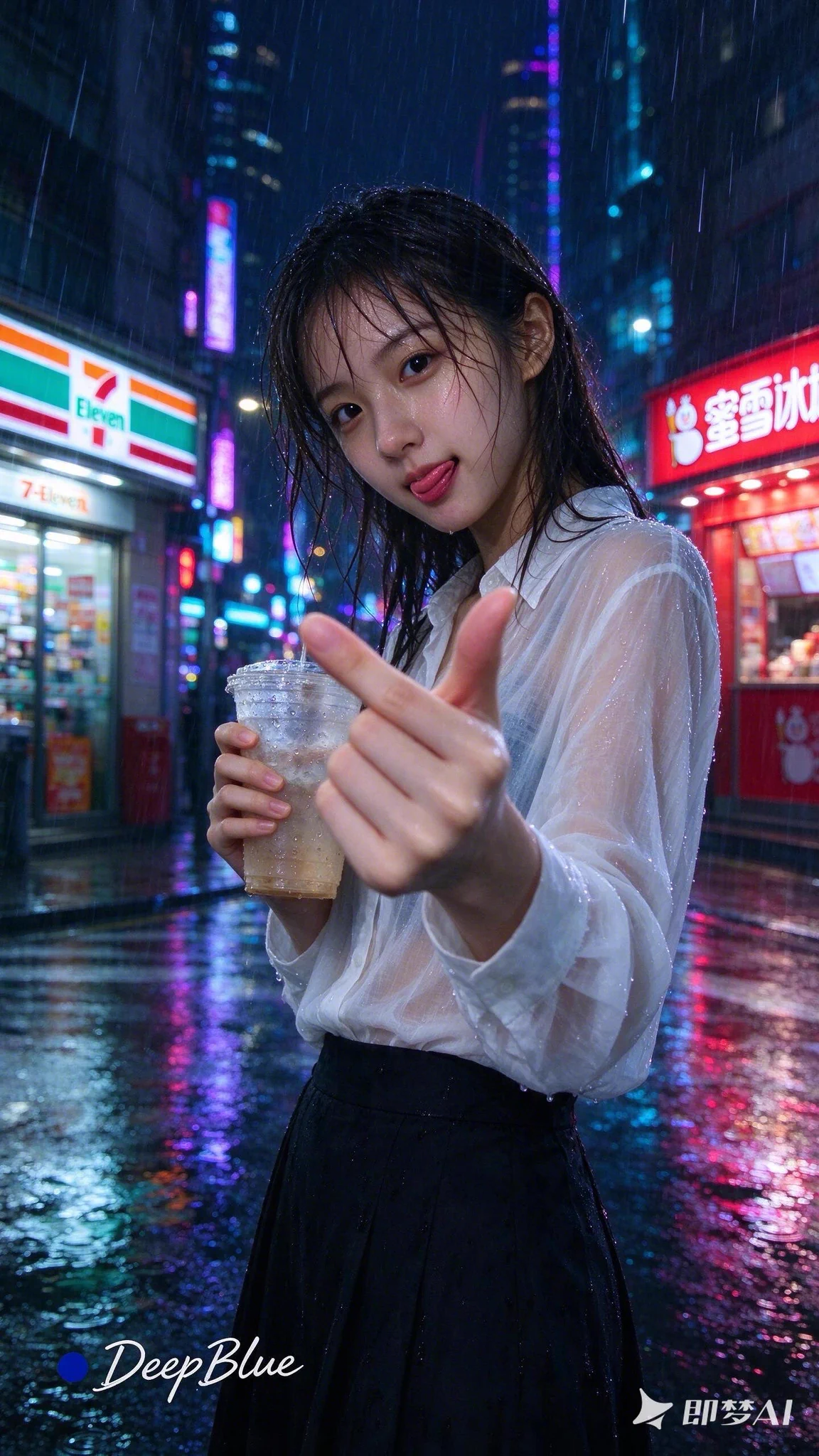 Image9:16
A spontaneous portrait of an adult woman standing on a brightly lit city street in heavy nighttime rain. She wears a white long-sleeved blouse and a dark skirt, holds a takeaway drink and makes a small playful hand gesture toward the camera. Wet hair, colored shop signs reflected on the pavement, soft neon bokeh, believable rain and skin texture. Vertical framing, candid expression.
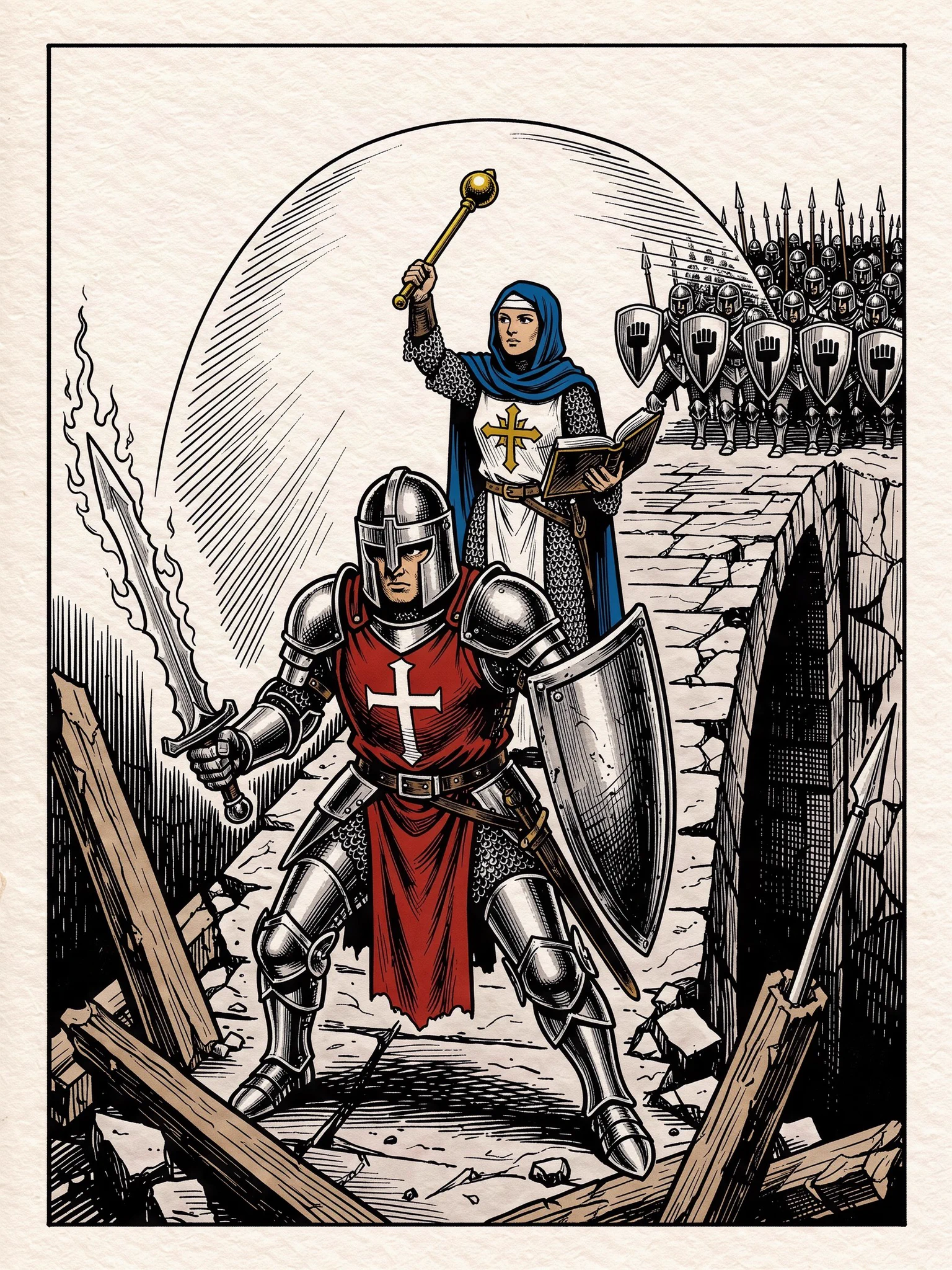 Image3:4
Illustrate a fantasy book plate on textured cream paper. Place an armored knight with a sword in the foreground on a narrow stone bridge, a hooded staff-bearer behind him, and ranks of distant soldiers at the far end. Build volume with fine black crosshatching and sharp ink contours. Use only restrained red fabric, muted blue cloth and a tiny gold accent. Add a thin rectangular border and keep the scene non-graphic.
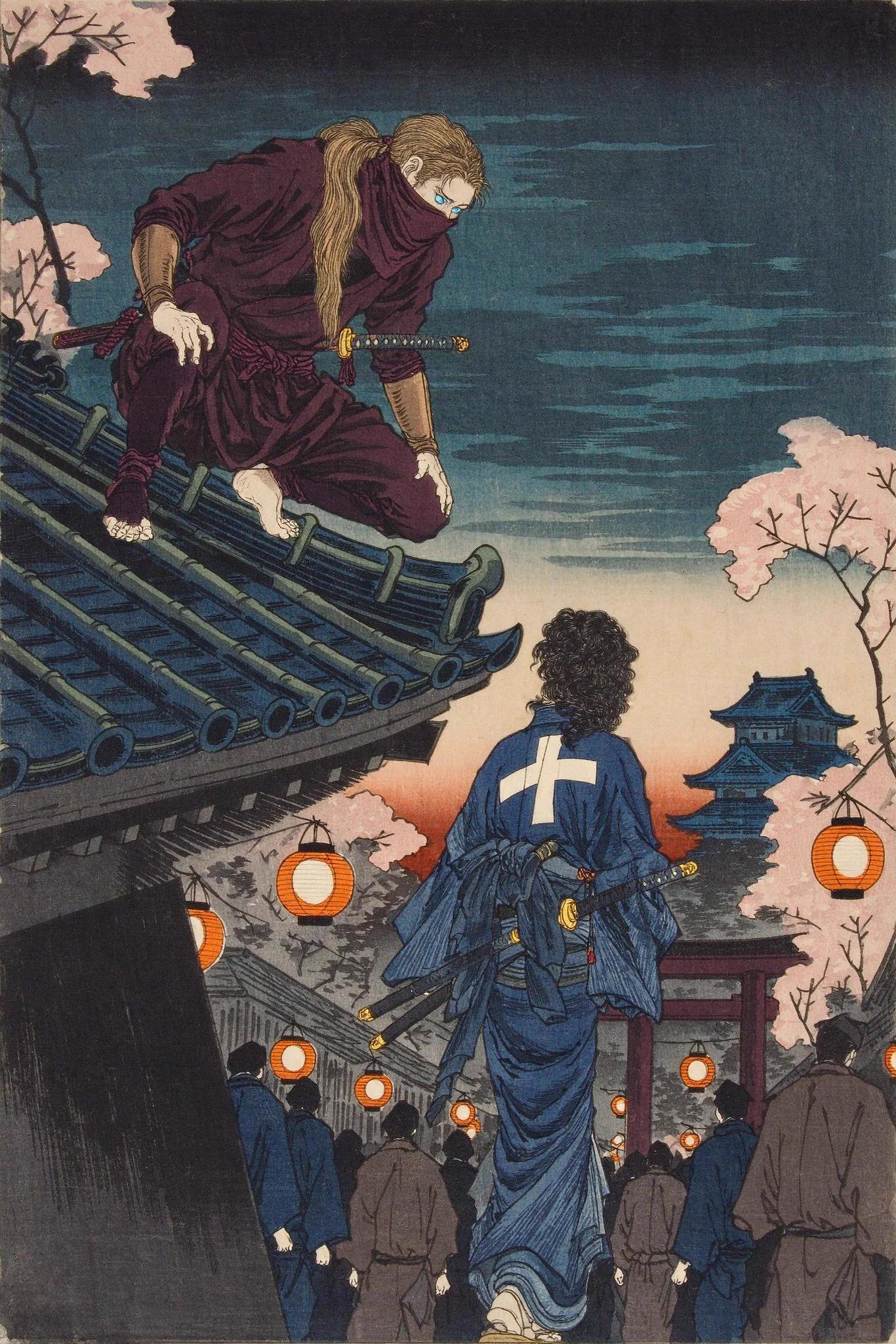 Image2:3
Create a vertical Japanese woodblock-inspired street scene at dusk. View a dark tiled roof from above, with an adult crouching along the eaves and another adult in a blue robe walking below. Lead the eye toward a small distant pagoda through warm hanging lanterns and sparse flowering branches. Use deep indigo, dusty pink and ochre, carved-looking outlines, paper grain and gently uneven ink coverage. Keep the figures separated clearly by height and perspective.
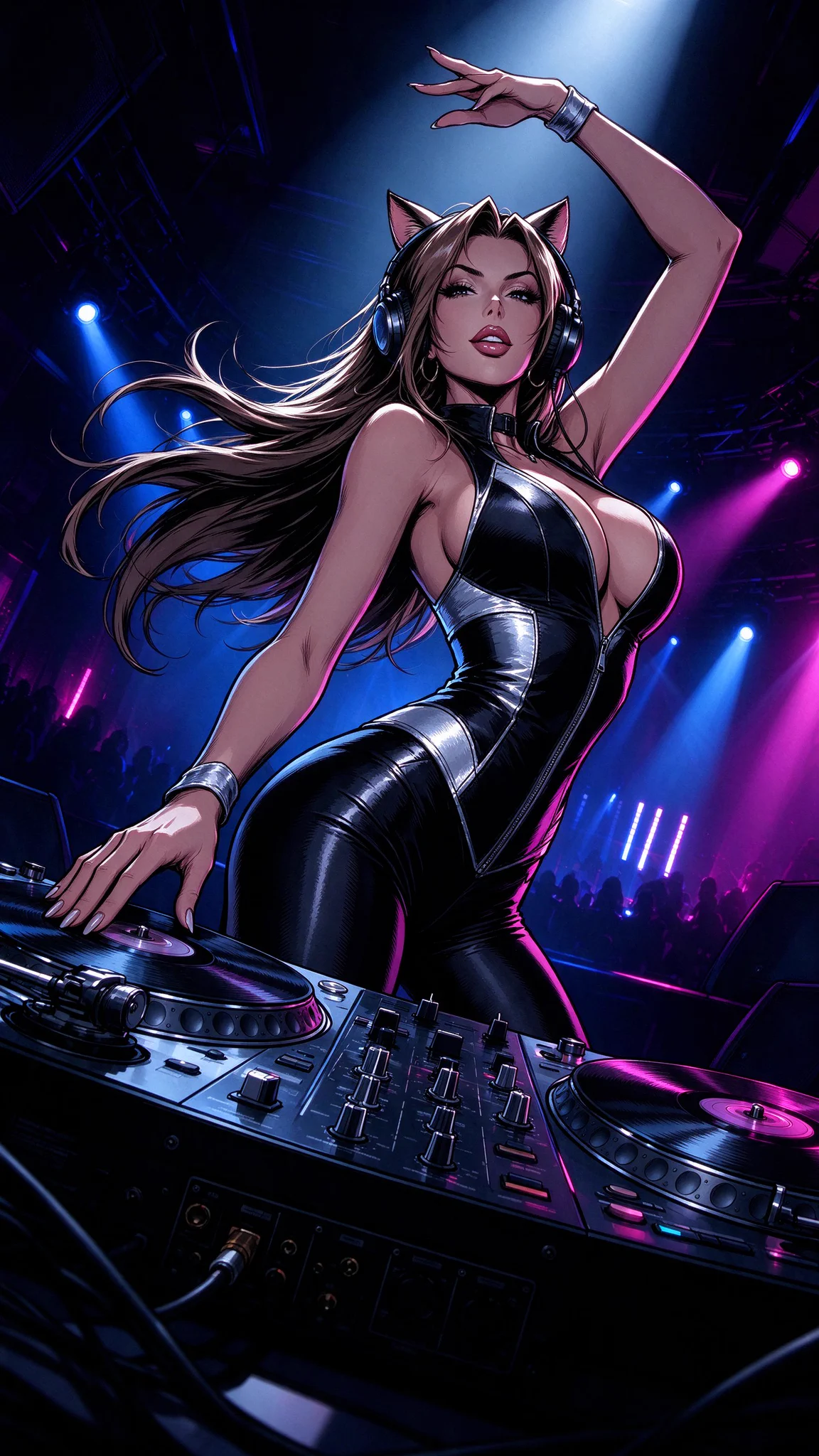 Image9:16
Illustrate an adult fantasy DJ with cat-like ears performing behind a detailed mixing console. Use a fitted black stage outfit, long dark hair, a confident pose with one arm raised, and dramatic magenta-blue stage lights. Include glowing controls and silhouettes of lighting equipment. Polished semi-realistic character art, strong diagonal composition and a dark concert background.
Output prices compare one 1:1 image at the same resolution with zero reference images. Prices are in USD.
| Resolution | APIstable standard | Official fallback | WaveSpeed | fal |
|---|---|---|---|---|
| 1K | With bonus ≈ $0.014 / imageRegular $0.015 / image3 credits / image | With bonus ≈ $0.023 / imageRegular $0.025 / image5 credits / image | $0.0243 / image78.2% more than APIstable | $0.027 / image98% more than APIstable |
| 1.5K | With bonus ≈ $0.014 / imageRegular $0.015 / image3 credits / image | With bonus ≈ $0.023 / imageRegular $0.025 / image5 credits / image | $0.0243 / image78.2% more than APIstable | $0.027 / image98% more than APIstable |
| 2K | With bonus ≈ $0.014 / imageRegular $0.015 / image3 credits / image | With bonus ≈ $0.023 / imageRegular $0.025 / image5 credits / image | $0.0243 / image78.2% more than APIstable | $0.027 / image98% more than APIstable |
The request follows the form. The website uses your session; API clients use your API key. See the docs for parameters, task creation and task queries.
Write a prompt and optionally add references.
Choose resolution, output count and optional fallback. Review the account quote before submitting.
Query the returned task ID or receive a signed callback. Save result images within 14 days.
| Parameter | Description |
|---|---|
model | seedream-5-0-flash |
input | Image generation parameters. |
input.prompt | Describe the image or edit. Limits depend on the model; see the schema. |
input.image_urls | Up to 10 public HTTPS reference images. The generation provider validates the files. |
input.resolution | 1K / 1.5K / 2K |
input.output_format | JPEG / PNG |
input.aspect_ratio | Auto / 1:1 / 4:3 / 3:4 / 16:9 / 9:16 / 3:2 / 2:3 / 21:9 / 2:1 / 1:2 |
input.size | Exact dimensions override the resolution and aspect ratio presets. Width × height must be 921,600–4,624,220 total pixels. Width ÷ height must be between 1/16 and 16. |
input.background | Opaque / Transparent |
input.watermark | Visible watermark |
input.output_count | 1–4 independent image items; default 1. |
input.official_fallback | Allow the final fallback tier; default false. |
{
  "model": "seedream-5-0-flash",
  "input": {
    "prompt": "Create a miniature storybook cottage on a small moss-covered island in a still lake. Give the warm terracotta house a tall rounded roof with overlapping clay shingles, a glowing arched doorway and tiny flower boxes. Add a curved wooden footbridge, smooth stones and white flowers. Surround it with distant pine trees and morning mist, using soft sunlight, tactile handcrafted surfaces and gentle reflections.",
    "resolution": "2K",
    "aspect_ratio": "auto",
    "image_urls": [],
    "output_format": "jpeg",
    "background": "opaque",
    "output_count": 1,
    "official_fallback": false,
    "nsfw_check": true
  }
}
The request follows the form. The website uses your session; API clients use your API key. See the docs for parameters, task creation and task queries.
Choose by the asset you need, output size and editing controls. All six models support text prompts and reference images through APIstable.
| Model | Strengths and best uses | Output size |
|---|---|---|
| Seedream 5.5 | More stable successive edits, improved realism and dense text, plus transparent PNGs and layer decomposition. Suits product retouching, marketing posters and reusable design assets. | 1K / 1.5K / 2K |
| Seedream 5.0 FlashYou’re here | Affordable reference-based editing, with one standard output price from 1K to 2K and no separate reference-image fee. Suits ad drafts, product-scene variations and social media visuals. | 1K / 1.5K / 2K |
| Seedream 5.0 Pro | Handles complex layouts, multilingual text and transparent layer decomposition. Suits infographics, localized campaigns and extracting assets from approved designs. | 1K / 1.5K / 2K |
| Seedream 5.0 Lite | Improved instruction understanding, visual reasoning and reference-style transfer, with output up to 4K. Suits educational diagrams, presentation visuals, multi-subject compositions and large illustrations. | 2K / 3K / 4K |
| Seedream 4.5 | Focuses on preserving faces, lighting and color from references, with improved small text and poster layouts. Suits product scene changes, portrait revisions, brand posters and 4K campaign assets. | 2K / 4K |
| Seedream 4.0 | Combines text-to-image creation with natural-language editing, broad style coverage and output up to 4K. Suits everyday visuals, illustration styles, background swaps and character concepts. | 1K / 2K / 4K |
Find answers about pricing, generation results, and API access.
Flash is useful for inexpensive product-background, social-image and creative-variant trials, with one output price across 1K–2K on APIstable. Compare Pro for detail-heavy layouts; choose Lite when you need 3K or 4K. Flash does not come with a fixed completion-time guarantee.
Choose 1K / 1.5K / 2K with a fixed ratio (1:1, 4:3, 3:4, 16:9, 9:16, 3:2, 2:3, 21:9, 2:1, 1:2). Auto lets the model choose the ratio. Enter widthxheight under Exact dimensions to override both presets.
Keep the product description, aspect ratio, lighting and references fixed, then change one factor such as background color or headline position. Prompts must contain 5–5000 characters. Changing the style, camera and subject together makes it harder to identify what affected the result.
APIstable accepts up to 10 references. The generation provider determines which files it accepts. Upload local files in the workbench or supply publicly readable HTTPS URLs through the API. Login-protected, expired or unsupported files may be rejected. References are optional for text-to-image.
Each output is generated independently, so packaging and logos may be reinterpreted. Supply a clear product reference, identify the shape, colors and text to preserve, and change one part at a time. If a logo must remain exact, composite the original asset in post-production.
No. Include the image to edit in each request and specify the change and what to preserve. You can reuse the previous output, but save originals and reintroduce them if revisions drift. Successive editing does not guarantee that every untouched region remains identical.
Try headlines, short slogans and labels with exact wording, placement and hierarchy. Divide dense or multilingual copy into separate areas and proofread the output. If lettering is central to the deliverable, compare Pro with the same prompt or add final copy in a design editor.
APIstable exposes JPEG and PNG output for Flash, but not a background parameter. PNG is a file format; selecting it does not guarantee transparency. For an explicit transparent-background control, use the Transparent option on Seedream 5.5.
No. Count 1–4 creates independent generation items using the same prompt; it does not guarantee continuity. APIstable currently exposes neither layer decomposition, a bounding-box editing tool nor native sequence generation for Flash. Describe edits in the prompt with reference images.
On APIstable, Flash uses the same output rate at 1K, 1.5K and 2K, with no additional reference-image input fee. More successful outputs cost more. Standard and optional fallback prices are separate tiers; review the quote shown before submission.
Models can interpret detail, composition and lettering differently. Compare them with the same references, aspect ratio and resolution, including areas that were meant to stay unchanged. Use several representative tasks to choose a model rather than treating one output as a universal ranking.
Use an APIstable key with POST /api/v1/tasks/create_task, set model to seedream-5-0-flash and place parameters in input. Save task_id and query GET /api/v1/tasks/{task_id}. Successful image URLs are in result.urls. Generated results are retained for 14 days; download files you need to keep.
Generation is asynchronous and timing depends on settings, load and provider state. Closing the page does not cancel a task; resume querying instead of submitting again. At 00:00 Beijing time each day, unfinished items submitted more than 24 hours earlier are failed and their reserved credits released.
Credits are reserved at submission, then settled only for successful items; failed items release their reservation. Enabling fallback does not automatically apply its price: that tier must succeed. For partial success, check each item and its charge. Successful images stay charged when other items fail.
Both prompts and references can affect screening, and false positives are possible. The Playground enables NSFW screening by default. API clients can control APIstable’s pre-check with nsfw_check, but provider screening still applies. Keep the error details for support if you suspect a mistake rather than repeatedly submitting paid requests.
Write a prompt or add references to generate an image.