Understand creative intent
Translate natural-language briefs into subjects, relationships and moods with improved instruction understanding.
Seedream 5.0 Lite API · Image generation and reference editing
Generate and edit images at 2K, 3K or 4K with JPEG or PNG output.
Translate natural-language briefs into subjects, relationships and moods with improved instruction understanding.
Use image context to reason about object structure, spatial relationships, part combinations and scene changes.
Illustrate concepts, hierarchies and processes for lessons and presentations, with facts and numbers checked by the creator.
Specify positions, colors and attributes for individual objects in display grids, composite illustrations and group scenes.
Pair a subject with a style reference to explore its brushwork, palette or visual treatment.
Specify subject, focus or lighting changes while describing what should stay unchanged in the existing image.
Supply before-and-after references and ask for a similar transformation on another image.
Choose larger outputs for diagrams, illustrations and product visuals, in JPEG or PNG for the next design step.
Organize a lesson, process or structure into a labeled visual. Specify the hierarchy for slide and handout drafts, then review the text and subject matter.
Provide subject and style images, then describe the palette, brushwork or texture to borrow. Explore different visual directions for the same creative brief.
Upload a photograph and describe the intended focus, background blur and lighting. Revise the existing composition for social posts or editorial illustrations.
Provide a presentation theme and finalized headings to explore a cover or chapter divider. Specify a consistent palette, illustration style and text hierarchy for the deck.
Organize supplied product categories, audiences and selling points into a visual planning sheet. Use labeled groups and simple illustrations to make a campaign proposal easier to review.
Combine a product reference with approved feature copy to draft a detail-page visual. Define the main product area, supporting close-ups and copy blocks before final design.
Specify the position, color and attributes of each product or character. Explore display grids, composite illustrations and group scenes with clear relationships between elements.
Turn an article’s central idea into a visual metaphor. Describe the subject, composition and style to explore illustrations for an essay, newsletter or report cover.
Explore example images with suggested prompts based on their composition. These prompts are not verified reproductions; upload your own input image for reference-editing examples.
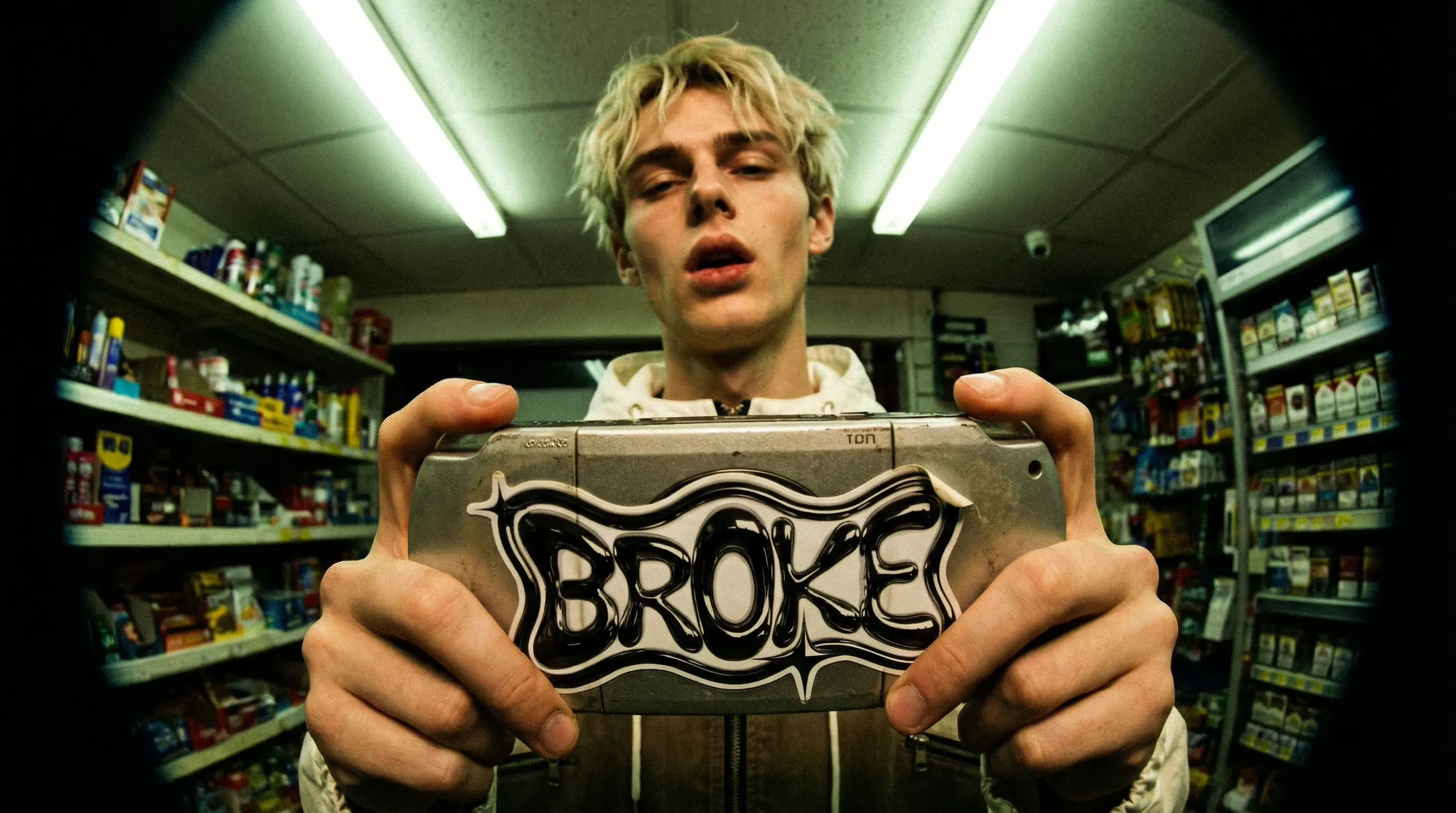 Image16:9
Create a fisheye fashion photograph inside a small convenience store. A young adult with short blond hair holds the front of a graphic shirt toward the lens so the large illustrated lettering dominates the foreground. Use converging shelves, fluorescent ceiling lights, a slightly gritty streetwear mood and realistic fabric creases. Keep the face visible above the shirt and the close perspective intentional.
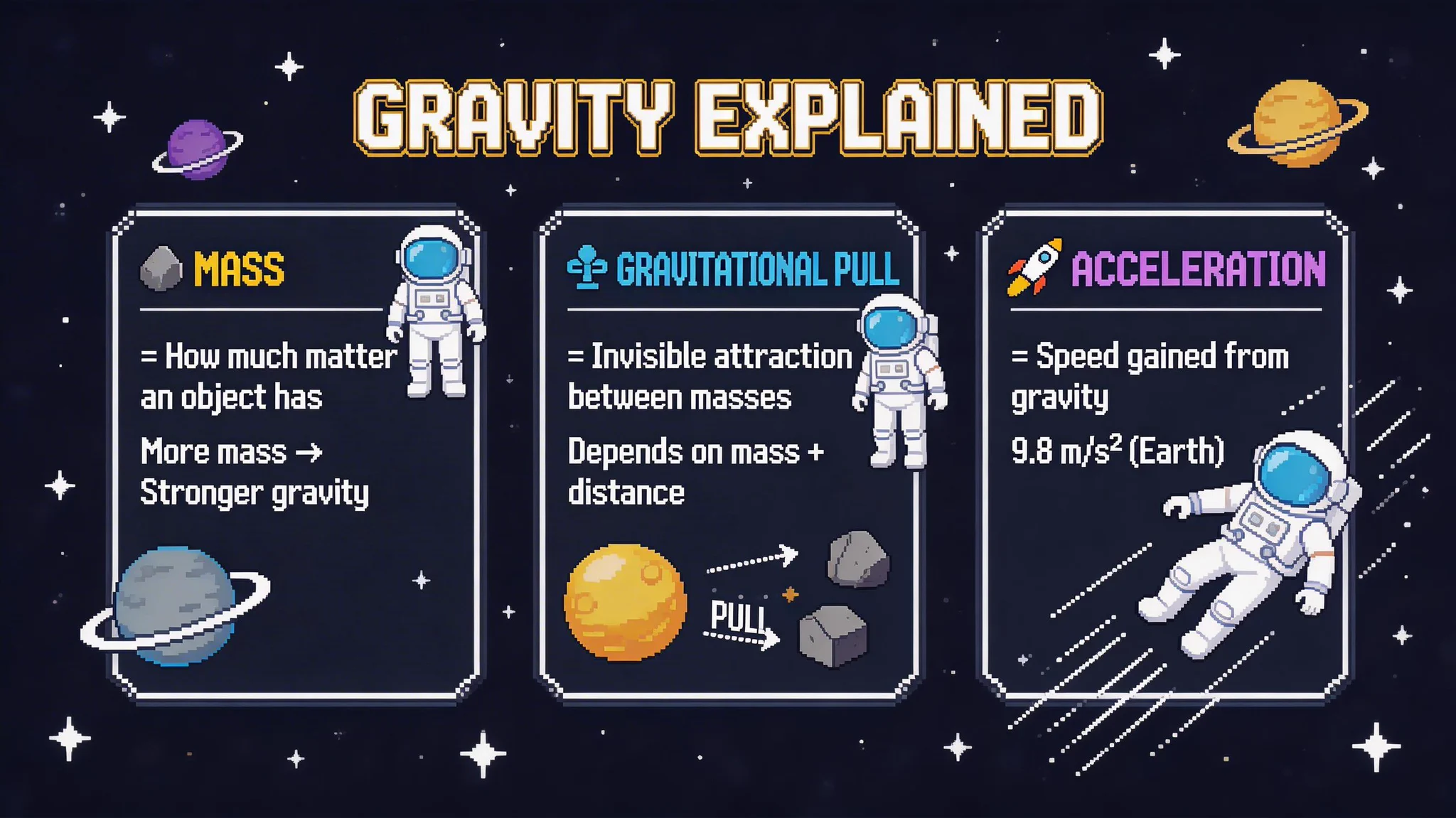 Image16:9
Design a landscape educational poster titled GRAVITY EXPLAINED. Use a dark navy star field, small pixel-art planets and astronauts, and three clearly separated panels for mass, attraction and acceleration. Give each panel a short heading, a simple diagram and two concise explanatory lines. Use white lettering with violet, blue and yellow accents. Keep the reading order clear and the text large enough to review.
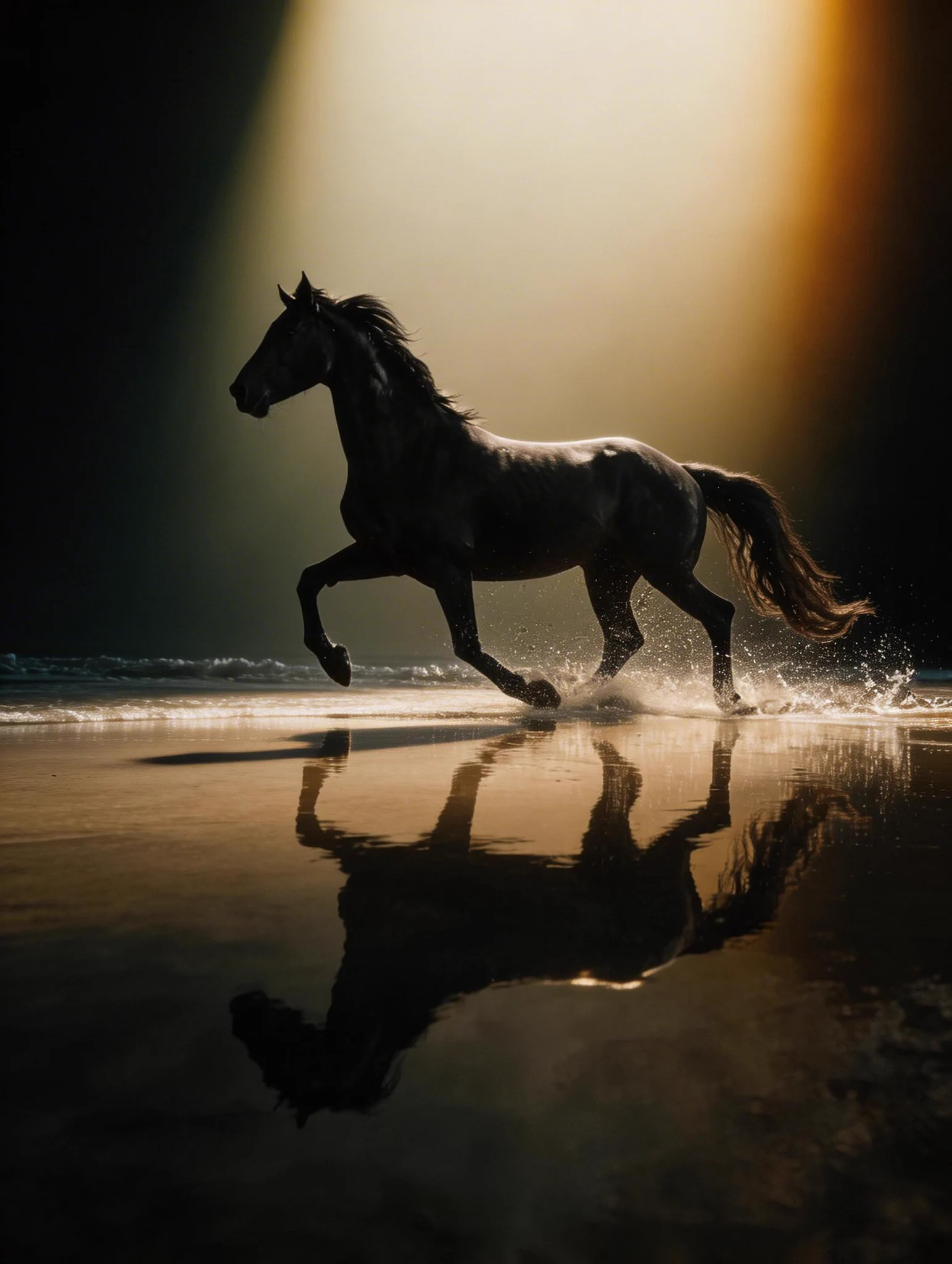 Image3:4
Using your own horse photograph as the subject reference and a separate lighting reference, create a vertical fine-art animal image. Preserve the horse’s anatomy and dark coat, show it moving through shallow water, and illuminate it with a concentrated warm overhead beam. Let the legs and muzzle catch subtle highlights while the background falls into near-black. Retain delicate ripples and a restrained reflection.
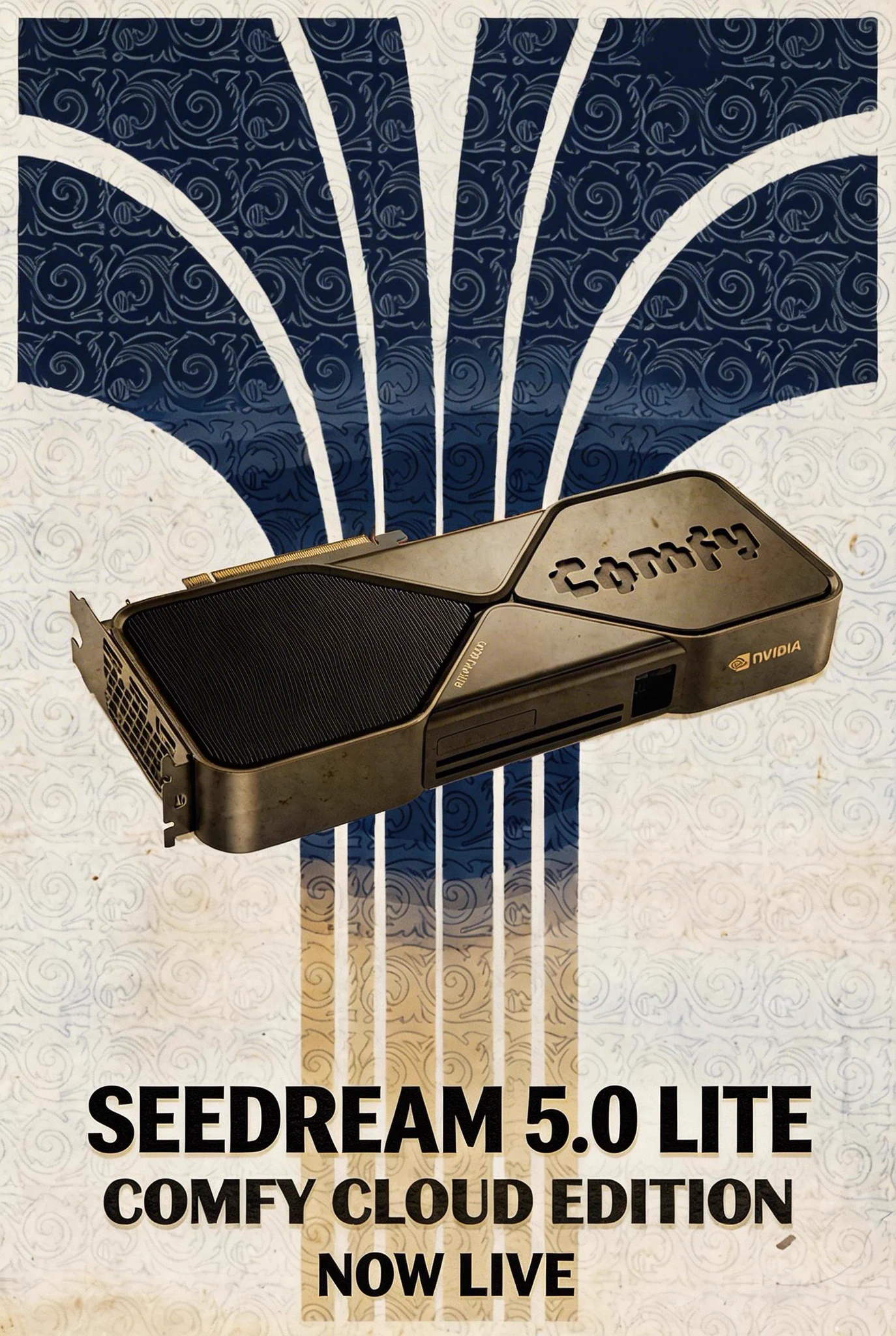 Image2:3
Use your own poster reference to explore a vintage hardware advertisement. Keep the central graphics-card silhouette and paper texture, use deep navy decorative rays behind it, and arrange a bold three-line headline beneath the product. Replace the headline with SEEDREAM 5.0 LITE, COMFY CLOUD EDITION and NOW LIVE. Keep the product edge sharp, align the typography and leave generous cream margins.
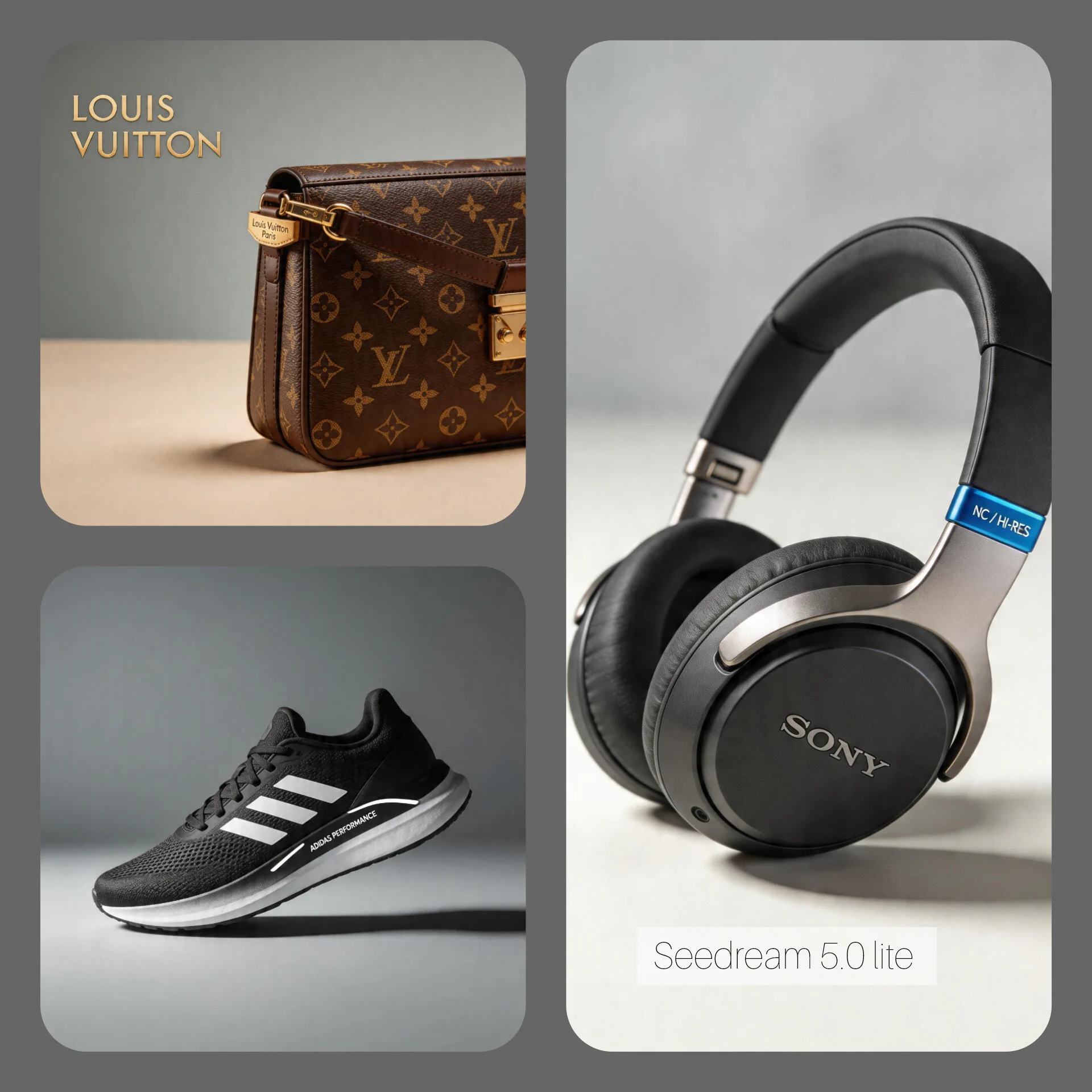 Image1:1
Build a four-panel product mood board with evenly rounded panels: a structured brown patterned handbag, a black-and-white running shoe, over-ear headphones and a close detail of one product’s surface. Use consistent dark gray studio settings, controlled side light and subtle reflections. Emphasize leather grain, woven fabric, brushed metal and soft ear cushions. Keep all products separated and the panel edges aligned.
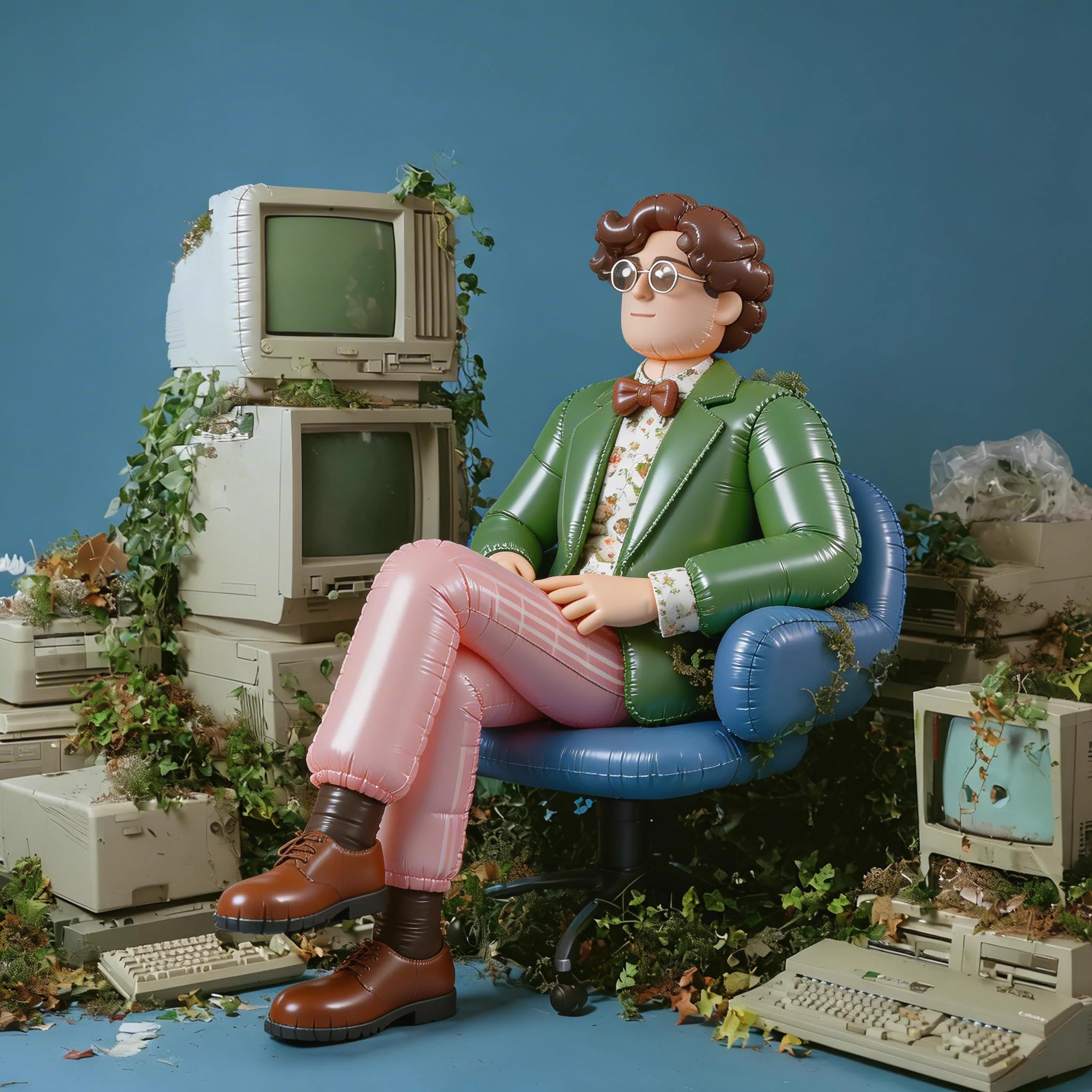 Image1:1
Use your own scene photograph and a separate clay-art reference. Reinterpret the scene as a handcrafted miniature with a seated adult wearing a green jacket and pink trousers. Surround the blue chair with old beige computer monitors, keyboards, moss and small plants. Preserve the main arrangement while giving the face, clothing and electronics rounded sculpted shapes, soft seams and a satin clay surface. Use a muted teal studio background.
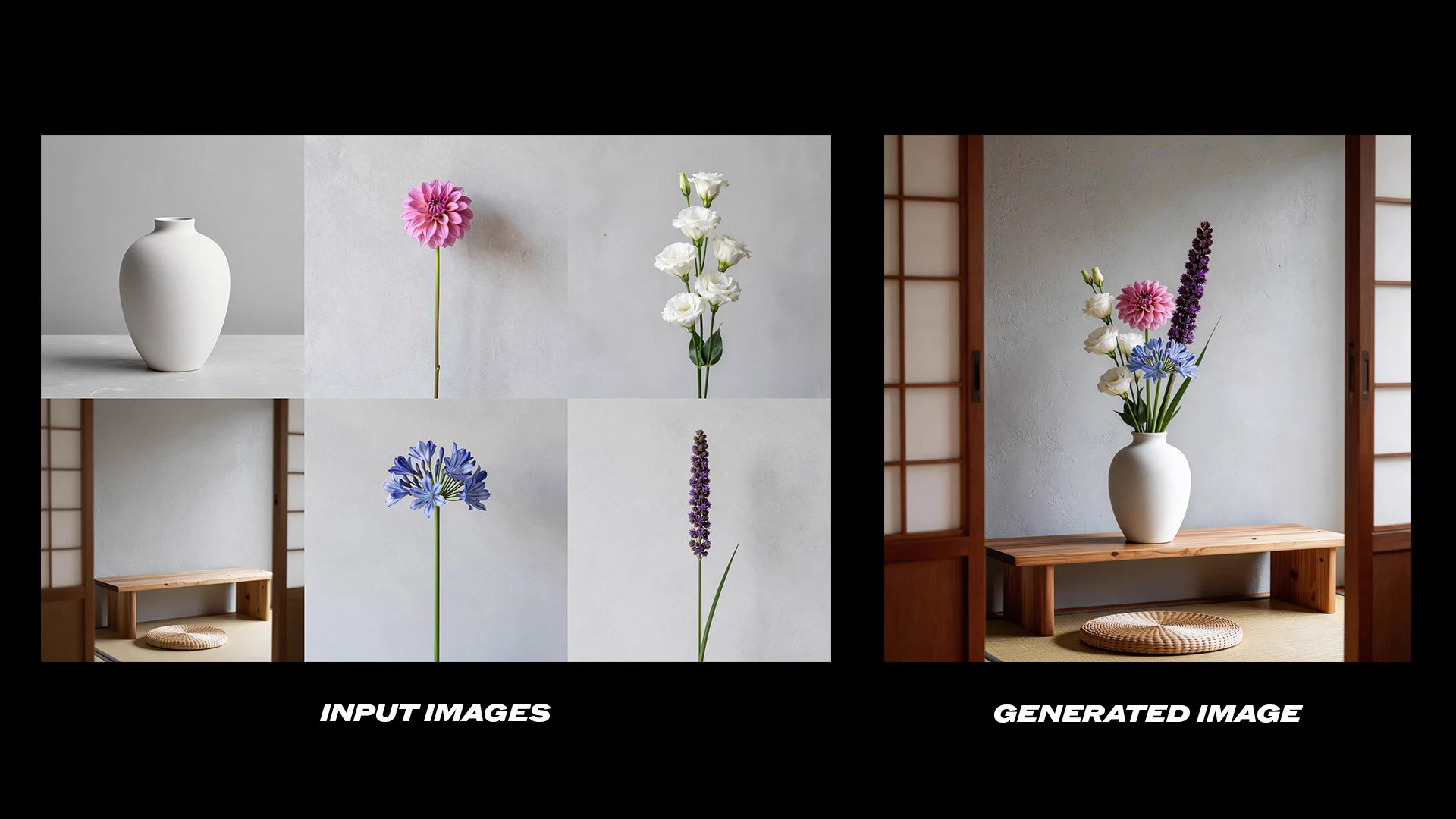 Image16:9
Combine your own flower, vase and room references into one interior still life. Arrange pink, white and violet flowers with a few slender green leaves in a simple white ceramic vase. Place it on a low wooden table beside a softly lit window. Keep each flower species recognizable, use an airy asymmetric arrangement, and match the light direction and scale to the room. Produce one finished scene, without a comparison grid.
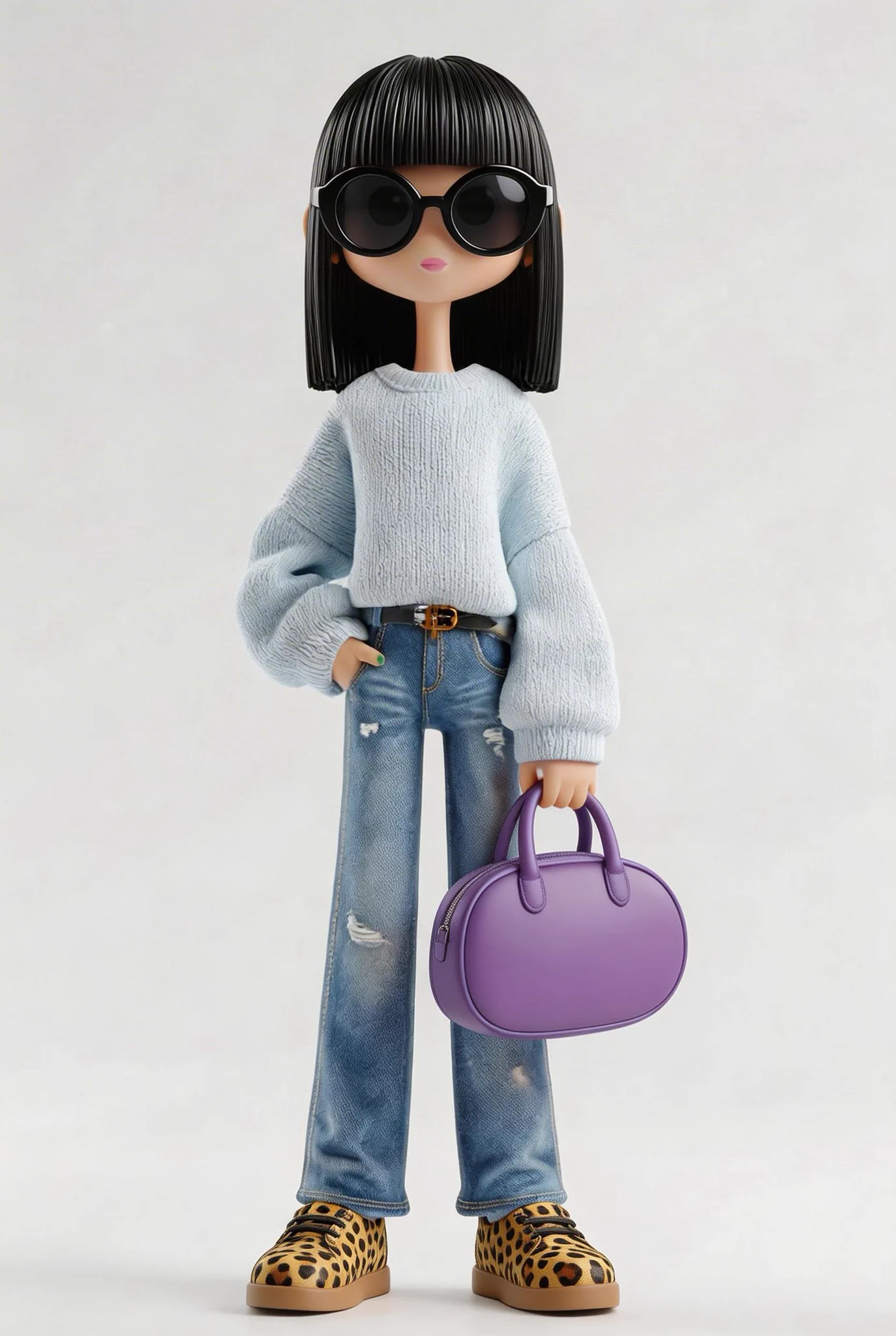 Image2:3
Edit your own full-body doll reference while keeping its pose, black bob hairstyle, pale blue sweater and distressed jeans. Give it rounded dark sunglasses, a small purple handbag and leopard-pattern shoes. Keep the oversized head and delicate toy proportions consistent. Place the figure on a clean light gray studio background with soft grounding shadows and a subtle fabric texture.
Output prices compare one 1:1 image at the same resolution with zero reference images. Prices are in USD.
| Resolution | APIstable standard | Official fallback | WaveSpeed | fal |
|---|---|---|---|---|
| 2K | With bonus ≈ $0.023 / imageRegular $0.025 / image5 credits / image | With bonus ≈ $0.032 / imageRegular $0.035 / image7 credits / image | $0.035 / image54% more than APIstable | $0.035 / image54% more than APIstable |
| 3K | With bonus ≈ $0.023 / imageRegular $0.025 / image5 credits / image | With bonus ≈ $0.032 / imageRegular $0.035 / image7 credits / image | $0.035 / image54% more than APIstable | $0.035 / image54% more than APIstable |
| 4K | With bonus ≈ $0.023 / imageRegular $0.025 / image5 credits / image | With bonus ≈ $0.032 / imageRegular $0.035 / image7 credits / image | $0.035 / image54% more than APIstable | $0.035 / image54% more than APIstable |
The request follows the form. The website uses your session; API clients use your API key. See the docs for parameters, task creation and task queries.
Write a prompt and optionally add references.
Choose resolution, output count and optional fallback. Review the account quote before submitting.
Query the returned task ID or receive a signed callback. Save result images within 14 days.
| Parameter | Description |
|---|---|
model | seedream-5-0-lite |
input | Image generation parameters. |
input.prompt | Describe the image or edit. Limits depend on the model; see the schema. |
input.image_urls | Up to 10 public HTTPS reference images. The generation provider validates the files. |
input.resolution | 2K / 3K / 4K |
input.output_format | JPEG / PNG |
input.aspect_ratio | Auto / 1:1 / 4:3 / 3:4 / 16:9 / 9:16 / 3:2 / 2:3 / 21:9 / 2:1 / 1:2 |
input.size | Exact dimensions override the resolution and aspect ratio presets. Width × height must be 3,686,400–16,777,216 total pixels. Width ÷ height must be between 1/16 and 16. |
input.watermark | Visible watermark |
input.sequential_image_generation | Ask for the desired number of related images in the prompt. Pay for the images returned. |
input.sequential_image_generation_options.max_images | The model may return fewer. Defaults to 15 minus the number of reference images. |
input.official_fallback | Allow the final fallback tier; default false. |
{
  "model": "seedream-5-0-lite",
  "input": {
    "prompt": "Create a fisheye fashion photograph inside a small convenience store. A young adult with short blond hair holds the front of a graphic shirt toward the lens so the large illustrated lettering dominates the foreground. Use converging shelves, fluorescent ceiling lights, a slightly gritty streetwear mood and realistic fabric creases. Keep the face visible above the shirt and the close perspective intentional.",
    "resolution": "2K",
    "aspect_ratio": "16:9",
    "image_urls": [],
    "output_format": "jpeg",
    "official_fallback": false,
    "nsfw_check": true
  }
}
The request follows the form. The website uses your session; API clients use your API key. See the docs for parameters, task creation and task queries.
Choose by the asset you need, output size and editing controls. All six models support text prompts and reference images through APIstable.
| Model | Strengths and best uses | Output size |
|---|---|---|
| Seedream 5.5 | More stable successive edits, improved realism and dense text, plus transparent PNGs and layer decomposition. Suits product retouching, marketing posters and reusable design assets. | 1K / 1.5K / 2K |
| Seedream 5.0 Flash | Affordable reference-based editing, with one standard output price from 1K to 2K and no separate reference-image fee. Suits ad drafts, product-scene variations and social media visuals. | 1K / 1.5K / 2K |
| Seedream 5.0 Pro | Handles complex layouts, multilingual text and transparent layer decomposition. Suits infographics, localized campaigns and extracting assets from approved designs. | 1K / 1.5K / 2K |
| Seedream 5.0 LiteYou’re here | Improved instruction understanding, visual reasoning and reference-style transfer, with output up to 4K. Suits educational diagrams, presentation visuals, multi-subject compositions and large illustrations. | 2K / 3K / 4K |
| Seedream 4.5 | Focuses on preserving faces, lighting and color from references, with improved small text and poster layouts. Suits product scene changes, portrait revisions, brand posters and 4K campaign assets. | 2K / 4K |
| Seedream 4.0 | Combines text-to-image creation with natural-language editing, broad style coverage and output up to 4K. Suits everyday visuals, illustration styles, background swaps and character concepts. | 1K / 2K / 4K |
Find answers about pricing, generation results, and API access.
No. APIstable offers Lite at 2K, 3K and 4K for product visuals, presentation images and larger visual drafts. “Lite” does not mean small images or establish a universal quality ranking against Pro. Compare detail and style using your own references.
Choose 2K / 3K / 4K with a fixed ratio (1:1, 4:3, 3:4, 16:9, 9:16, 3:2, 2:3, 21:9, 2:1, 1:2). Auto matches a reference image and requires one. The default ratio is 1:1. Enter widthxheight under Exact dimensions to override both presets.
Specific visual rules matter more than length: describe line weight, paper texture, palette and light rather than stacking style names. Prompts must contain 5–2995 characters. Keep the subject description stable and test a few scenes before applying a style across a full set.
APIstable accepts up to 10 references. The generation provider determines which files it accepts. Upload local files in the workbench or supply publicly readable HTTPS URLs through the API. Login-protected, expired or unsupported files may be rejected. References are optional for text-to-image.
A model may borrow content as well as style. Explain which image supplies only palette or material, and which objects should be excluded; use a cleaner reference if necessary. Describe subject and style references separately and inspect outputs rather than assuming “style only” perfectly isolates them.
No. Include the image to edit in each request and specify the change and what to preserve. You can reuse the previous output, but save originals and reintroduce them if revisions drift. Successive editing does not guarantee that every untouched region remains identical.
Yes, but provide the data, terminology and headings yourself, and specify how arrows and labels relate to shapes. For dense copy, generate the visual and reserved text areas, then add text in a presentation or design editor. A plausible-looking diagram is not a fact-checked explanation.
Lite offers JPEG and PNG on APIstable, defaulting to JPEG. There is currently no transparency parameter, and choosing PNG does not guarantee a transparent background. Use Seedream 5.5 for controlled transparent assets rather than adding an unsupported background field to Lite.
The default is one image. In Advanced settings, turn on Generate a related image set, enter a maximum, and ask for the desired count in your prompt. The model can return fewer. With no maximum set, the limit is 15 minus the number of references.
The per-image rate is the same at 2K, 3K and 4K and includes references. For an image set, credits are reserved up to the specified limit and settled for the images returned. The fallback rate applies only when the final tier succeeds.
Resolution describes output size, not the correctness of every detail. Inspect the original file, use clear references, give the subject enough space in the frame and avoid conflicting soft-focus and sharp-detail instructions. Compare the same composition before attributing softness to the preview, prompt or model.
Use an APIstable key with POST /api/v1/tasks/create_task, set model to seedream-5-0-lite and place parameters in input. Save task_id and query GET /api/v1/tasks/{task_id}. Successful image URLs are in result.urls. Generated results are retained for 14 days; download files you need to keep.
Generation is asynchronous and timing depends on settings, load and provider state. Closing the page does not cancel a task; resume querying instead of submitting again. At 00:00 Beijing time each day, unfinished items submitted more than 24 hours earlier are failed and their reserved credits released.
Credits are reserved at submission, then settled only for successful items; failed items release their reservation. Enabling fallback does not automatically apply its price: that tier must succeed. For partial success, check each item and its charge. Successful images stay charged when other items fail.
Both prompts and references can affect screening, and false positives are possible. The Playground enables NSFW screening by default. API clients can control APIstable’s pre-check with nsfw_check, but provider screening still applies. Keep the error details for support if you suspect a mistake rather than repeatedly submitting paid requests.
Write a prompt or add references to generate an image.