Editing demonstrated across 100 rounds
ByteDance demonstrated 100 successive revisions. Reuse each output as the next reference to keep developing one image.
Seedream 5.5 API · Image generation and reference editing
Refine images through successive edits, create native transparent assets, and render more natural textures and clearer small text with Seedream 5.5.
ByteDance demonstrated 100 successive revisions. Reuse each output as the next reference to keep developing one image.
Training targets pixel-level preservation outside edited areas, reducing color drift and accumulated detail loss.
Generate PNG assets with full or partial transparency for compositing, without a separate background-removal pass.
Improved skin, materials and lighting reduce excessive gloss and overexposure in portraits and product scenes.
ByteDance reports 0.4% severe and 1.7% minor text corruption in its evaluation, including dense small text.
Use reference colors, brushwork and material treatments to create coordinated lettering and graphic assets.
Reference-led creation helps retain character features and textures as poses, settings and compositions change.
Split one image into a base and transparent PNG layers, up to 100 outputs. Inspect individual layers, download them and retrieve optional text and layout metadata.
Build campaign artwork around a headline, supporting copy and a focal image. Specify reading order, brand space and separate text areas for localized versions.
Start from a product photograph and refine its setting, props and lighting. State what should change and which product details should remain consistent across revisions.
Create standalone assets for stickers, product composites and brand layouts. Choose PNG with a transparent background to place the subject in an existing design.
Use a room photograph to explore furniture, lighting and décor. Refine colors and placement through reference edits to prepare visual options for design discussions.
Work from a portrait to compare hairstyles, accessories and outfits. Describe the features and pose to retain, then use each reviewed result as the reference for the next revision.
Describe a setting, people and everyday objects for a lifestyle illustration. Specify natural light, material texture and framing to prepare imagery for articles and brand stories.
Use a dish photograph to explore plating, table settings and daylight. Keep the ingredients recognizable while preparing visual directions for a menu or restaurant campaign.
Split a finished poster or product visual into a base and transparent layers. Download individual elements for new layouts, and enable text recognition when you need the copy.
Explore example images with suggested prompts based on their composition. These prompts are not verified reproductions; upload your own input image for reference-editing examples.
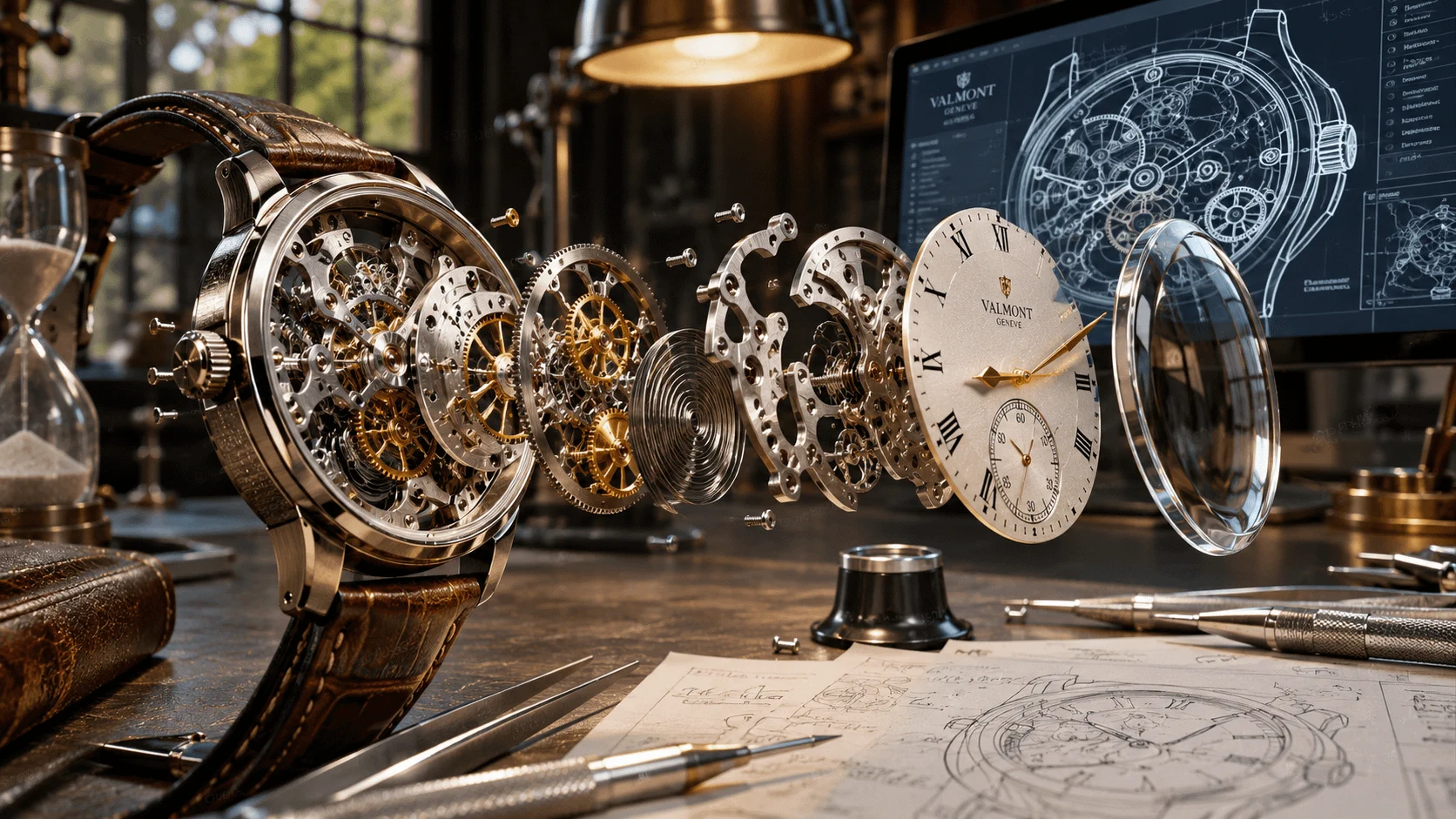 Image16:9
Create a luxury watch advertising photograph in a traditional watchmaker’s workshop. Show a skeleton wristwatch in an exploded arrangement, with the dial, glass, tiny screws and brass mechanisms separated along one clear axis. Include a dark drafting board with pale technical sketches behind it. Warm task lighting, polished steel highlights, worn wooden workbench, shallow depth of field. Keep the watch silhouette and individual parts legible. One landscape image.
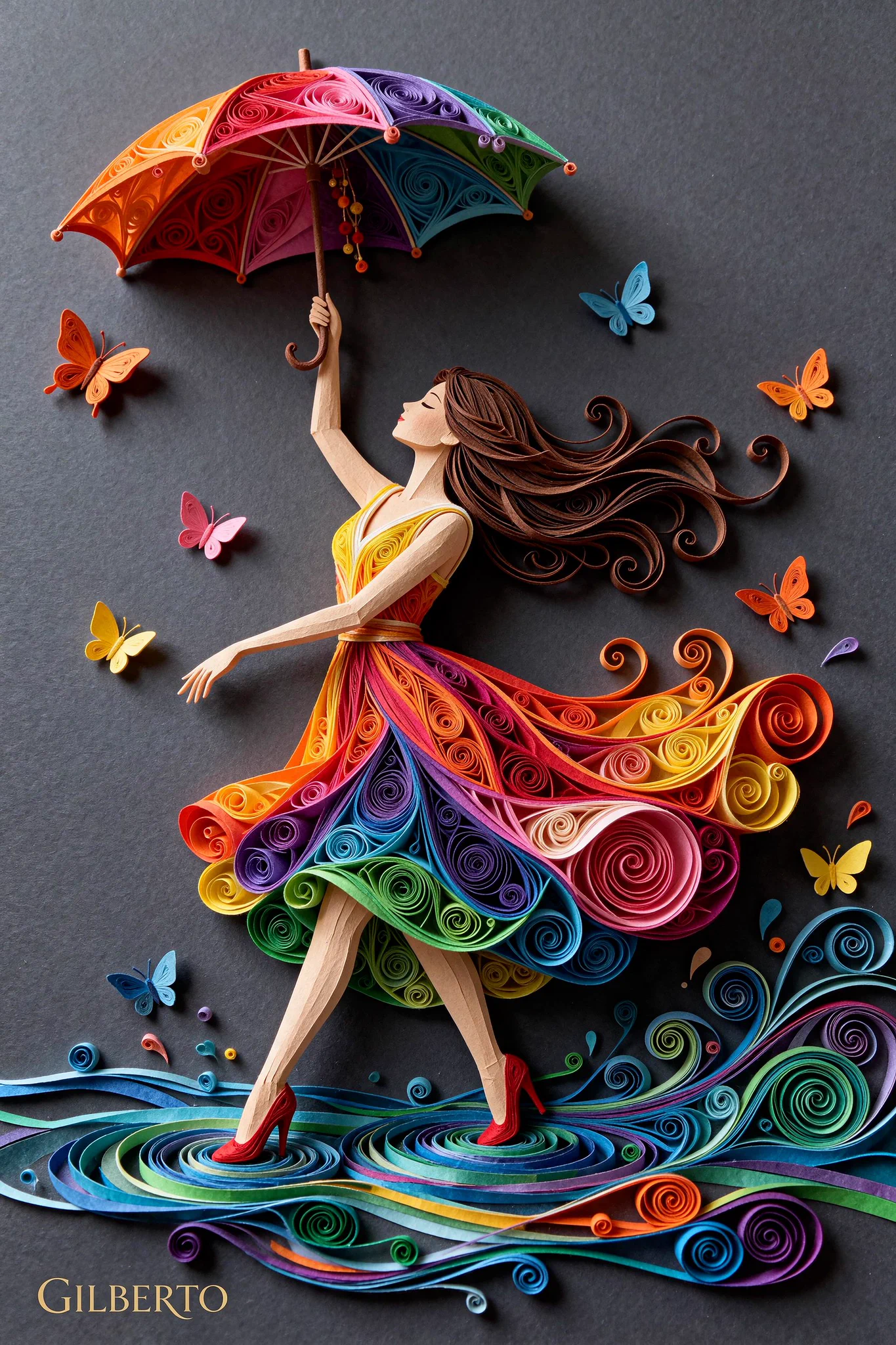 Image2:3
Design a sculptural paper-art illustration of an adult dancer holding an umbrella. Build the flowing dress, long hair, umbrella and water-like base from tightly curled strips of colored paper. Let the palette move through warm yellow, coral, violet, blue and green. Add several small paper butterflies around the figure. Show the thickness of each strip and soft shadows against a charcoal background. Full figure, portrait composition, no added lettering.
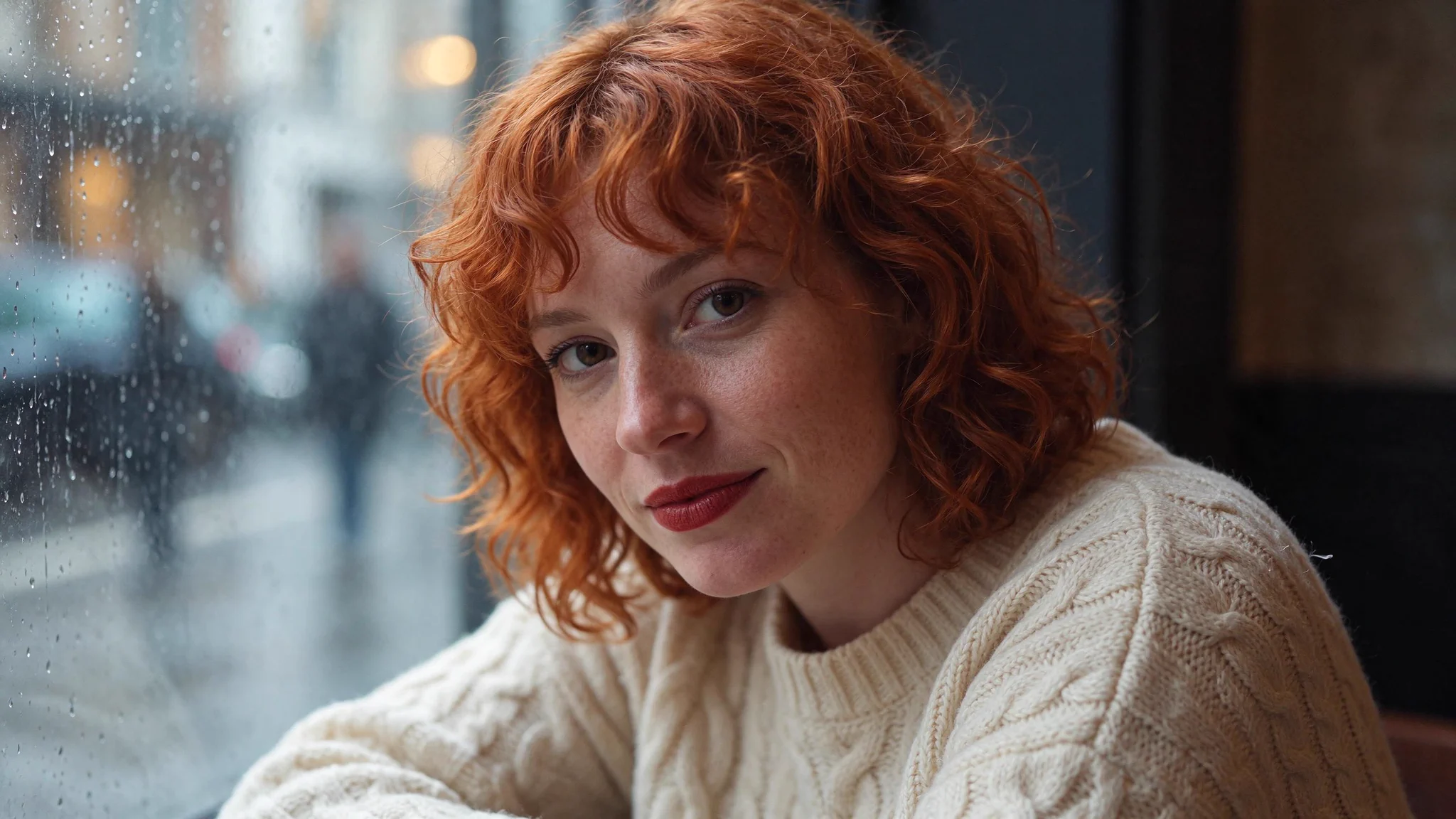 Image16:9
Photograph an adult woman with a short copper-red bob sitting beside a café window on a rainy afternoon. She wears a cream cable-knit sweater and looks quietly toward the camera. Frame her from the chest up, with a blurred street beyond the glass. Use broad soft window light, realistic skin texture, subdued cool background tones and warm hair color. A natural editorial photograph with no lettering.
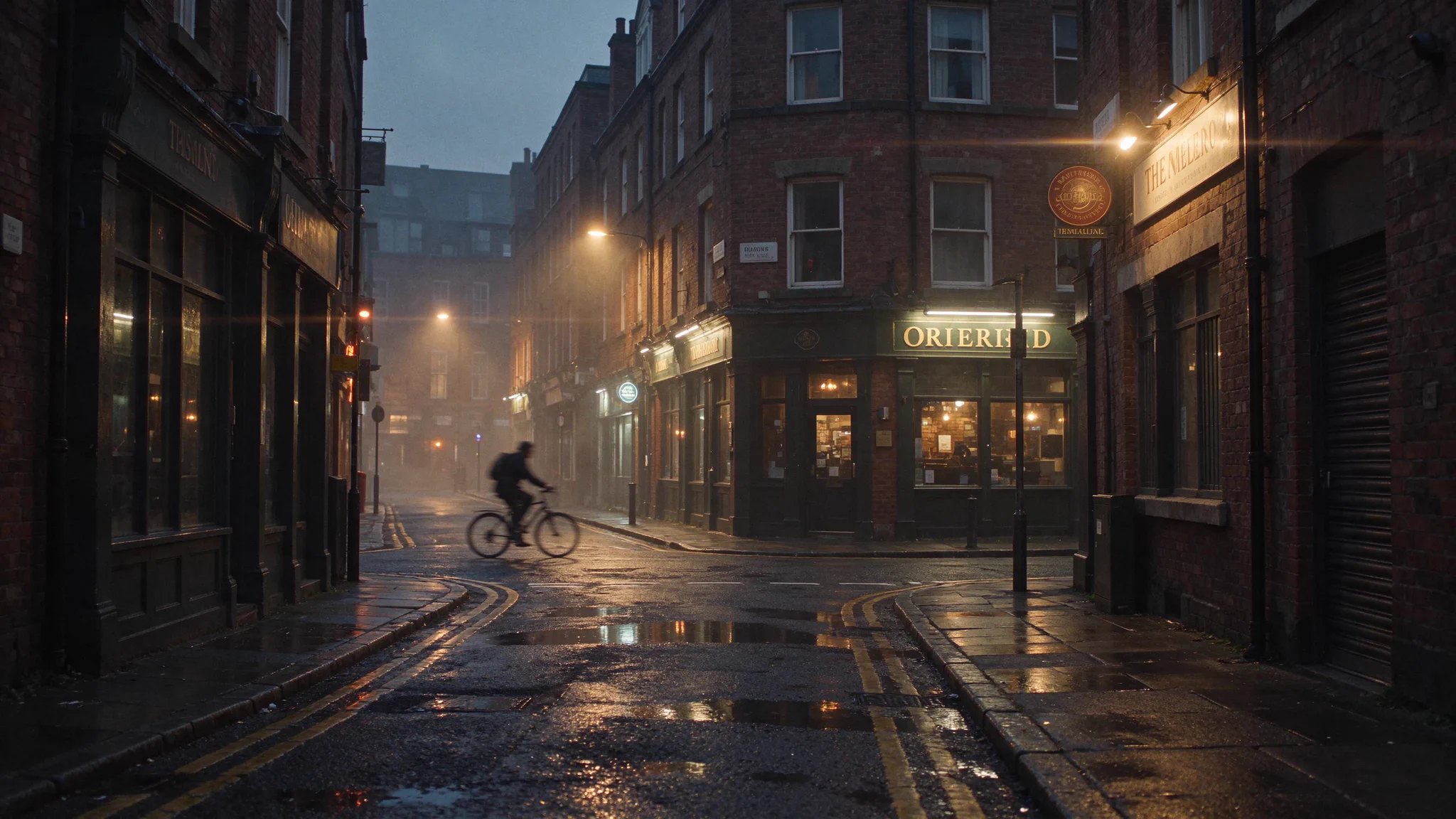 Image16:9
A cinematic street photograph at blue hour in an old European neighborhood after rain. Narrow brick buildings frame the road; warm light spills from corner cafés. A lone cyclist crosses the middle distance. Reflect the amber windows on wet paving stones, with soft haze and a restrained blue-brown palette. Eye-level composition, credible architecture, no dramatic storm or artificial glow.
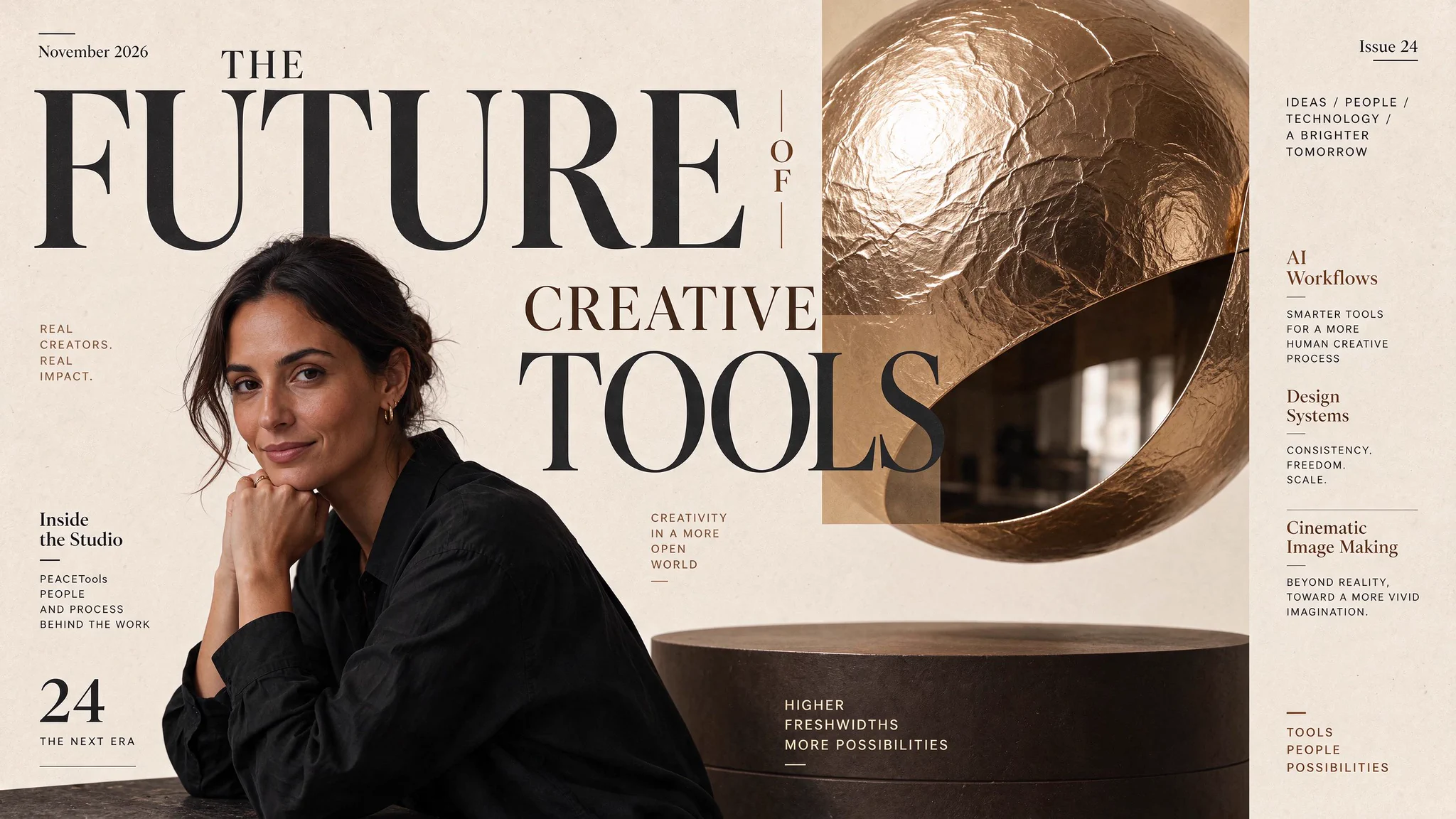 Image16:9
Create an elegant magazine cover on warm ivory paper. Use a large dark serif masthead reading FUTURE and a secondary stacked headline CREATIVE TOOLS. Place an adult creative professional’s portrait in the lower left and a circular architectural detail in the upper right. Arrange a few short cover lines, the issue number 24 and a small date around the edges. Carefully align the typography and preserve generous margins.
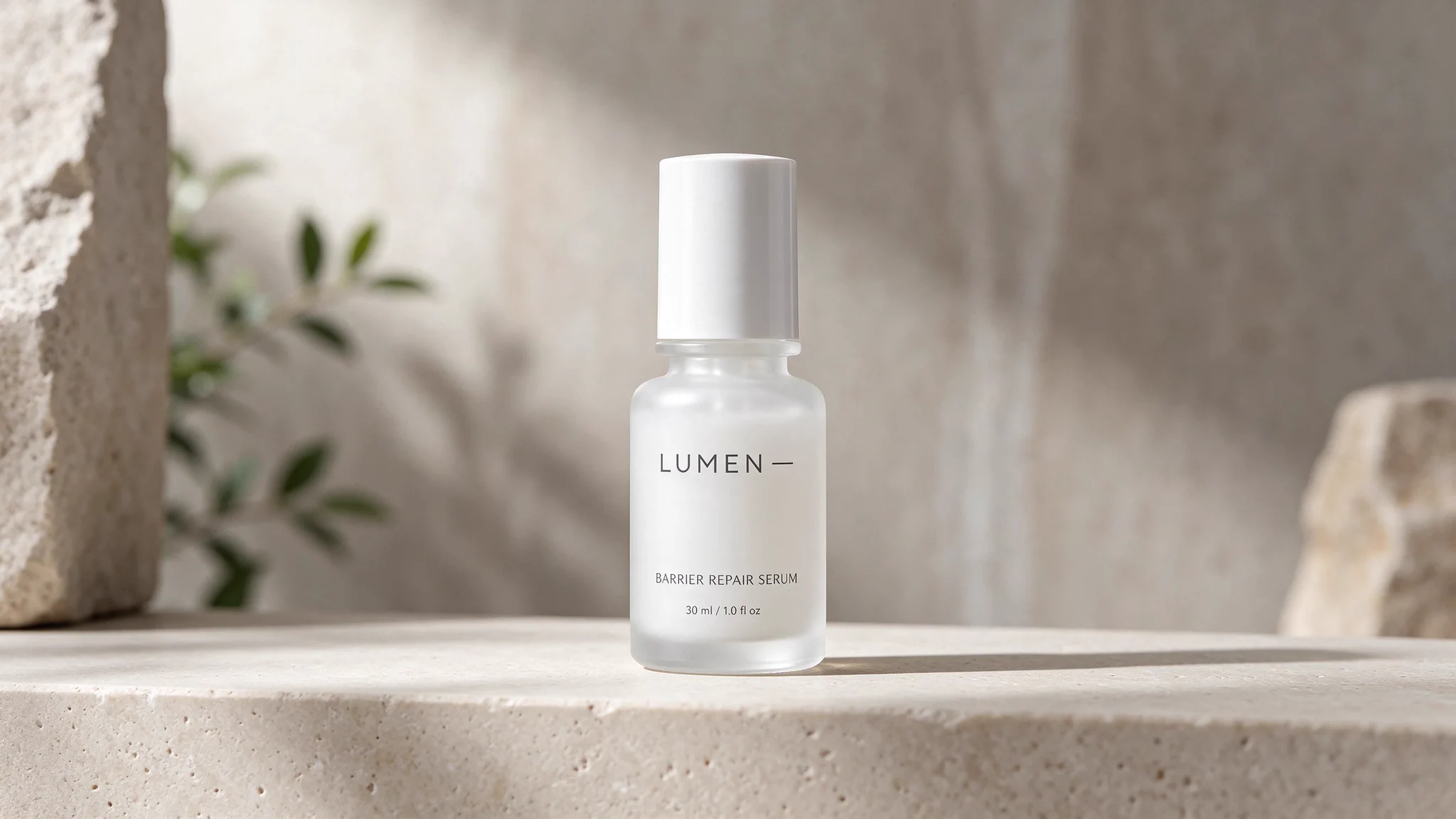 Image16:9
A restrained skincare product photograph: one frosted white glass serum bottle with a white dropper cap on a pale limestone ledge. Give the bottle a small clean label with the fictional name LUMEN and the volume 30 ml. Light the scene from a window at the side, creating soft shadows and translucent glass edges. Keep dried botanical elements blurred in the background. Neutral cream palette, no extra products.
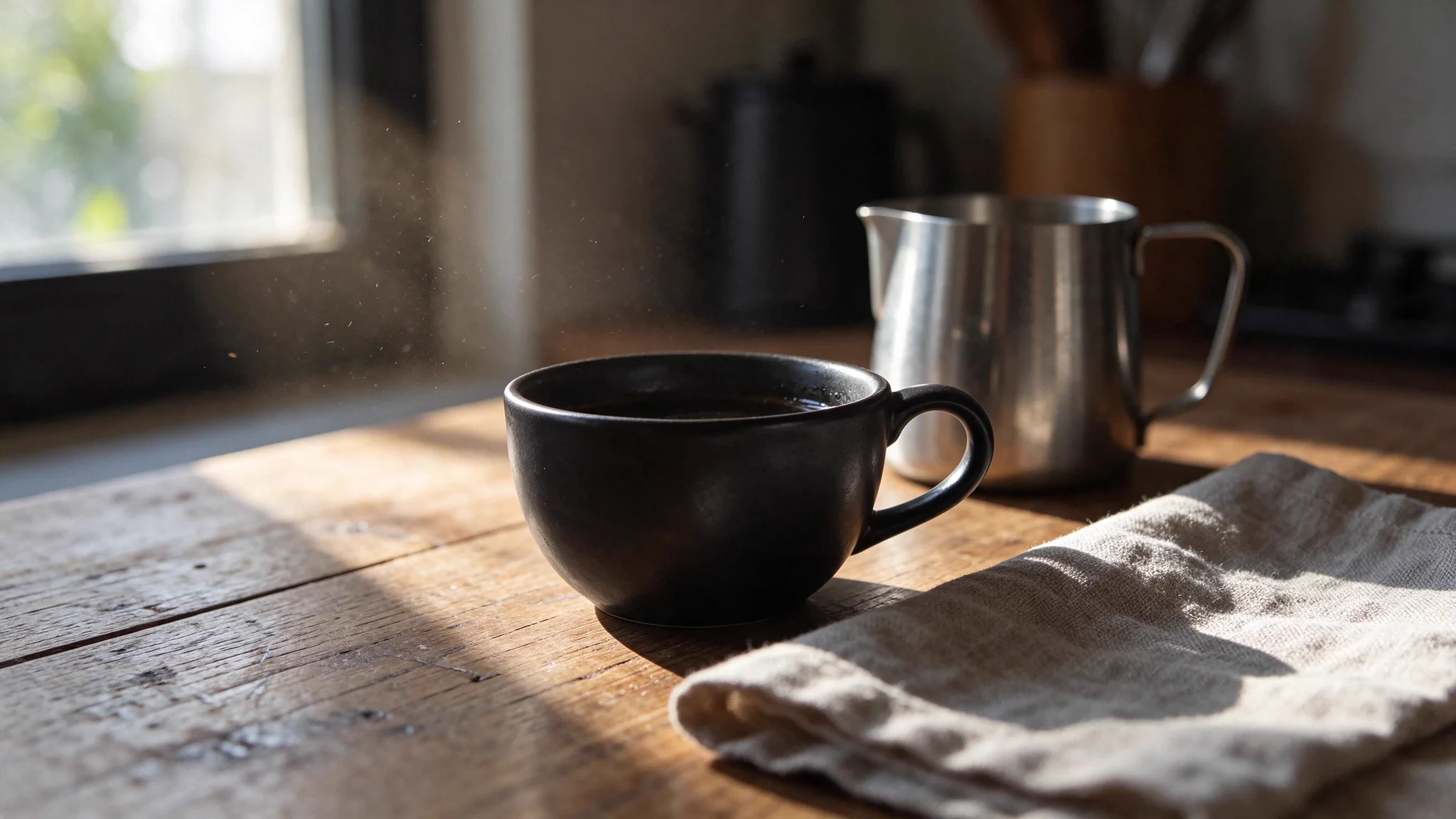 Image16:9
Photograph a dark ceramic coffee cup on a worn wooden table beside a metal milk pitcher and folded linen. Let morning light enter from the left and illuminate a thin trail of steam and floating dust. Use a low tabletop viewpoint, a softly blurred kitchen background and visible textures in the wood, cloth and glaze. One landscape image.
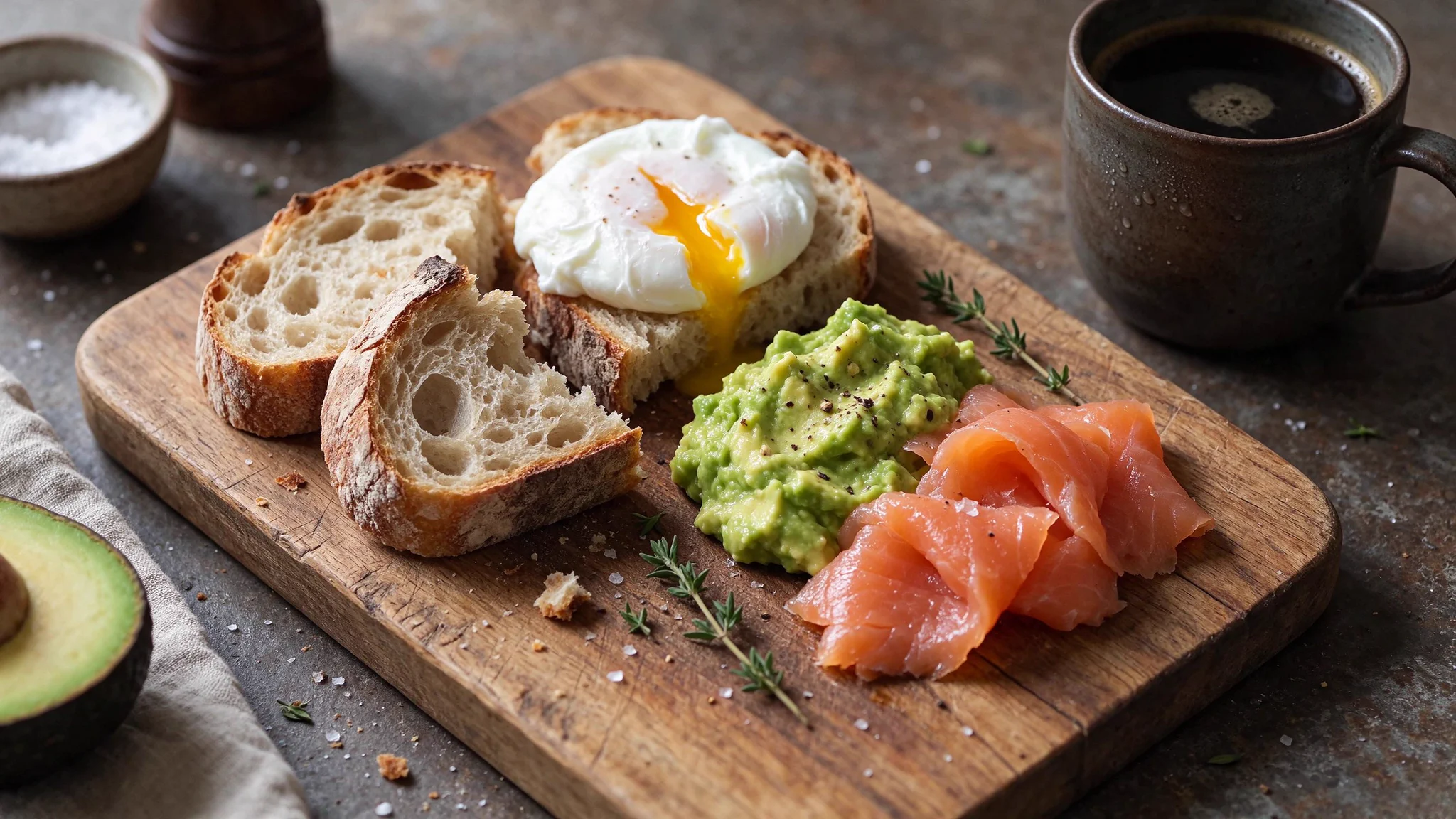 Image16:9
Create a close food photograph of sliced sourdough, a poached egg with a little golden yolk, mashed avocado and folded smoked salmon on a wooden serving board. Put a dark coffee cup toward the back. Soft window light, muted tabletop, linen at the edge, shallow depth of field. Keep the bread crust and ingredients distinct. One landscape image.
Output prices compare one 1:1 image at the same resolution with zero reference images. Prices are in USD.
| Resolution | APIstable standard | Official fallback | WaveSpeed | fal |
|---|---|---|---|---|
| 1K | With bonus ≈ $0.014 / imageRegular $0.015 / image3 credits / image | With bonus ≈ $0.020 / imageRegular $0.0225 / image4.5 credits / image | $0.019 / image39.3% more than APIstable | $0.03 / image120% more than APIstable |
| 1.5K | With bonus ≈ $0.014 / imageRegular $0.015 / image3 credits / image | With bonus ≈ $0.020 / imageRegular $0.0225 / image4.5 credits / image | $0.019 / image39.3% more than APIstable | $0.03 / image120% more than APIstable |
| 2K | With bonus ≈ $0.024 / imageRegular $0.02625 / image5.25 credits / image | With bonus ≈ $0.036 / imageRegular $0.039375 / image7.875 credits / image | $0.03325 / image39.3% more than APIstable | $0.0405 / image69.7% more than APIstable |
| Reference image input | With bonus ≈ +$0.005 / referenceRegular +$0.006 / reference+1.2 credits / reference | With bonus ≈ +$0.008 / referenceRegular +$0.009 / reference+1.8 credits / reference | Output prices compared above | |
The request follows the form. The website uses your session; API clients use your API key. See the docs for parameters, task creation and task queries.
Write a prompt and optionally add references.
Choose resolution, output count and optional fallback. Review the account quote before submitting.
Query the returned task ID or receive a signed callback. Save result images within 14 days.
| Parameter | Description |
|---|---|
model | seedream-5-5 |
input | Image generation parameters. |
input.prompt | Describe the image or edit. Limits depend on the model; see the schema. |
input.image_urls | Up to 10 public HTTPS reference images. The generation provider validates the files. |
input.resolution | 1K / 1.5K / 2K |
input.output_format | JPEG / PNG |
input.aspect_ratio | Auto / 1:1 / 4:3 / 3:4 / 16:9 / 9:16 / 3:2 / 2:3 / 21:9 / 2:1 / 1:2 |
input.size | Exact dimensions override the resolution and aspect ratio presets. Width × height must be 921,600–4,624,220 total pixels. Width ÷ height must be between 1/16 and 16. |
input.background | Auto / Opaque / Transparent |
input.watermark | Visible watermark |
input.output_count | 1–4 independent image items; default 1. |
input.official_fallback | Allow the final fallback tier; default false. |
{
  "model": "seedream-5-5",
  "input": {
    "prompt": "Create a luxury watch advertising photograph in a traditional watchmaker’s workshop. Show a skeleton wristwatch in an exploded arrangement, with the dial, glass, tiny screws and brass mechanisms separated along one clear axis. Include a dark drafting board with pale technical sketches behind it. Warm task lighting, polished steel highlights, worn wooden workbench, shallow depth of field. Keep the watch silhouette and individual parts legible. One landscape image.",
    "resolution": "2K",
    "aspect_ratio": "auto",
    "image_urls": [],
    "output_format": "png",
    "background": "auto",
    "output_count": 1,
    "official_fallback": false,
    "nsfw_check": true
  }
}
The request follows the form. The website uses your session; API clients use your API key. See the docs for parameters, task creation and task queries.
Choose by the asset you need, output size and editing controls. All six models support text prompts and reference images through APIstable.
| Model | Strengths and best uses | Output size |
|---|---|---|
| Seedream 5.5You’re here | More stable successive edits, improved realism and dense text, plus transparent PNGs and layer decomposition. Suits product retouching, marketing posters and reusable design assets. | 1K / 1.5K / 2K |
| Seedream 5.0 Flash | Affordable reference-based editing, with one standard output price from 1K to 2K and no separate reference-image fee. Suits ad drafts, product-scene variations and social media visuals. | 1K / 1.5K / 2K |
| Seedream 5.0 Pro | Handles complex layouts, multilingual text and transparent layer decomposition. Suits infographics, localized campaigns and extracting assets from approved designs. | 1K / 1.5K / 2K |
| Seedream 5.0 Lite | Improved instruction understanding, visual reasoning and reference-style transfer, with output up to 4K. Suits educational diagrams, presentation visuals, multi-subject compositions and large illustrations. | 2K / 3K / 4K |
| Seedream 4.5 | Focuses on preserving faces, lighting and color from references, with improved small text and poster layouts. Suits product scene changes, portrait revisions, brand posters and 4K campaign assets. | 2K / 4K |
| Seedream 4.0 | Combines text-to-image creation with natural-language editing, broad style coverage and output up to 4K. Suits everyday visuals, illustration styles, background swaps and character concepts. | 1K / 2K / 4K |
Find answers about pricing, generation results, and API access.
Choose 5.5 for successive edits, transparent assets, realistic imagery and text-heavy designs. ByteDance reports improvements over 5.0 Pro in its realism and text evaluations, while APIstable offers a lower standard output price. Both reach 2K here; choose Lite when you need 3K or 4K.
Choose 1K / 1.5K / 2K with a fixed ratio (1:1, 4:3, 3:4, 16:9, 9:16, 3:2, 2:3, 21:9, 2:1, 1:2). Auto lets the model choose the ratio. Enter widthxheight under Exact dimensions to override both presets.
Identify the object and its position, then specify what must stay: composition, colors and key details. For a label change, give the old and new wording and preserve the cup shape, table and camera position. Prompts must contain 5–5000 characters. Small revision steps make unintended changes easier to spot.
APIstable accepts up to 10 references. The generation provider determines which files it accepts. Upload local files in the workbench or supply publicly readable HTTPS URLs through the API. Login-protected, expired or unsupported files may be rejected. References are optional for text-to-image.
Include a clear original reference each time. State the facial features, clothing or product shape to preserve, and assign each reference a specific role. Consistency is not guaranteed: inspect faces, logos and proportions, and avoid building every revision on an output that has already drifted.
ByteDance demonstrated 100 successive editing rounds, feeding each result into the next request. APIstable supports this workflow through reference images: submit the previous result with your next instruction. The API does not retain an editing session automatically; 100 rounds is an official demonstration, not an API request limit or a guarantee for every image.
Image generation does not replace proofreading. Supply exact text in separate blocks, specify headline and body positions, and avoid overcrowding small type. Inspect numbers, punctuation and repeated labels at full size. For copy that must be exact, finish the typography in a design editor.
Choose PNG and set Background to Transparent, or send output_format: png and background: transparent. JPEG cannot carry a transparent background. Inspect the downloaded alpha channel in a suitable viewer. A translucent object such as glass is separate from a transparent background.
Yes. Select Layers in the Playground or send layer_decomposition:true to Seedream 5.5 with exactly one image_urls entry. Set max_images to 2–100 including the base (default 30), and optionally enable text_recognition. The result contains a base image and transparent PNG layers with available layout/OCR metadata. This is one task, billed by actual outputs plus one input fee; unused reserved credits are released. It does not return a PSD. Ordinary generation still supports 1–4 independent outputs.
Yes. 1K and 1.5K share a base price, and 2K has a higher base price. Each reference adds 1.2 credits at the standard rate or 1.8 credits at the final fallback rate, per successful output. For example, one 2K image with one reference costs 6.45 credits at the standard rate.
Describe material and lighting explicitly, such as matte ceramic, woven fabric or soft side light, instead of relying on “ultra realistic.” Use a clear reference and remove conflicting style directions. Compare subject, lighting and texture first; more pixels alone do not guarantee a natural result.
Use an APIstable key with POST /api/v1/tasks/create_task, set model to seedream-5-5 and place parameters in input. Save task_id and query GET /api/v1/tasks/{task_id}. Successful image URLs are in result.urls. Generated results are retained for 14 days; download files you need to keep.
Generation is asynchronous and timing depends on settings, load and provider state. Closing the page does not cancel a task; resume querying instead of submitting again. At 00:00 Beijing time each day, unfinished items submitted more than 24 hours earlier are failed and their reserved credits released.
Credits are reserved at submission, then settled only for successful items; failed items release their reservation. Enabling fallback does not automatically apply its price: that tier must succeed. For partial success, check each item and its charge. Successful images stay charged when other items fail.
Both prompts and references can affect screening, and false positives are possible. The Playground enables NSFW screening by default. API clients can control APIstable’s pre-check with nsfw_check, but provider screening still applies. Keep the error details for support if you suspect a mistake rather than repeatedly submitting paid requests.
Write a prompt or add references to generate an image.